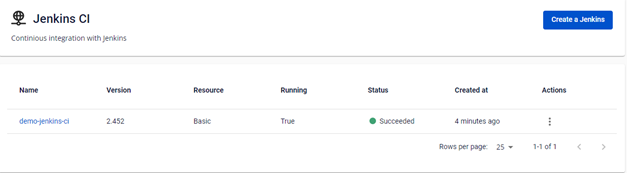
Create a new FPT Jenkins CI
To create a new Jenkins CI instance, follow these steps:
Step 1: In the FPT Portal menu > DevOps > Jenkins CI > click Create a Jenkins.
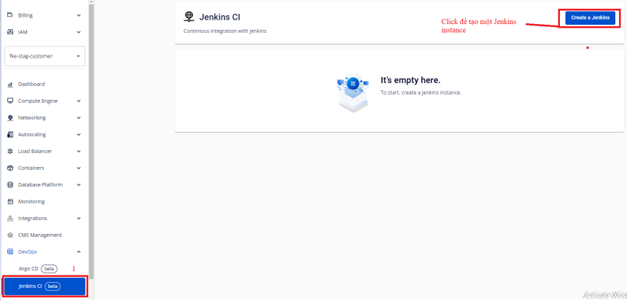
Step 2: Click Create a Jenkins > enter the information to create a Jenkins CI instance.
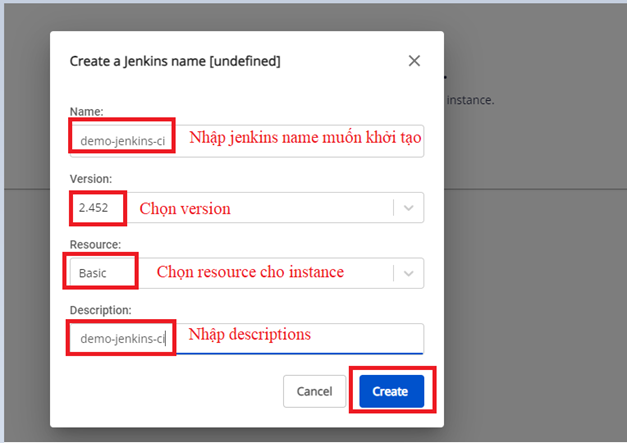
Step 3: Click Create. The system will create a Jenkins Instance and display the processing status.
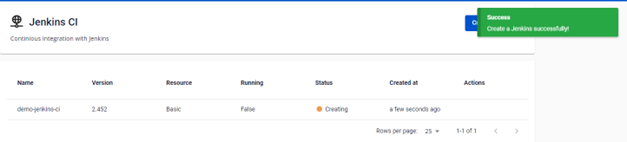
Once the Jenkins instance is successfully created, the cluster status changes to Succeeded. You can then access the Jenkins instance via the URL and the account/password created during setup.