Upgrade Version for the Database
FPT Cloud allows users to upgrade the Jenkins version to a newer one among the versions supported by FPT Cloud. Currently, the Portal supports several versions including: 2.452, 2.453, 2.454.
Step 1. Go to the Essential Properties > Instance Information menu 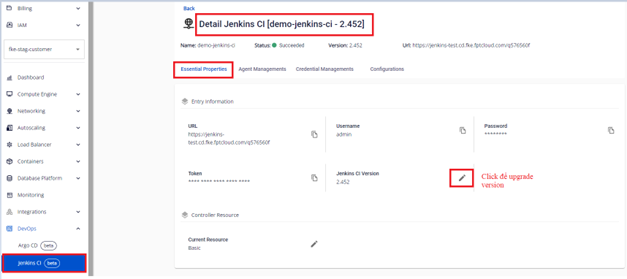 Step 2. Select the version you want to upgrade to:
 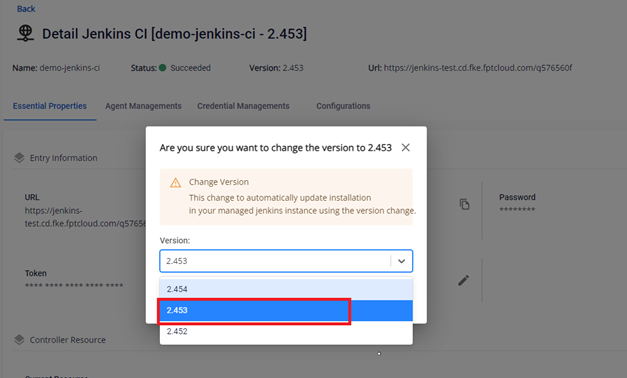 Step 3. Click update to perform the version upgrade.
 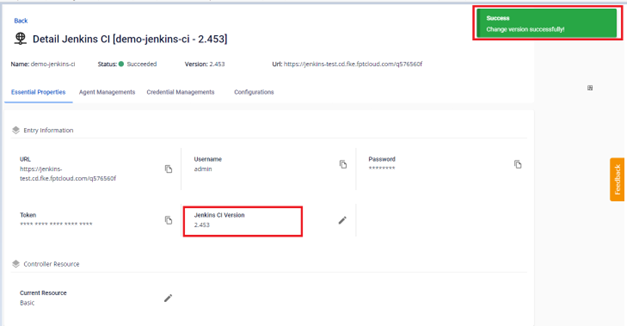 Step 4. Result after successfully upgrading the version
 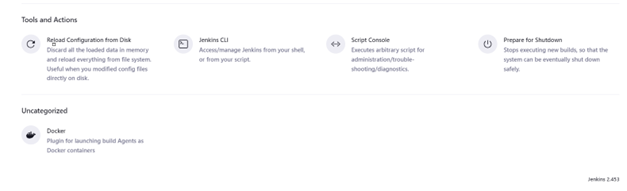 Note: The system will take some time to upgrade the version.