View Jenkins CI instance details
To work with an existing Jenkins cluster, start by viewing its details.
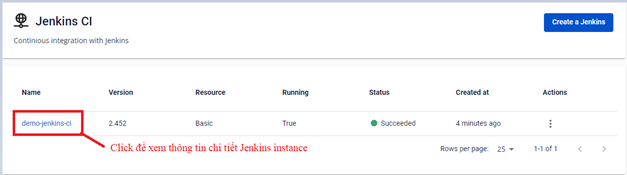
Step 1: In the FPT Portal menu > DevOps > Jenkins CI > click the Instance Name to view cluster details.
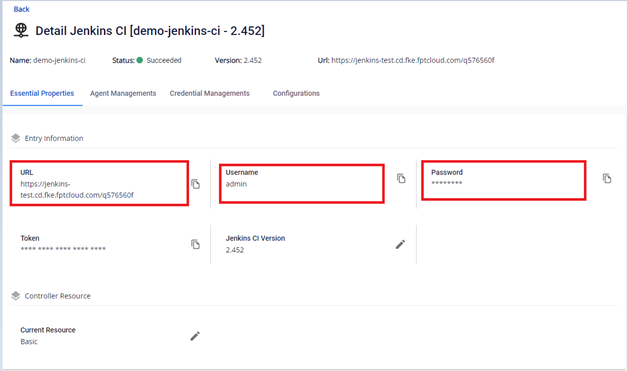
On the first screen, you will see detailed information to access the Jenkins CI instance, including the URL and login credentials.
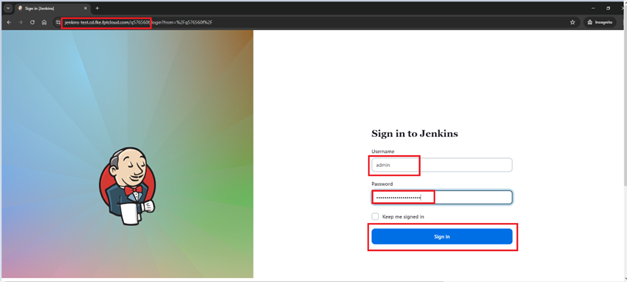
Step 2: Log in to the Jenkins Instance.
On the Essential Properties screen, copy the URL and open the application.
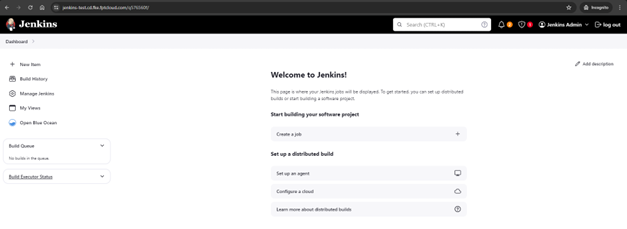
Interface after successfully logging in to Jenkins: