Update Event Gateway Information
To update Event Gateway information, follow the steps below:
Step 1: In the menu bar, select Integration > Event Gateway.
Step 2: Select the Event Gateway you want to update.
Step 3: On the Event Gateway screen, click the Edit icon next to the section you want to modify.
-
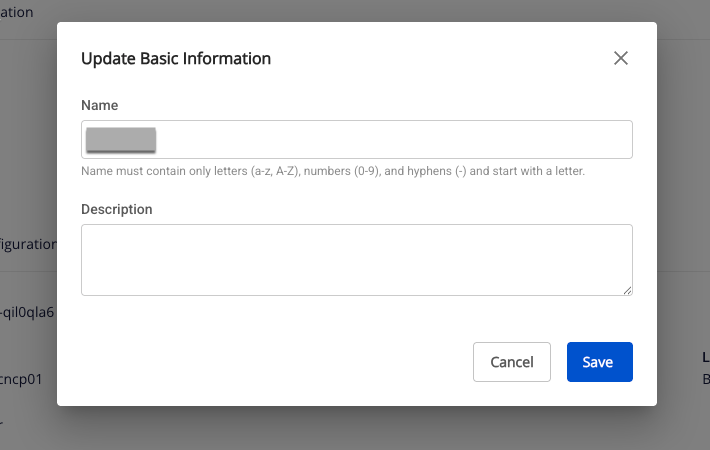
Update Basic Information
Displays the Instance Information edit screen, allowing you to modify:
-
Name (required): Service name.
Note: The service name must be 1–30 characters. It may contain lowercase letters a–z, uppercase letters A–Z, or digits 0–9.
-
Description (optional): Service description.
-
-
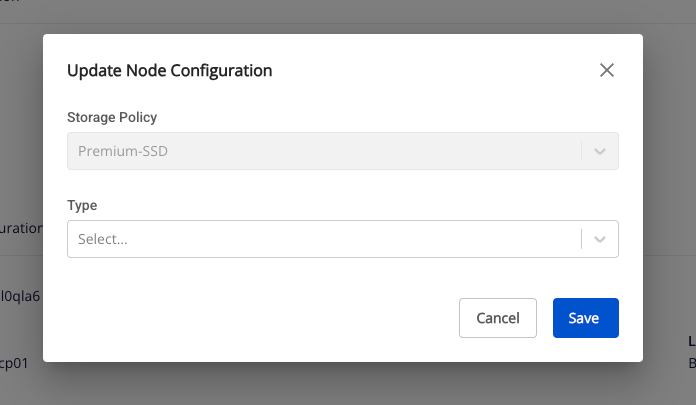
Update Node Configuration
Displays the Node Configuration edit screen, allowing you to modify:
-
Type: Select the configuration type for the service.
-
Number of node: Select the appropriate number of nodes.
Note: The number of nodes must be greater than or equal to 1 and less than or equal to 10.
-
Storage policy: Select a storage policy.
-
-
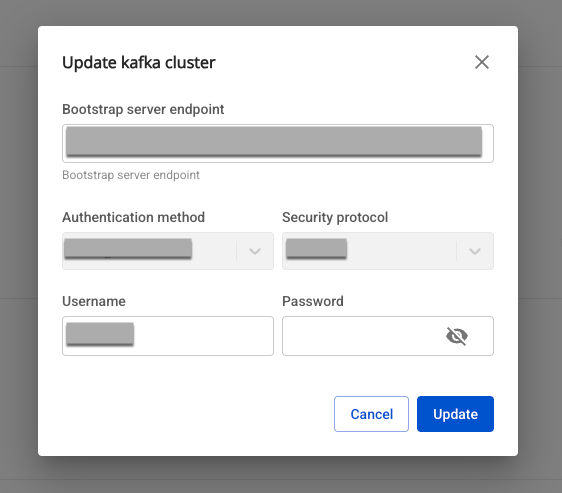
Update Kafka cluster: Displays the Kafka Cluster edit screen, allowing you to modify:
- Bootstrap server endpoint: Enter the Bootstrap server endpoint address.
- Username (required): Login name for authentication.
- Shown when Security protocol is SASL_PLAINTEXT or SASL_SSL.
- May contain a–z, A–Z, 0–9, underscore (_), hyphen (-), dot (.); no leading, trailing, or internal spaces; maximum 64 characters.
- Password (required): Password for authentication.
- Shown when Security protocol is SASL_PLAINTEXT or SASL_SSL.
- No leading, trailing, or internal spaces; maximum 64 characters.
-
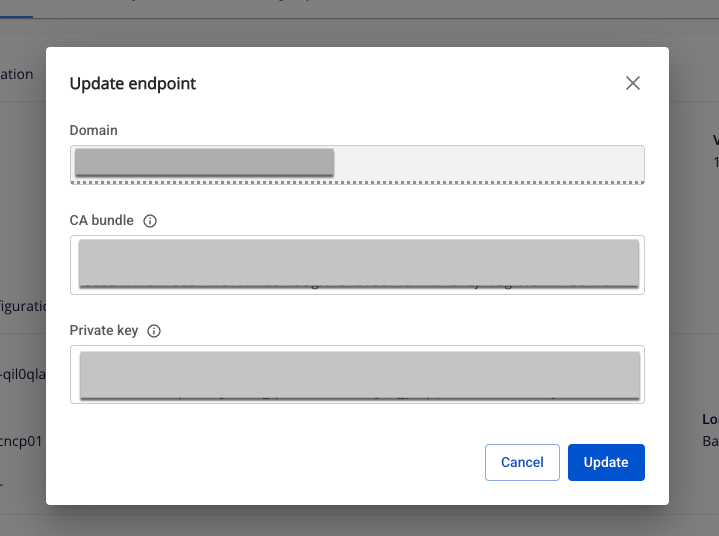
Update Endpoint: Displays the Endpoint edit screen, allowing you to modify:
- CA bundle (required): CA certificate chain in PEM format.
- Must begin with
-----BEGIN CERTIFICATE-----and end according to PEM standard.
- Must begin with
- Private key (required): Private key in PEM format.
- Must begin with
-----BEGIN PRIVATE KEY-----and end according to PEM standard.
- Must begin with
- CA bundle (required): CA certificate chain in PEM format.