Create VPC Peering Connection
To create a new VPC Peering Connection, follow the steps below:
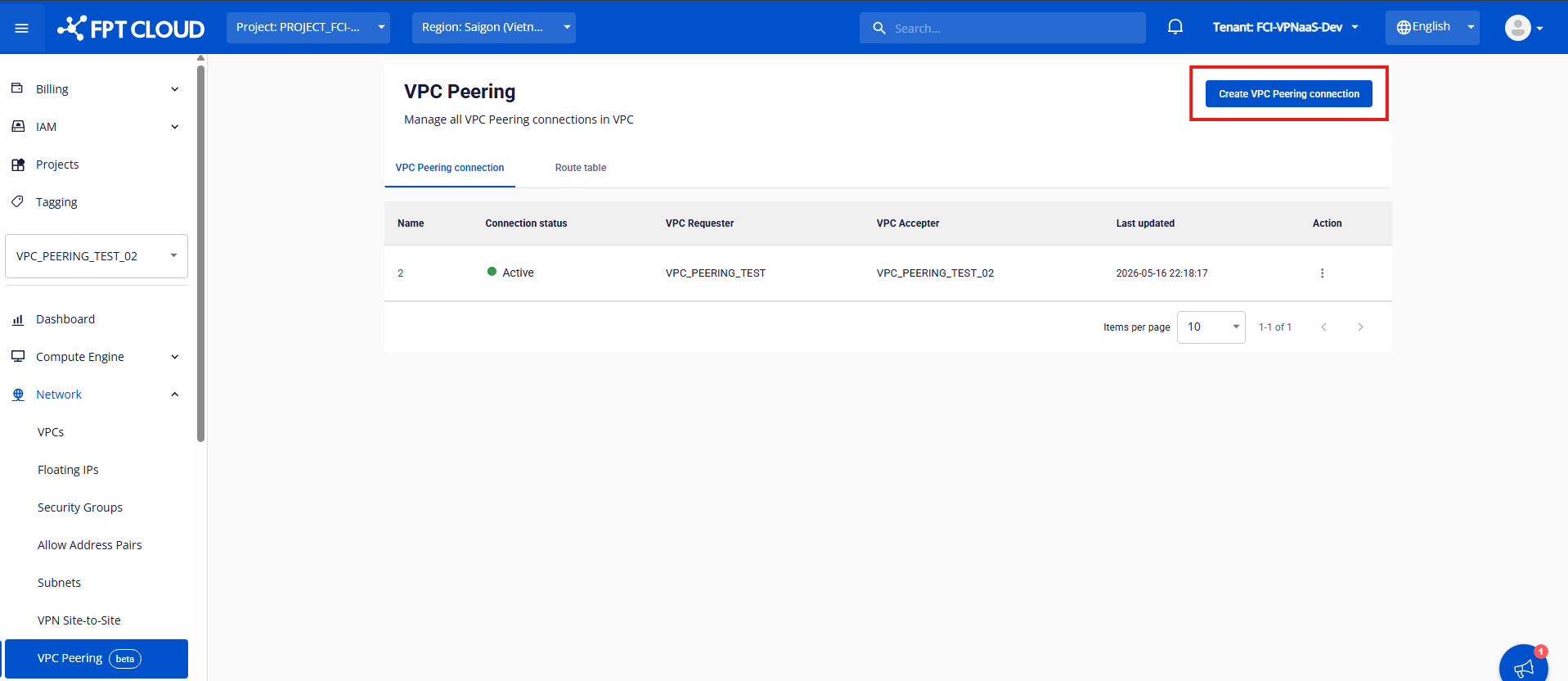
Step 1: Open VPC Peering
In the menu, open Network and then the VPC Peering tab. This page manages all VPC Peering Connections. Click Create VPC Peering Connection.
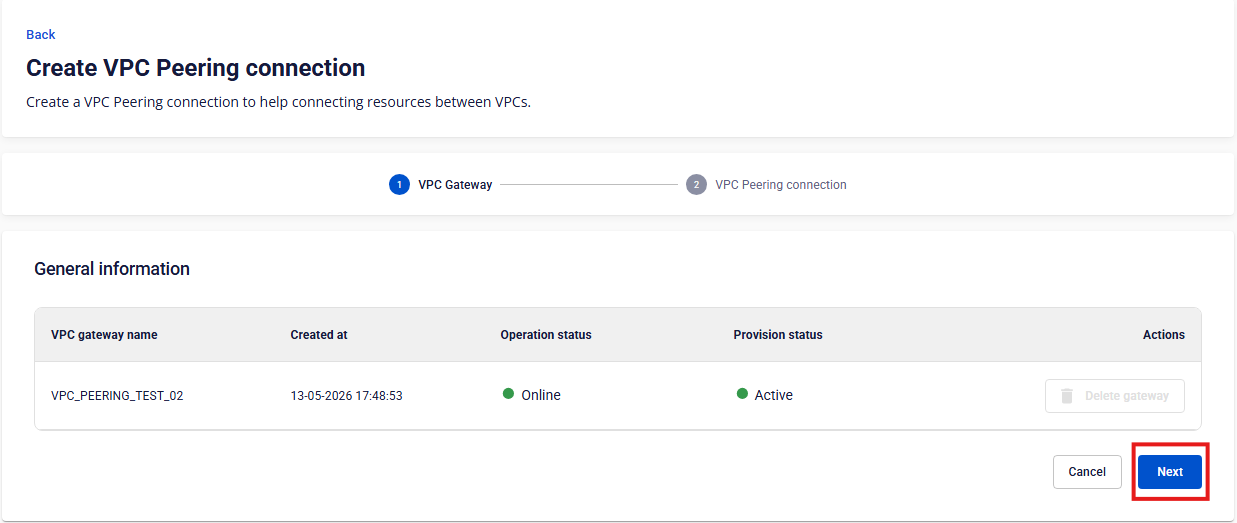
Once a VPC Gateway exists, click Next to create the VPC Peering Connection.
Step 2: Enter the VPC Peering details
Fill in the fields on the creation form:
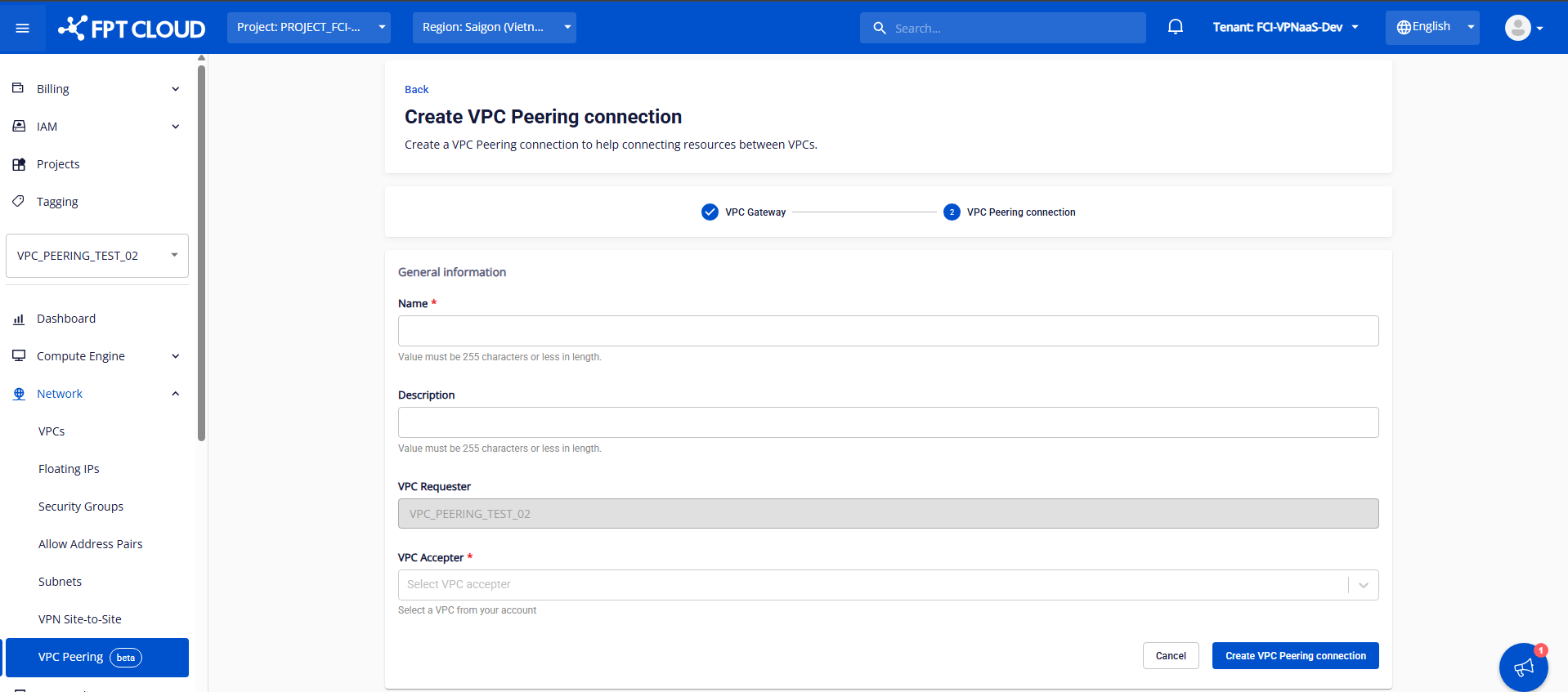
| Field | Description |
|---|---|
| Name | Name of the VPC Peering Connection |
| Description | Description of the VPC Peering |
| VPC Accepter | The VPC accepting the Peering Connection |
Once all fields are filled in, click Create VPC Peering Connection.