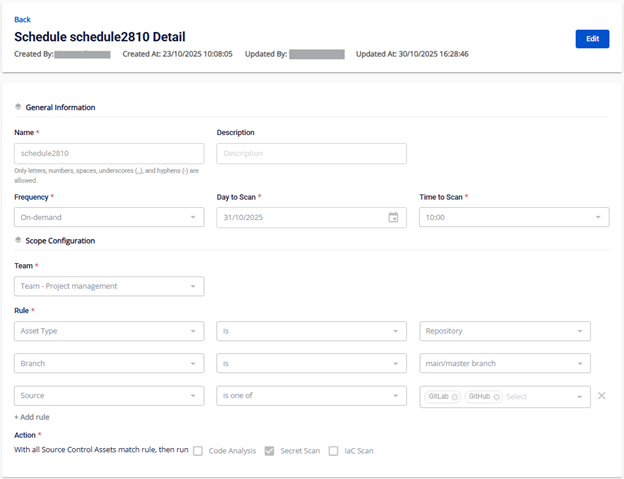
View schedule list and details
Step 1: In the left menu, select Security Platform → DevSec → Schedule. The Schedule Management screen displays all schedules sorted by creation date (newest first).
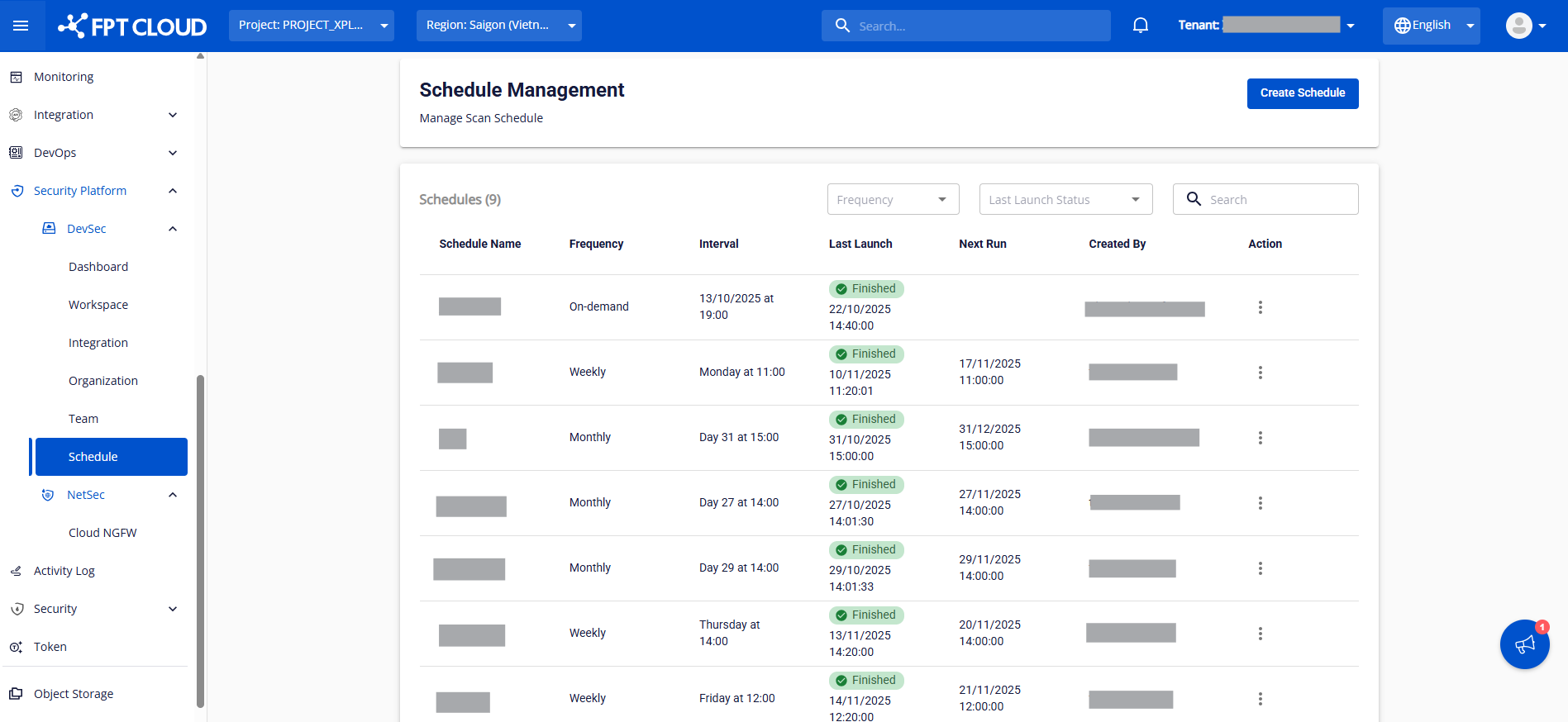
Step 2: View the displayed fields.
| Field | Description |
|---|---|
| Schedule ID | Auto-incremented identifier assigned by the system |
| Schedule Name | Schedule name. Click to view details |
| Frequency | Run frequency (On-demand / Weekly / Monthly) |
| Interval | Job run time, format "Day + Time" |
| Last Launch | Most recent run time and status (Running / Success Finished / Failed Error / None) |
| Next Run | Next scheduled run time, or blank |
| Created By | User who created the schedule |
| Action | Edit – modify. Delete – remove |
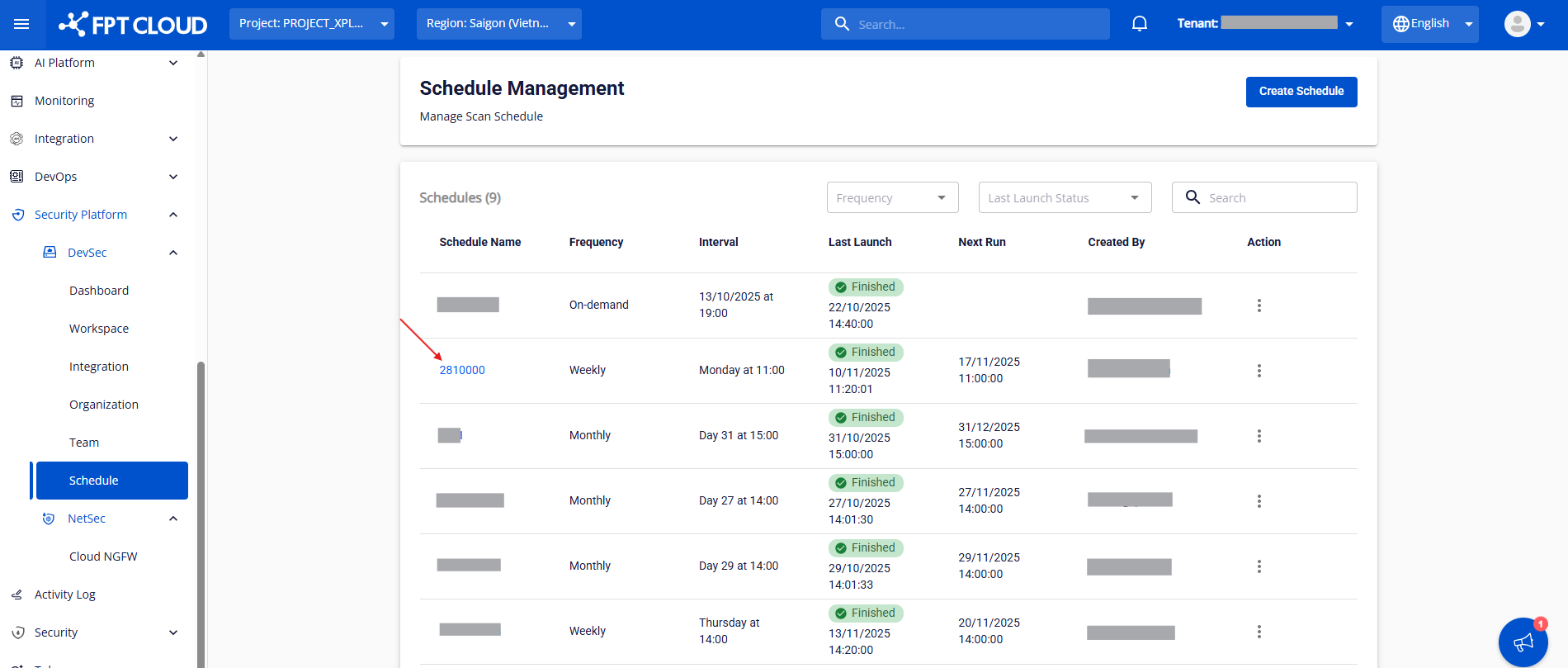
Step 3: View schedule details.
Click any schedule name to navigate to the Schedule detail screen.
The detail screen shows the same fields as the Create Schedule screen.