Add a whitelisted IP
- Click the Whitelist IP/Range button on the corresponding table.
- Enter one or more IPs or CIDR ranges, separated by Enter.
- The system validates the IP format and excludes already-whitelisted or duplicate entries.
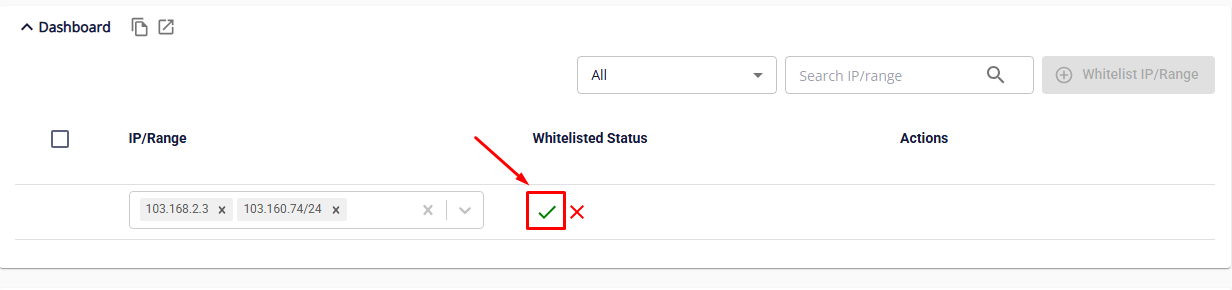
- Click Save to confirm.
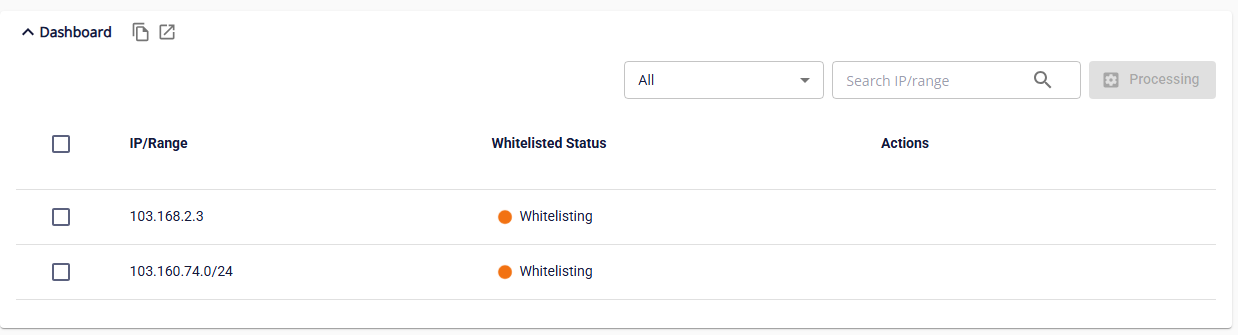
All submitted IPs will have the status Whitelisting, and all actions on the corresponding table will be temporarily disabled until the process completes.
- If whitelisting succeeds, the status changes to Whitelisted. All access to the endpoint from those IP addresses is permitted normally.
- If whitelisting fails, the status changes to Whitelist Failed. Access from those IP addresses is still blocked. Use the Retry action to attempt whitelisting again.