Create a Resource Request
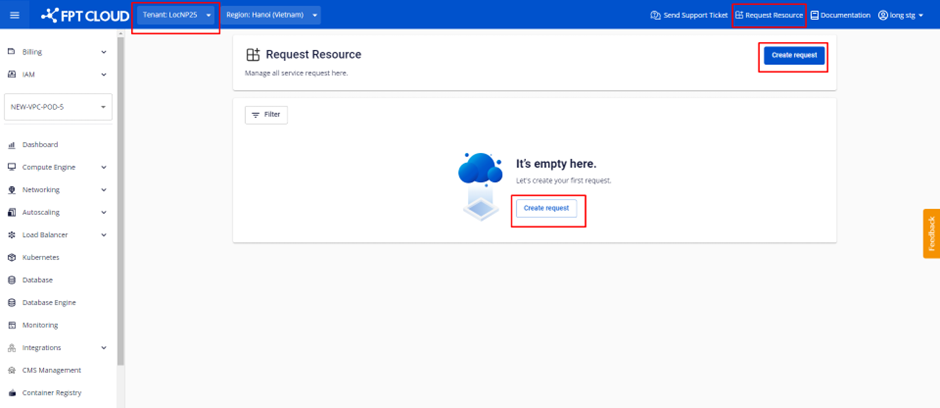
Step 1: In the tab bar, select the Tenant for which you need to provision resources. In the menu bar, select Request Resource, then select Create request.
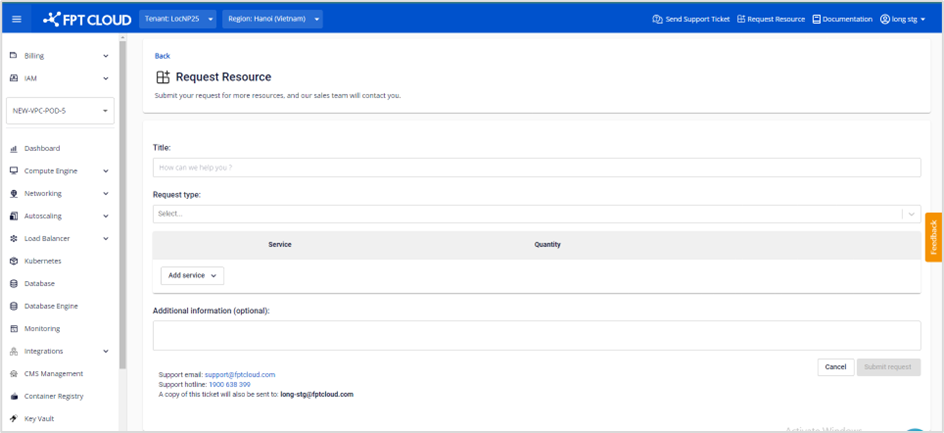
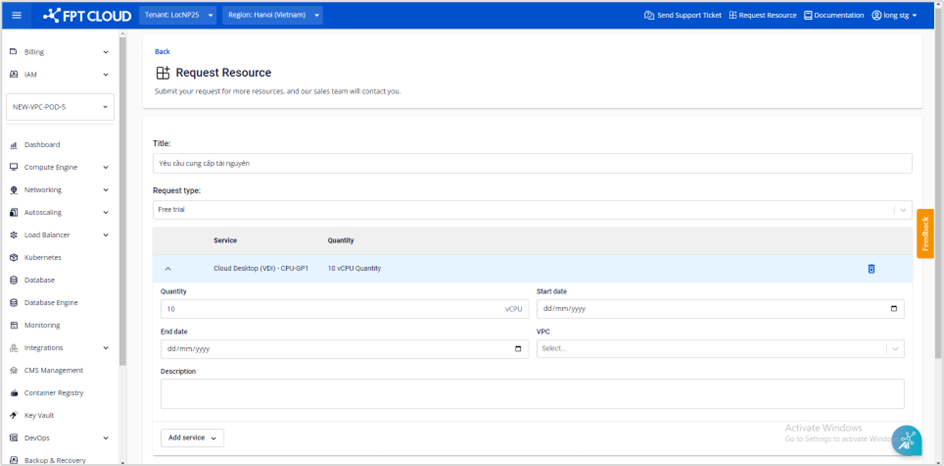
Step 2: Fill in the information in the resource request form.
- Required fields include: Title, Request type, Service, Quantity.
- The remaining fields are optional.
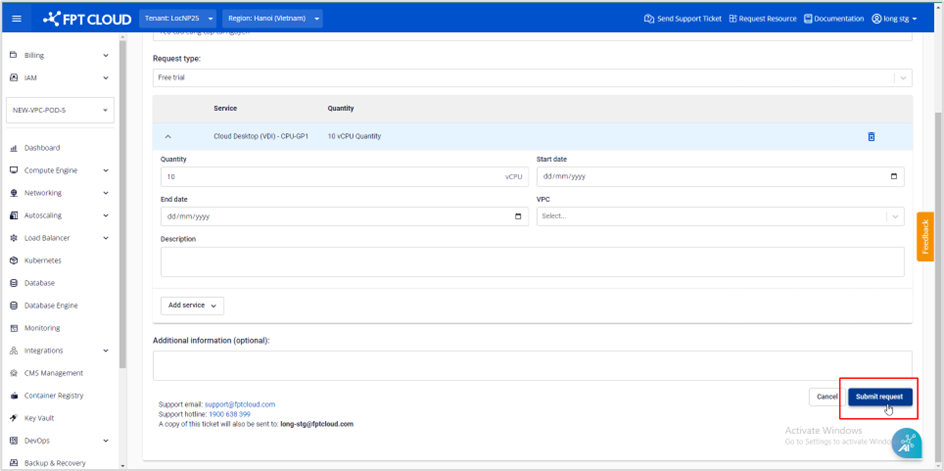
Step 3: Select Submit request to send the request to FCI. The system will send a confirmation email acknowledging receipt of the request to the creator, and simultaneously notify the FCI Sales/Support team to process the request.