Instance scheduleへの仮想マシンの紐付け
Instance scheduleを作成したら、自動起動/停止を有効にするために仮想マシンをスケジュールに紐付けます。
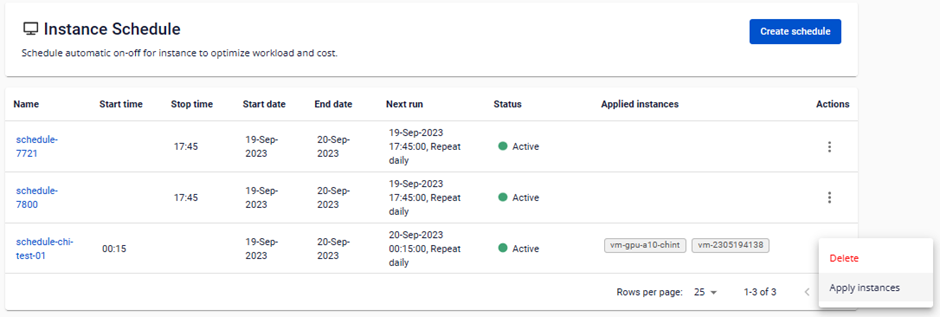
ステップ1: Instance Schedule Management ページの Action 列で Apply instances をクリックします。
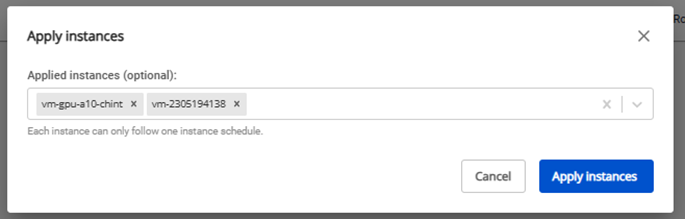
ステップ2: 紐付けたいinstanceを選択し、Apply instances をクリックします。
Instance scheduleを作成したら、自動起動/停止を有効にするために仮想マシンをスケジュールに紐付けます。
ステップ1: Instance Schedule Management ページの Action 列で Apply instances をクリックします。
ステップ2: 紐付けたいinstanceを選択し、Apply instances をクリックします。