Load fine-tuned model and tokenizer
Fine-tune BERT trên GLUE MRPC sử dụng Code Server
Hướng dẫn này sẽ giúp bạn fine-tune mô hình BERT đã được huấn luyện sẵn trên tác vụ GLUE MRPC sử dụng container Code Server có GPU.
Bước 1: Tạo GPU Container
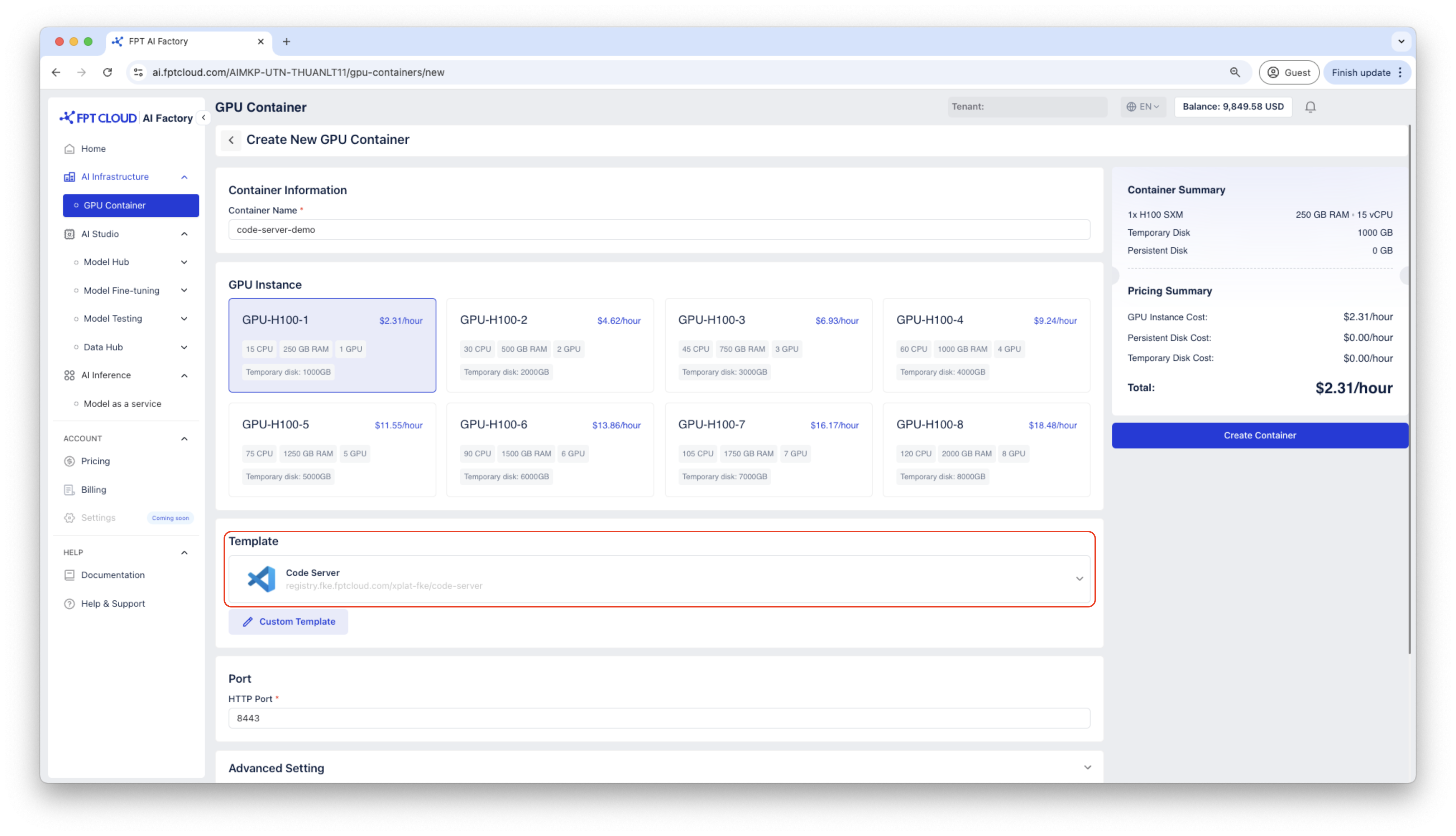
Tạo container sử dụng template Code Server.
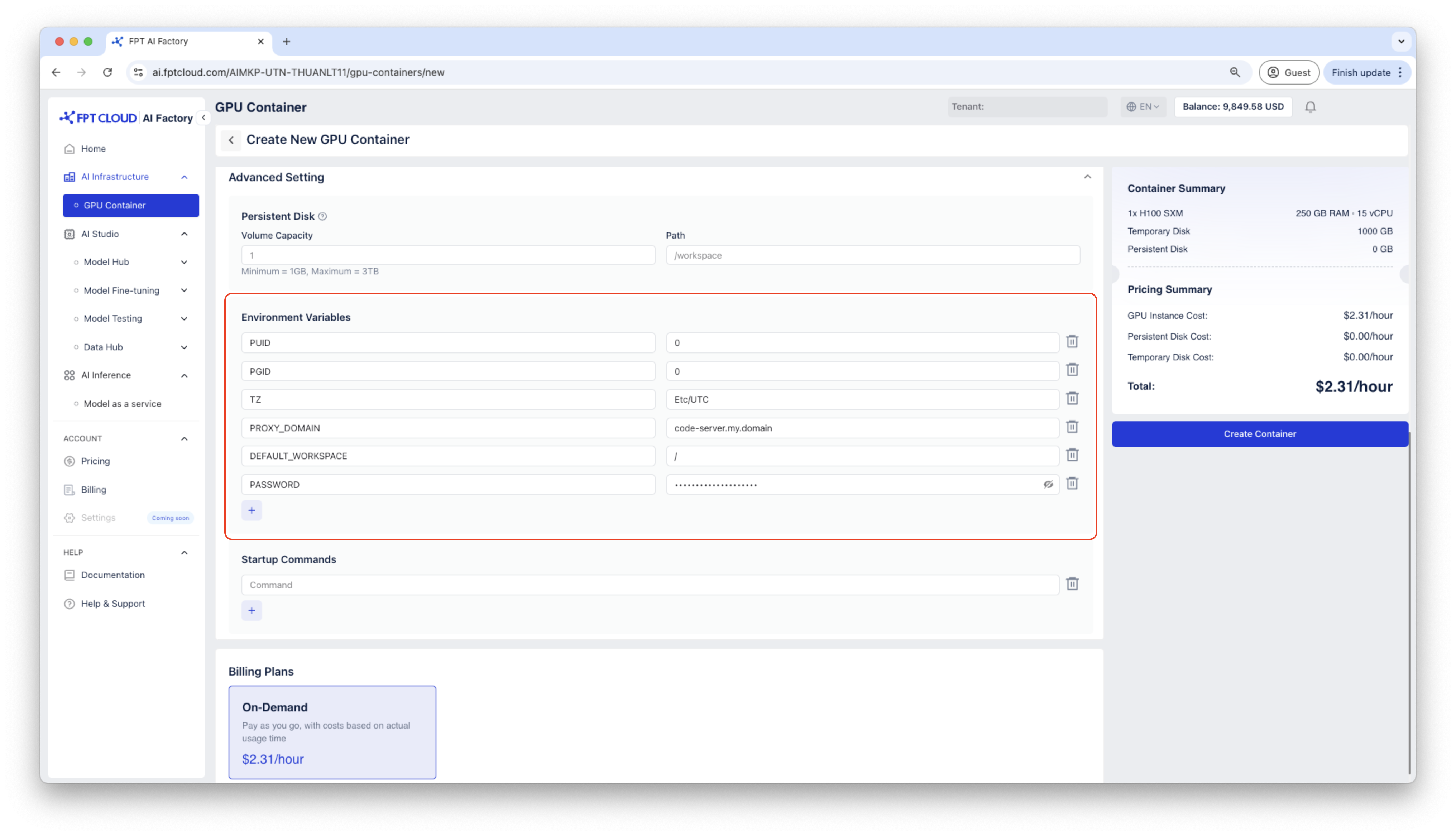
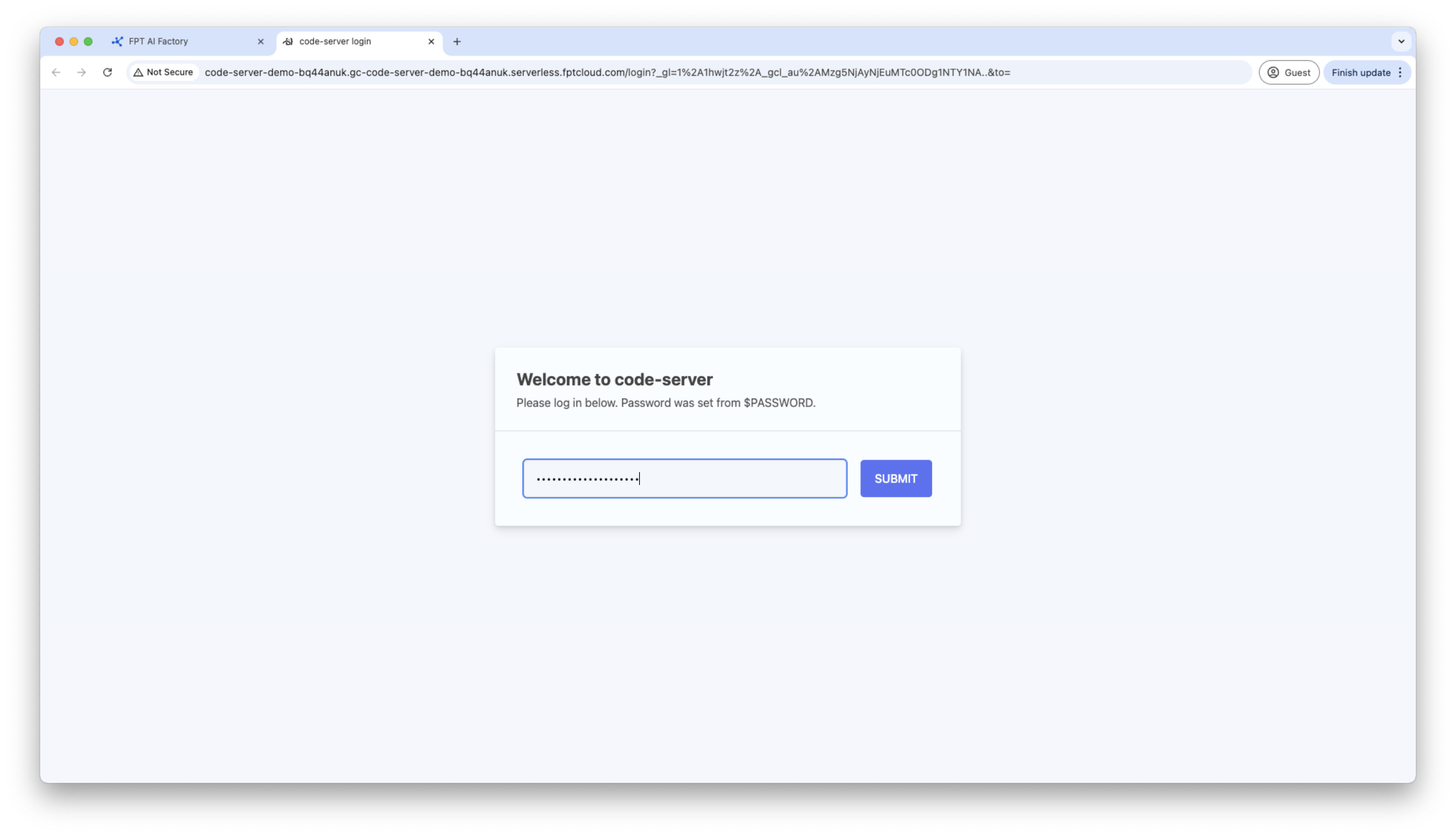
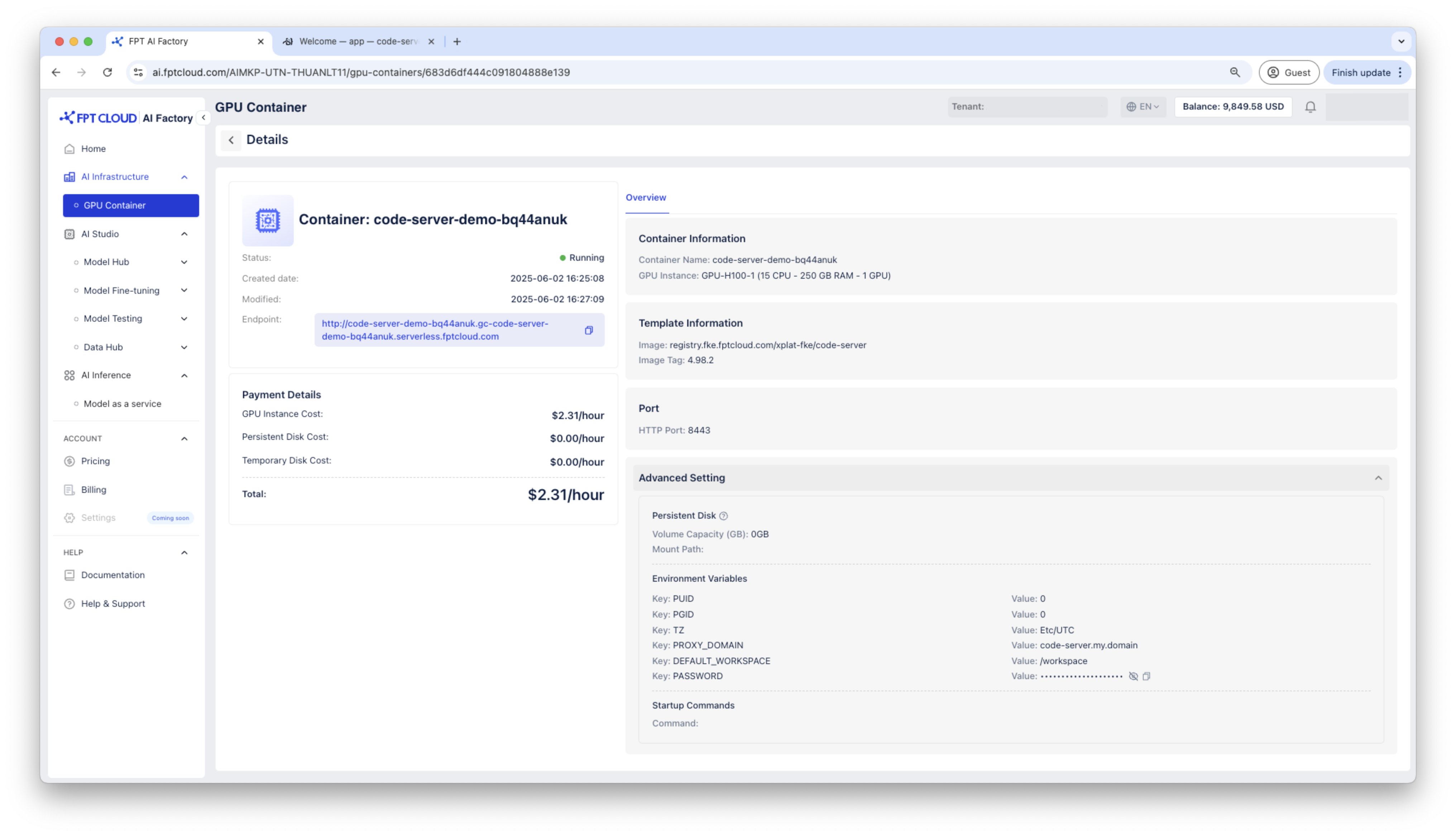 Truy cập container qua HTTP endpoint, container Code Server sẽ yêu cầu mật khẩu, hãy sử dụng mật khẩu được tạo trong thông tin chi tiết container để kết nối.
Bước 2: Cài đặt python3, pip
sudo apt update && sudo apt install -y python3 python3-pip python3-venv git
Bước 3: Kích hoạt môi trường ảo
Sử dụng môi trường ảo để cài đặt các gói python cần thiết và chạy code huấn luyện
python3 -m venv ~/venv
source ~/venv/bin/activate
Bước 4: Cài đặt các gói python cần thiết
pip install --upgrade pip
pip install scikit-learn scipy
pip install torch torchvision torchaudio --index-url https://download.pytorch.org/whl/cu121
pip install datasets evaluate accelerate
Bước 5: Clone Hugging Face transformers từ Github
cd /workspace
git clone https://github.com/huggingface/transformers.git
pip install –e .
Bước 6: Fine-tune BERT trên GLUE MRPC
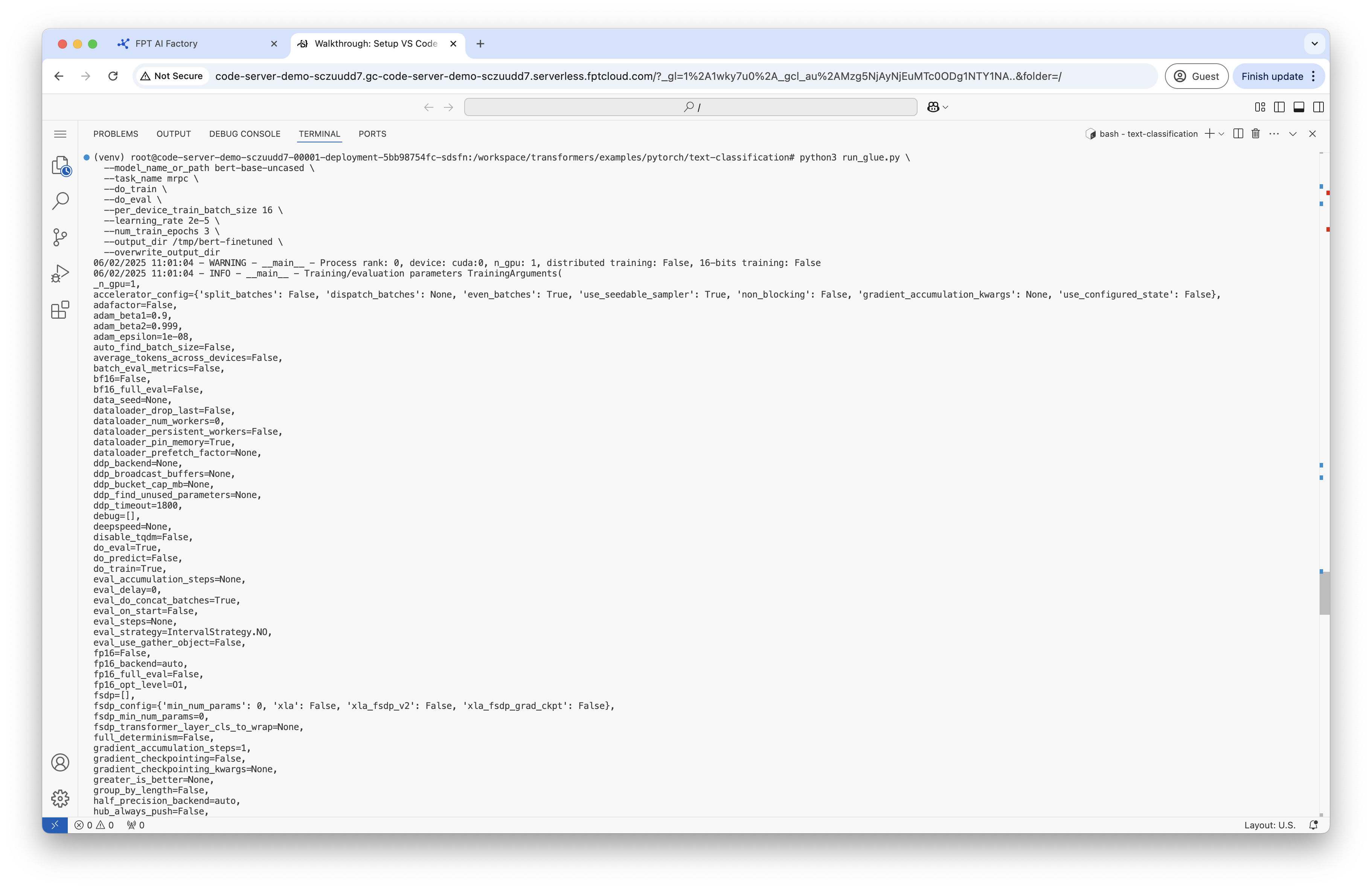
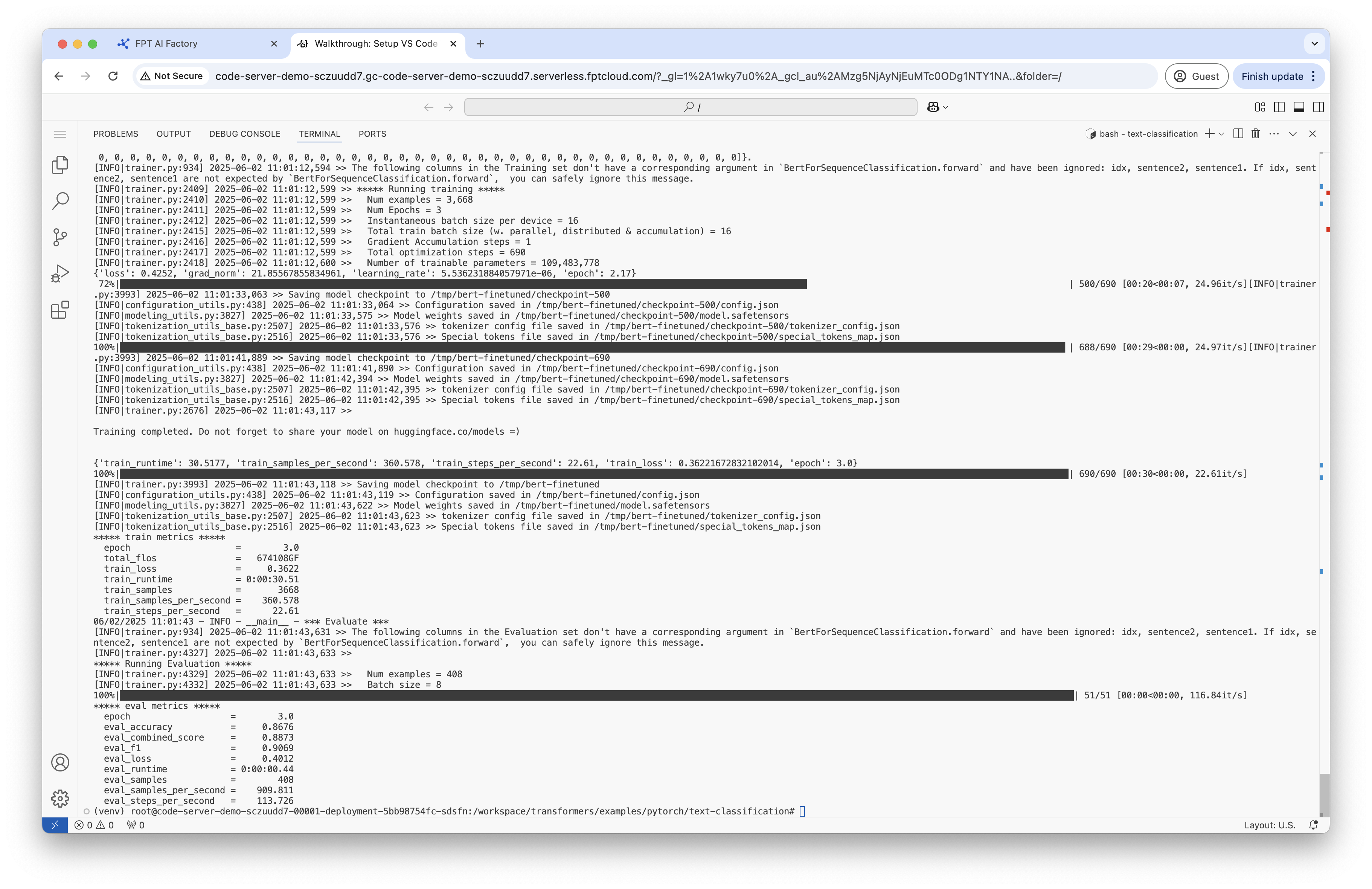
Kết quả đầu ra sẽ được lưu tại /tmp/bert-finetuned. Trong bước này, bạn sẽ fine-tune mô hình BERT đã được huấn luyện sẵn trên tác vụ Microsoft Research Paraphrase Corpus (MRPC) từ GLUE benchmark. Mô hình sẽ học cách phân loại xem hai câu có phải là paraphrase (cùng ý nghĩa) hay không.
cd /workspace/transformers/examples/pytorch/text-classification
python3 run_glue.py
--model_name_or_path bert-base-uncased
--task_name mrpc
--do_train
--do_eval
--per_device_train_batch_size 16
--learning_rate 2e-5
--num_train_epochs 3
--output_dir /tmp/bert-finetuned
--overwrite_output_dir
Bước 7: Kiểm tra mô hình
Tạo file chứa script kiểm tra tên test.py
from transformers import BertTokenizer, BertForSequenceClassification
import torch

model_path = "/tmp/bert-finetuned"
model = BertForSequenceClassification.from_pretrained(model_path)
tokenizer = BertTokenizer.from_pretrained("bert-base-uncased")

device = torch.device("cuda" if torch.cuda.is_available() else "cpu")
model.to(device)
model.eval()

sentence1 = "This is a great example!"
sentence2 = "This is a demo for code server GPU Container!"
inputs = tokenizer(sentence1, sentence2, return_tensors="pt").to(device)

with torch.no_grad():
outputs = model(**inputs)
logits = outputs.logits
predicted_class = torch.argmax(logits, dim=1).item()

label_map = {0: "not paraphrase", 1: "paraphrase"}
print(f"Sentence: {sentence1}")
print(f"Sentence: {sentence2}")
print(f"Predicted Class: {predicted_class} ({label_map[predicted_class]})")
Chạy file test.py để kiểm tra mô hình đã fine-tune
python3 test.py
