Detailed configuration
1. Model Configuration Information
Go to AI Platform → Model Serving → Deployment → Deployment Name → Model Settings
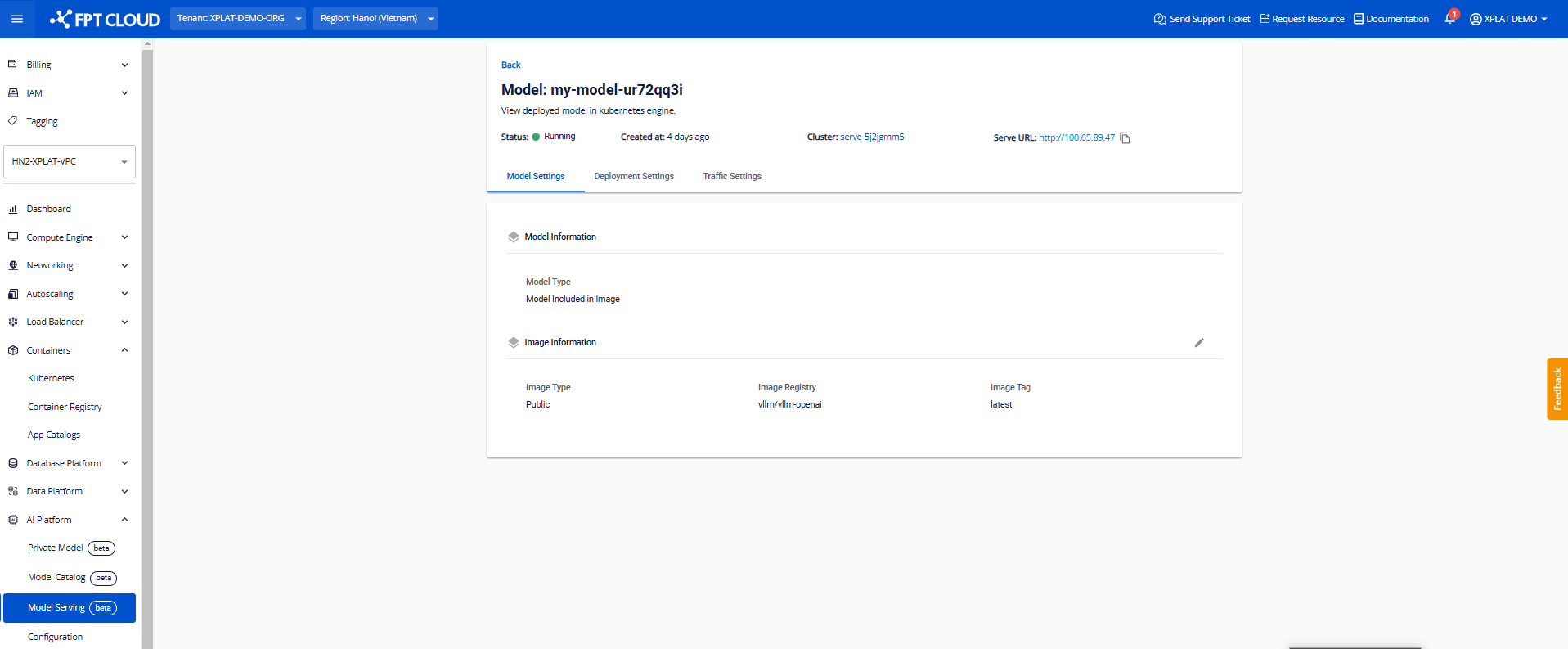 In the Model Settings section, users can modify the configurations of Image Information as follows:
| Information | Description | Available Actions |
|---|---|---|
| Model Name | The AI model to be deployed | Edit to change the information |
| Model Version | The version of the AI model to be deployed | Edit to change the information |
| Model Token | Authentication token for the Model Registry to deploy the model | Edit to change the information |
| Model URL | The path to the location where the model is stored (Model Registry) | Edit to change the information |
| Image Registry | The link to the container image storage | Edit to change the information |
| Image Tag | The version of the container image | Edit to change the information |
| Username | User account for authentication with the Private Registry | Edit to change the information |
| Password | User password for authentication with the Private Registry | Edit to change the information |
| Note: | ||
| Topic | Description | |
| --- | --- | |
| Image Tag | When the Image Tag is changed, the Deployment will recreate instances with the newly declared version. Depending on the Deployment strategy, the recreation may or may not involve downtime. | |
| • Recreate : The instance is recreated with downtime during the initialization of the new Image Tag | ||
| • Rolling : Instances are replaced gradually, with no downtime, but a certain amount of backup resources is required (by default, equivalent to the resources of one instance) | ||
| Model Version | Similar to the Image Tag, when the Model Version is changed, the Deployment will recreate instances with the newly declared version. Depending on the Deployment strategy, the recreation may or may not involve downtime. | |
| Edit the Model Version when upgrading or changing the version of the model. |