Deleteschedule Snapshotstorage
Delete a storage disk snapshot schedule
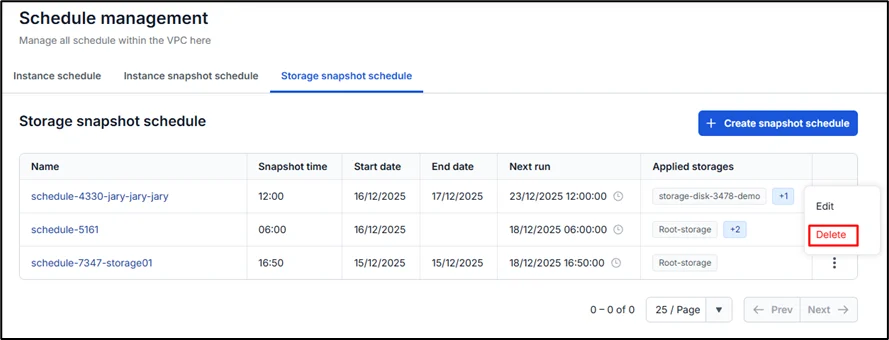
Step 1: On the Storage snapshot schedule tab, select the schedule name in the action section and choose Delete.
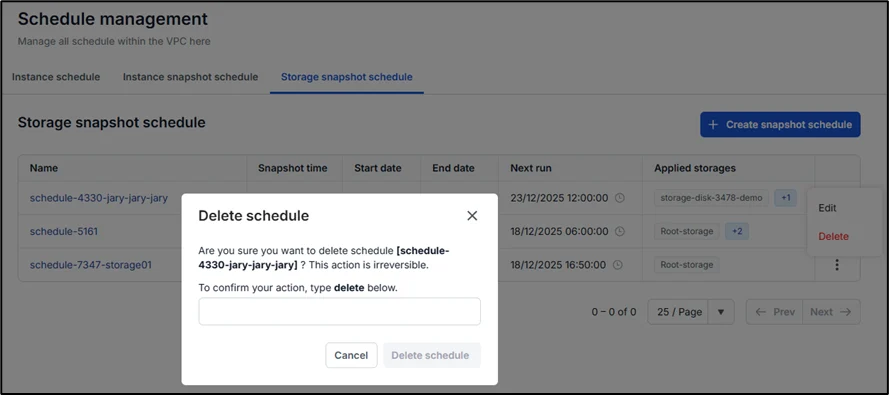
Step 2: A warning dialog will appear, displaying the schedule name and asking the user to confirm. Type the word "delete" and click Delete schedule to proceed. The system will then completely remove the schedule, and any virtual machines that are currently attached (if any) will be released and retain their current status.