Header Project
Change header interface
Permission: Users who currently have access to a VPC will see the list containing that VPC.

1. Hide username information — users can click the dropdown icon to view personal information
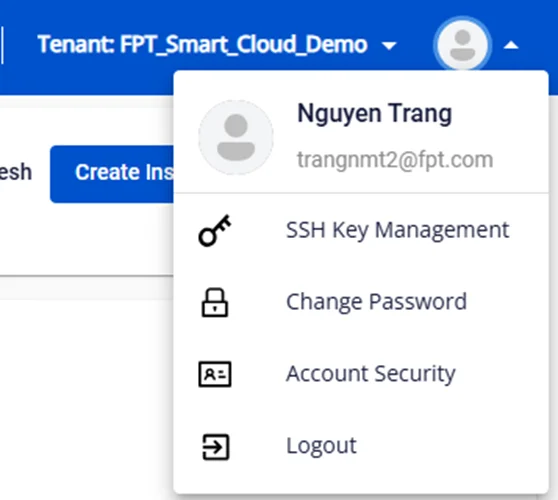
2. Move the Tenant filter from the top-left to the top-right, next to the user's avatar.


3. Display the support menu as a list of icons — hovering over an icon will show its information

4. Add Project filter
-
By default, the system displays All projects
-
Users can select a project to filter the VPCs listed below
Note: The system does not display projects that have no VPCs in the header list