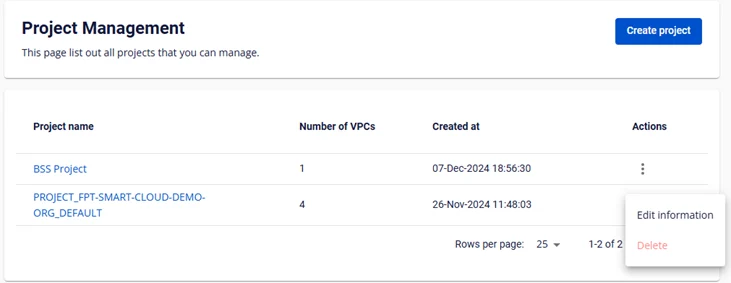
Project Management
Project Management
Permission: In phase 1, only the Tenant Owner has permission to manage Projects.
1. Manage Projects
- Users can view the list of Projects in the system
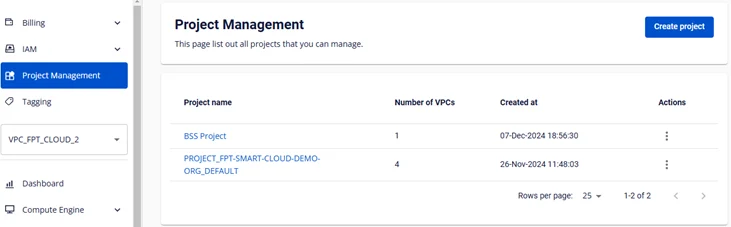
2. Create a Project
The Tenant Owner can create a Project on the Unify Portal.
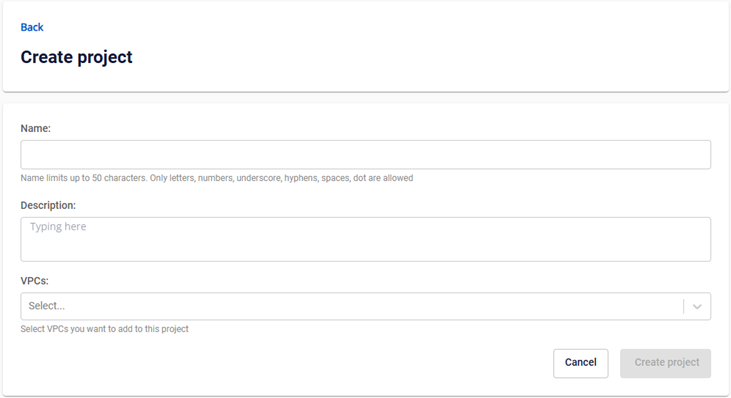
Step 1: On the Project Management page, click Create Project
Step 2: Enter the project information
-
Name: The name of the project
-
Description: Enter a description for the project
-
Select VPC (when a VPC is selected, VPCs that already belong to another project will be moved to the project being created)
Step 3: Click Create project
The system will save the project information and redirect the user to the Project Management page.
3. Edit a project
- The Tenant Owner can edit project information

4. Delete a project
-
The Tenant Owner can delete projects created from the Unify Portal
-
Only projects with no VPCs can be deleted
-
The default project cannot be deleted — only its information can be edited
-