Setup guide
1. System requirements
- Operating system: Terraform supports Linux, macOS, and Windows.
- Version: Use the latest version of Terraform to ensure compatibility with your cloud providers.
- Internet access: Required for downloading Terraform and plugins.
2. Install Terraform
On macOS (using Homebrew):
brew tap hashicorp/tap
brew install hashicorp/tap/terraform
On Ubuntu:
sudo apt-get update && sudo apt-get install -y gnupg software-properties-common curl
curl -fsSL https://apt.releases.hashicorp.com/gpg | sudo apt-key add -
sudo apt-add-repository "deb [arch=amd64] https://apt.releases.hashicorp.com $(lsb_release -cs) main"
sudo apt-get update && sudo apt-get install terraform
On Windows:
- Download the installer from the Terraform Downloads page.
- Extract the archive and add the Terraform path to your
PATHenvironment variable.
3. Verify installation
terraform -v
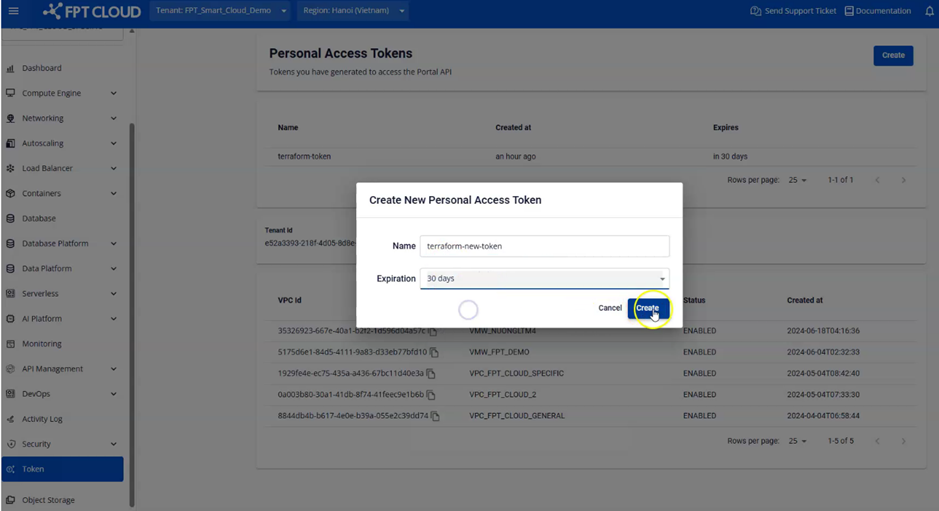
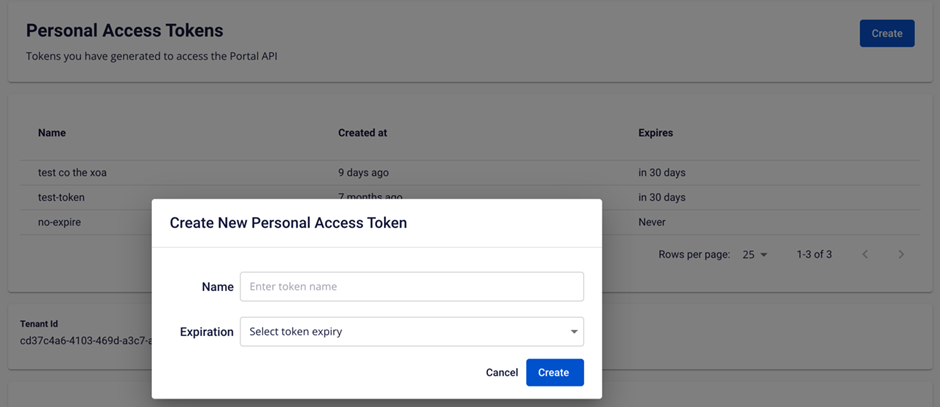
4. Get an FPT Cloud token
Go to Sidebar and select Token.
5. Initialize the FPT Cloud provider
-
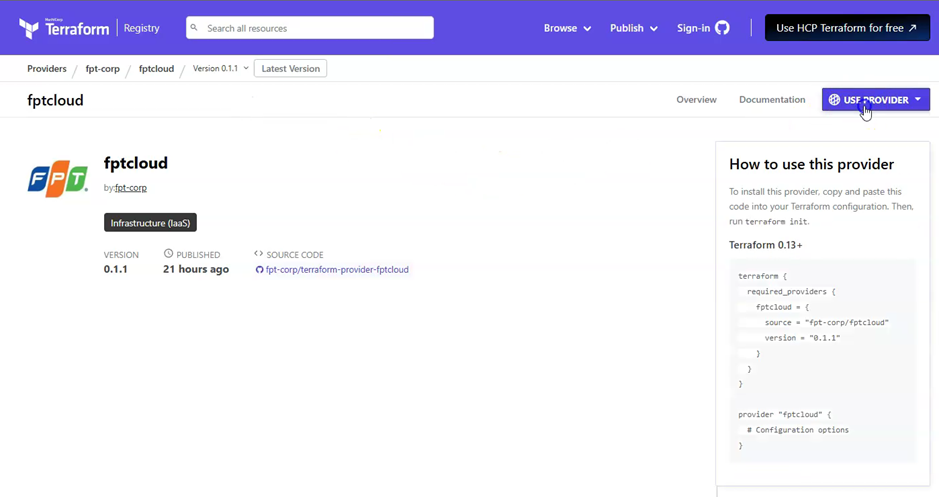
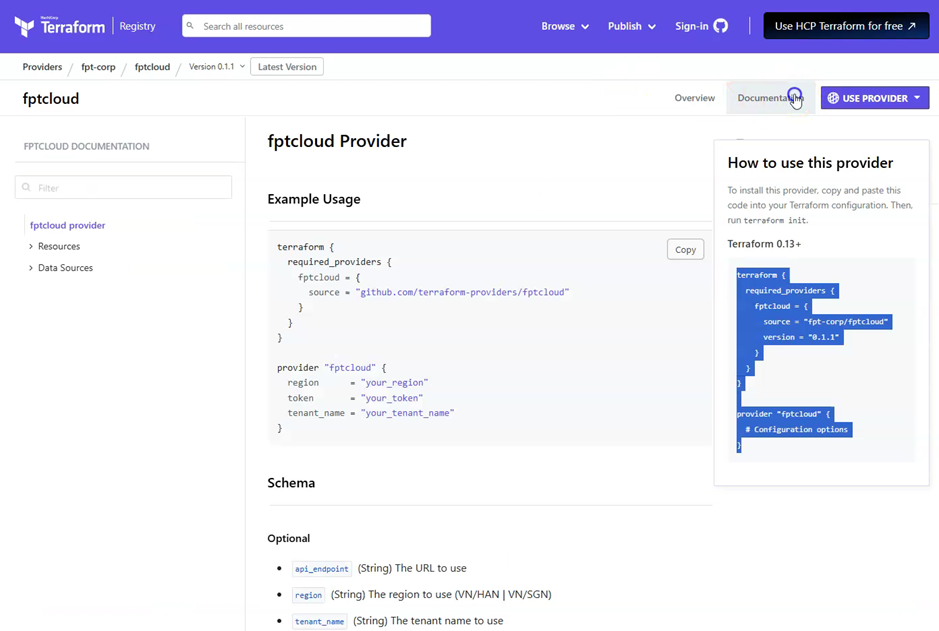
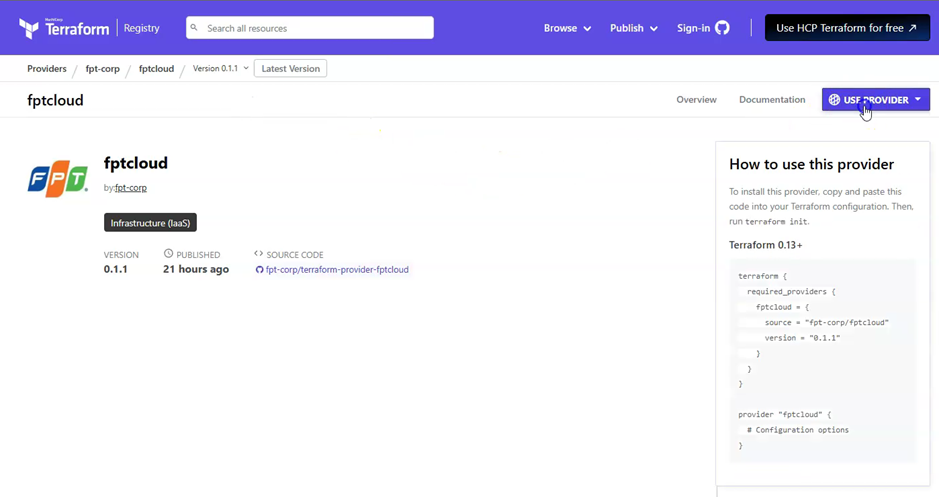
Check the provider version and installation instructions on the Terraform registry page.
-
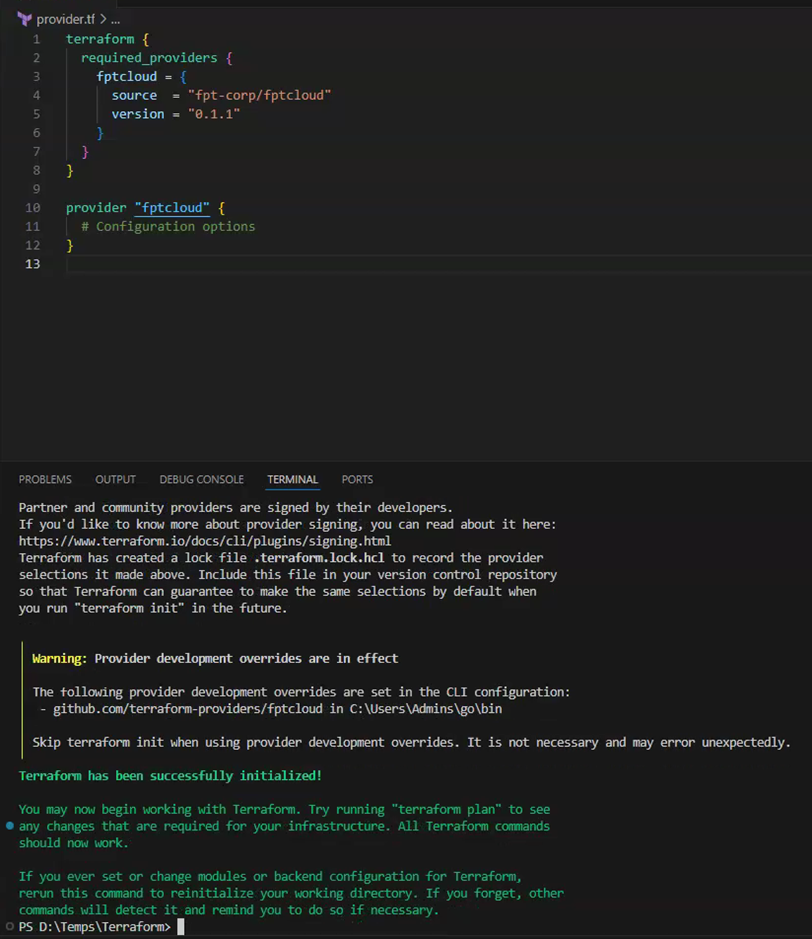
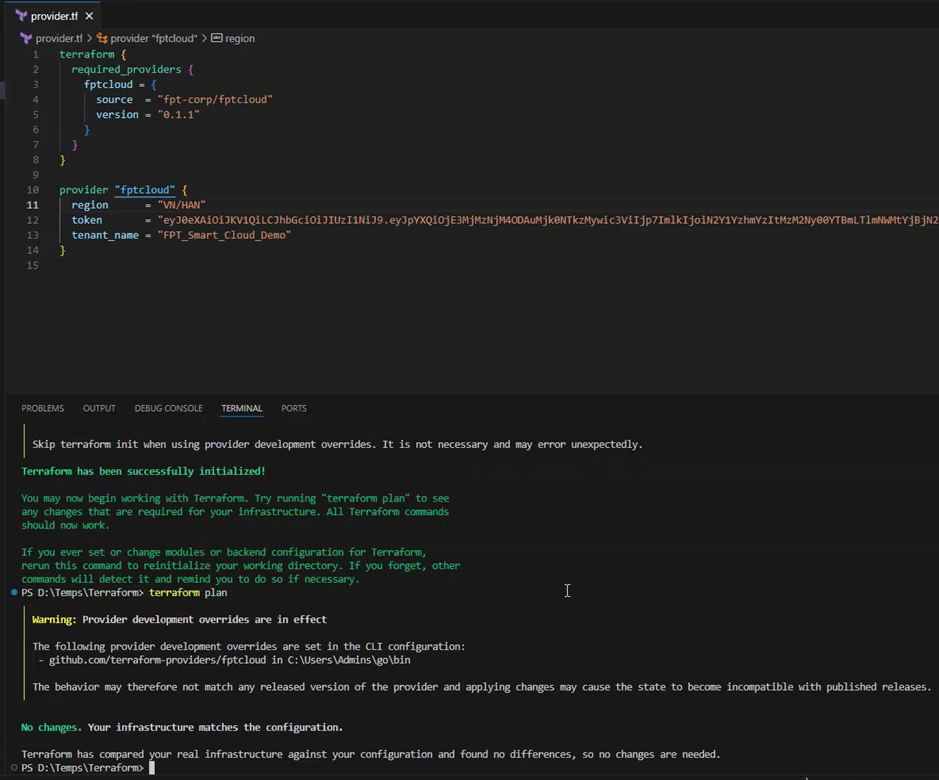
Run
terraform initto install the FPT Cloud provider: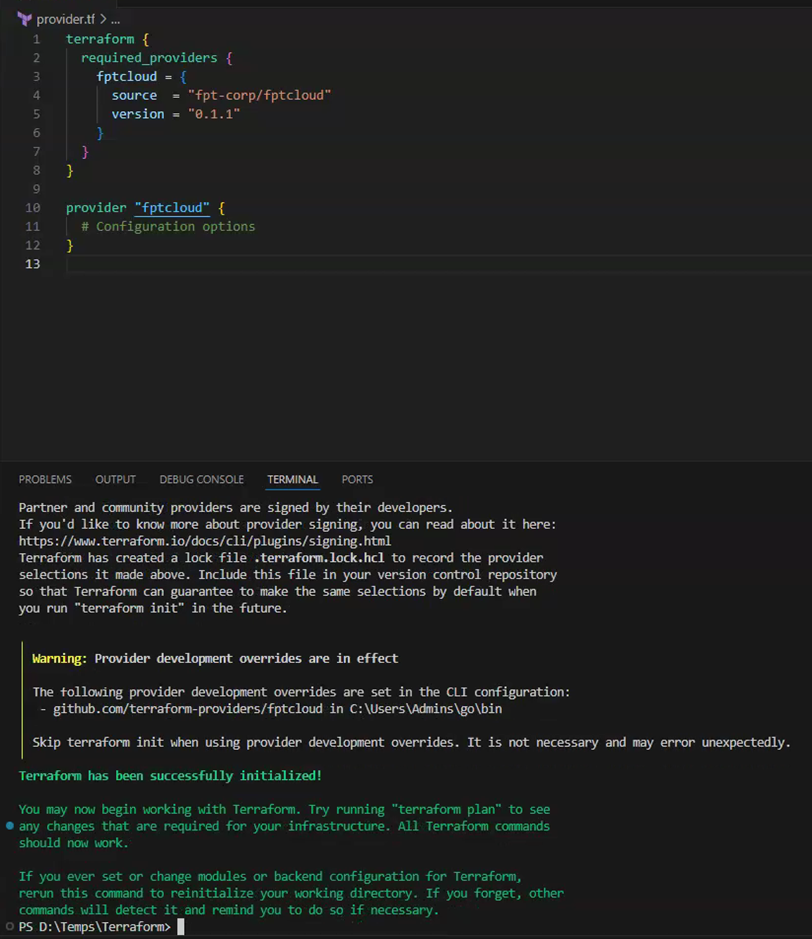
-
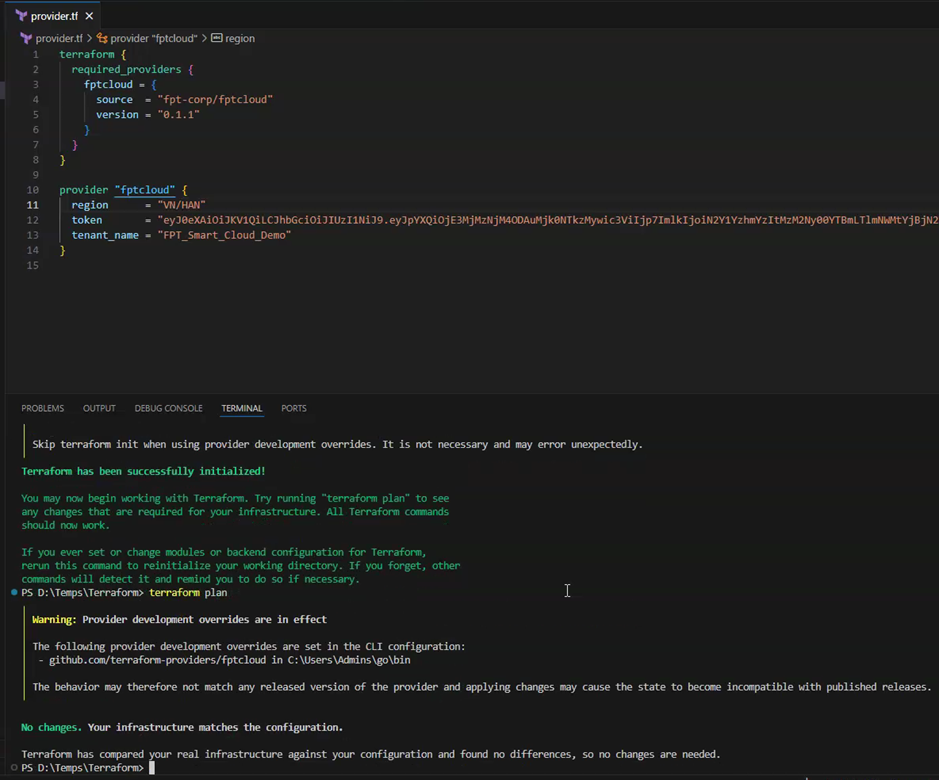
Use the FPT Cloud connection script:
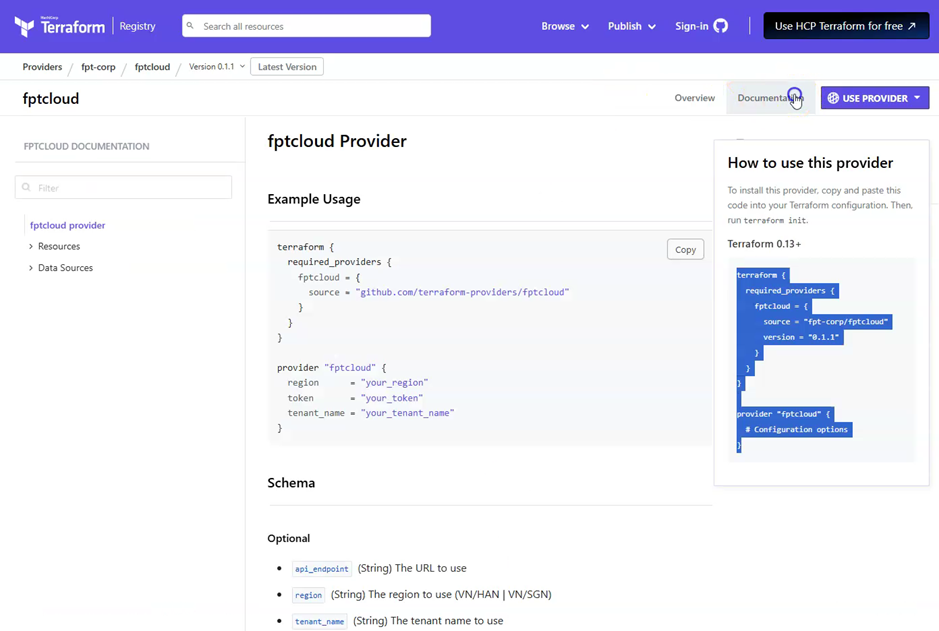
-
Create an access token to connect to FPT Cloud:
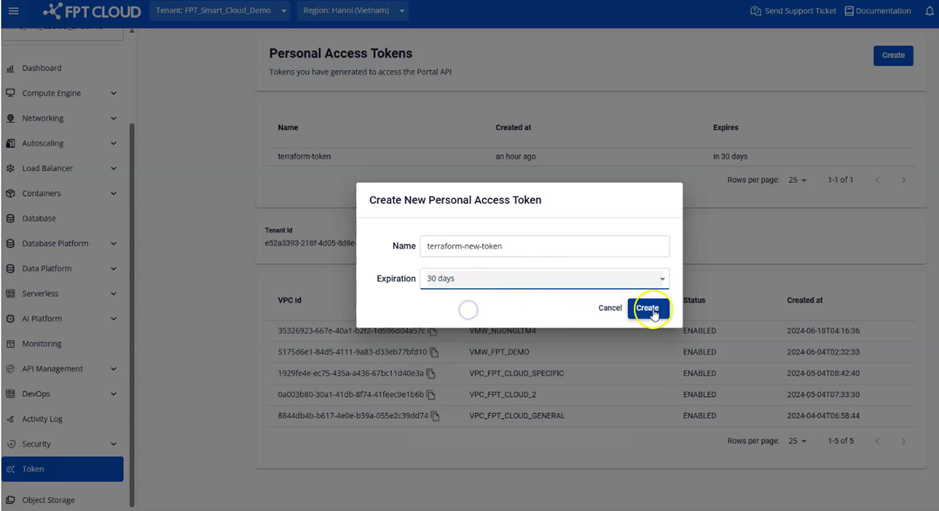
-
Use the access token to connect to FPT Cloud: