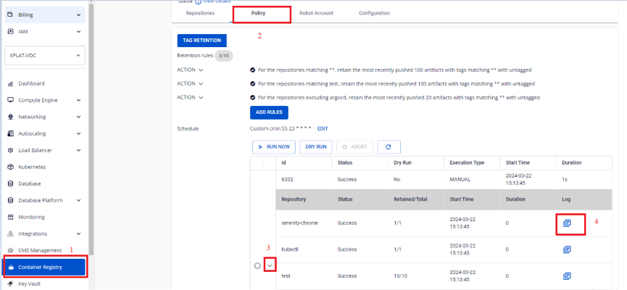
Manage retention runs
A retention run is the execution history of retention rules. FPT Cloud allows you to run rules manually, perform a dry run to verify before applying, abort an in-progress run, and view detailed logs.
Run manually (Run now)
-
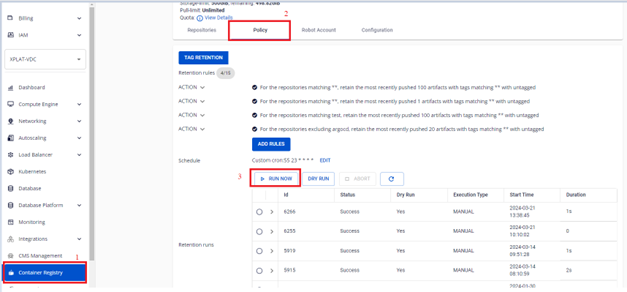
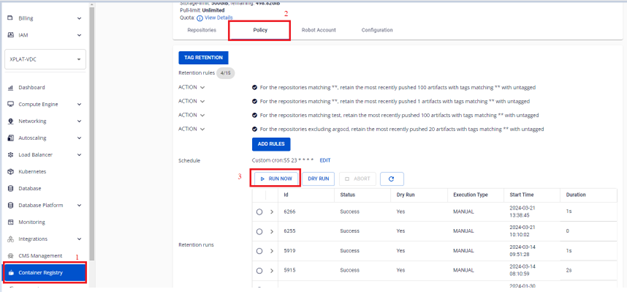
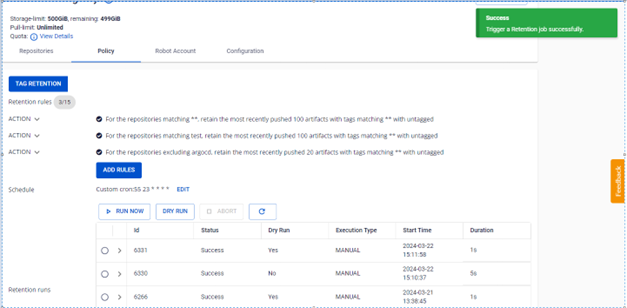
On the FPT Portal menu, select Container Registry > Policy > RUN NOW.
-
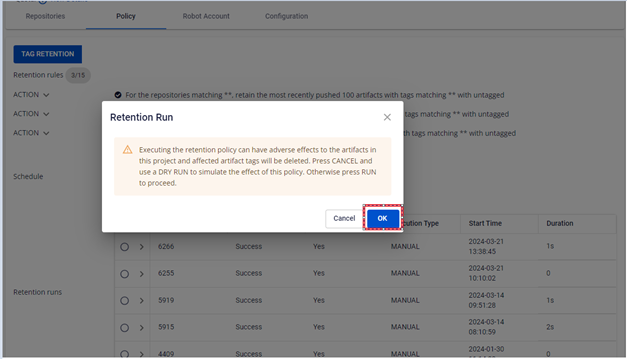
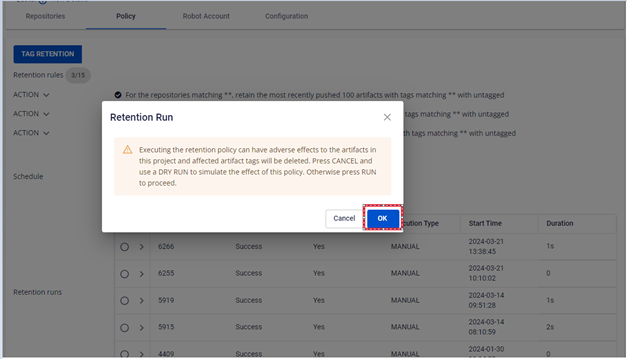
Click OK to confirm running the retention.
-
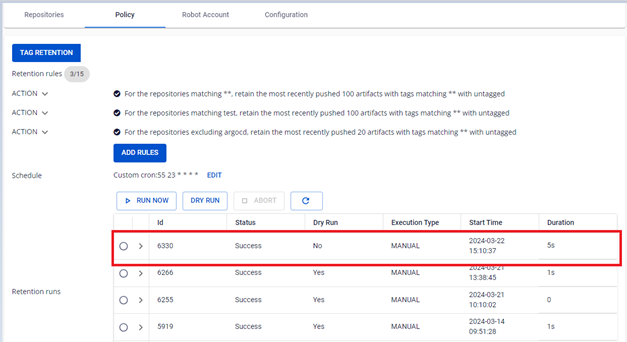
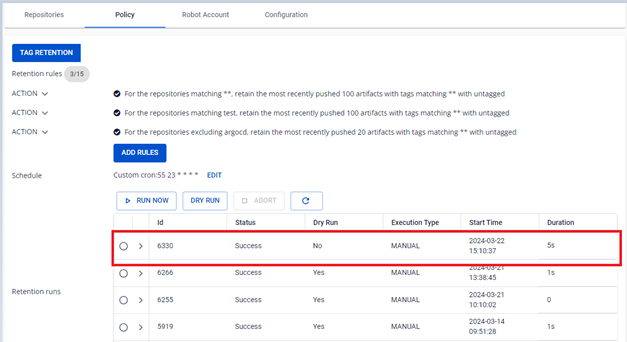
Verify the result after running.
Dry run
A dry run checks the rules without actually deleting any images, letting you verify your configuration before applying.
-
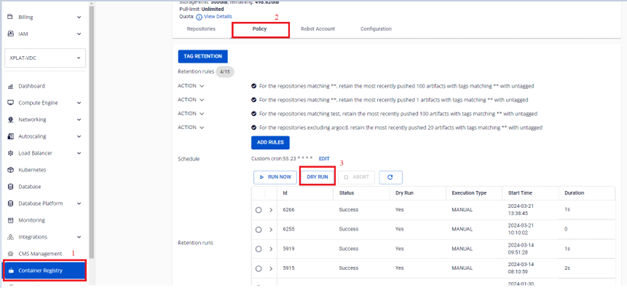
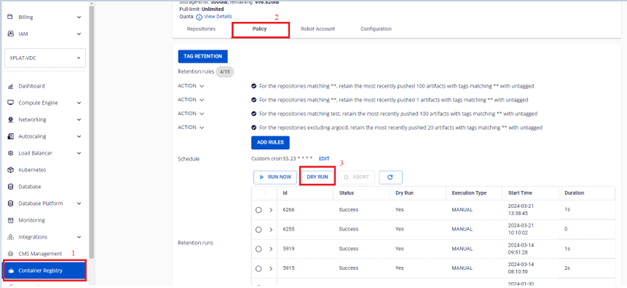
On the FPT Portal menu, select Container Registry > Policy > DRY RUN.
-
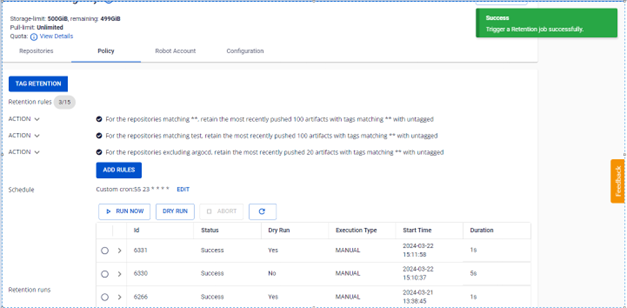
Verify the dry run result. No images are actually deleted.
Abort an in-progress retention run
-
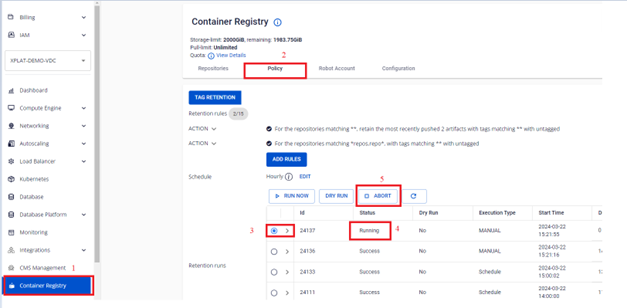
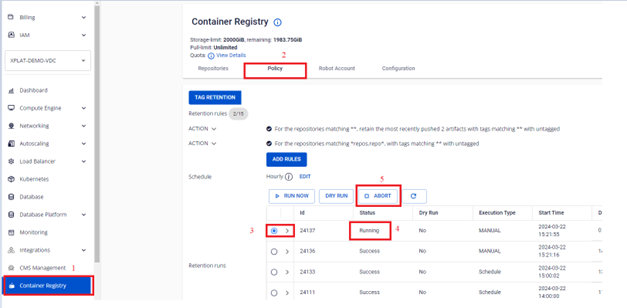
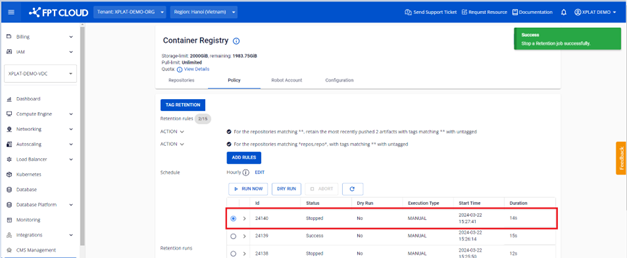
On the FPT Portal menu, select Container Registry > Policy > select the Running retention run > ABORT.
-
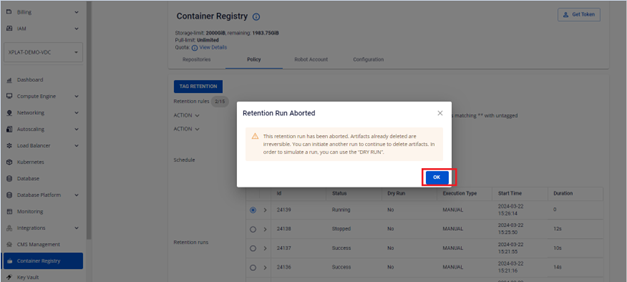
Click OK to confirm the abort.
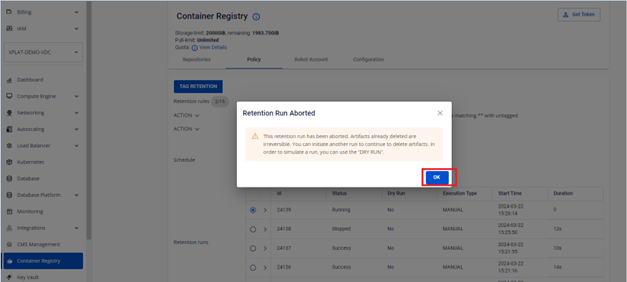
-
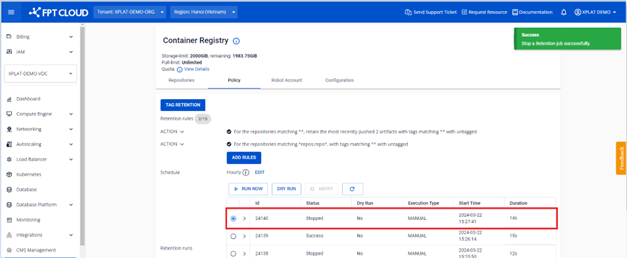
Verify the result after aborting.
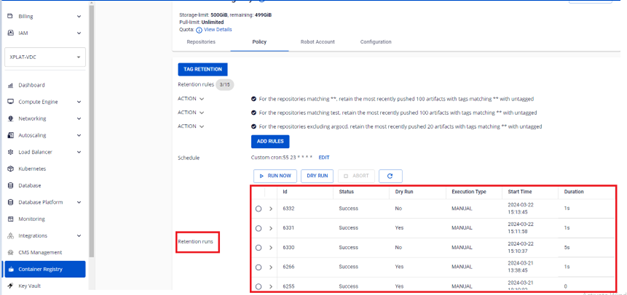
View the retention run list
On the FPT Portal menu, select Container Registry > Policy to view the list of all runs.
View the log of a retention run
-
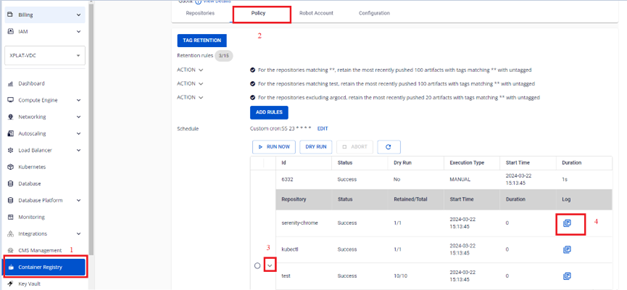
On the FPT Portal menu, select Container Registry > Policy > click a retention run to view its details.
-
Review the log for each repository in that run.