Add a tag retention rule
Tag retention rules let you define criteria to automatically retain or delete tags in a repository, giving you control over storage usage without manual intervention.
-
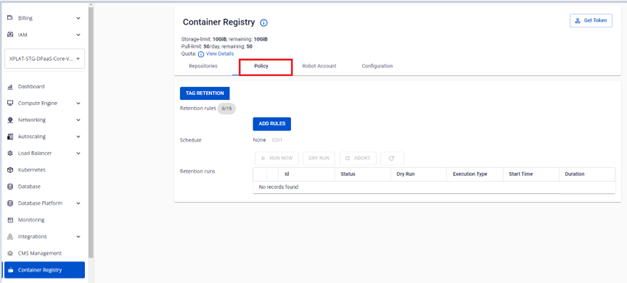
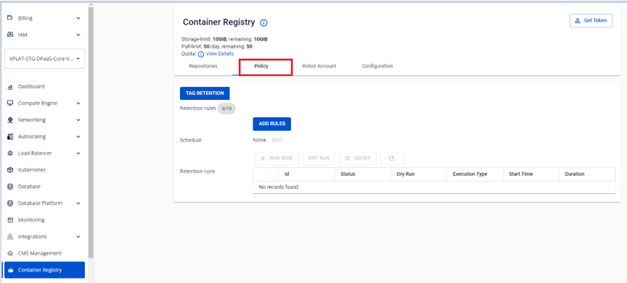
On the FPT Portal menu, select Container Registry > Policy tab.
-
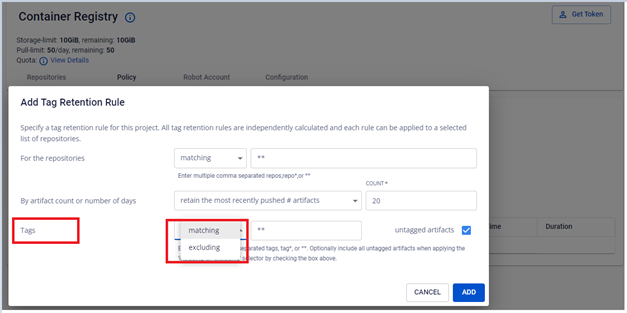
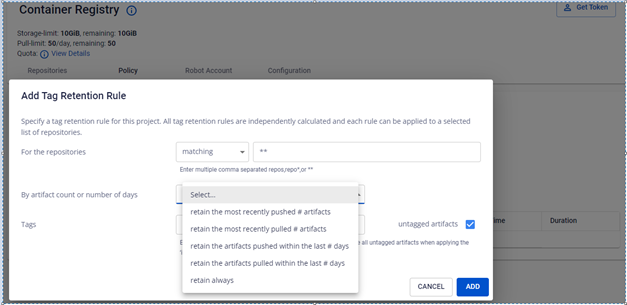
Click ADD RULES and enter the information to create a tag retention rule.
-
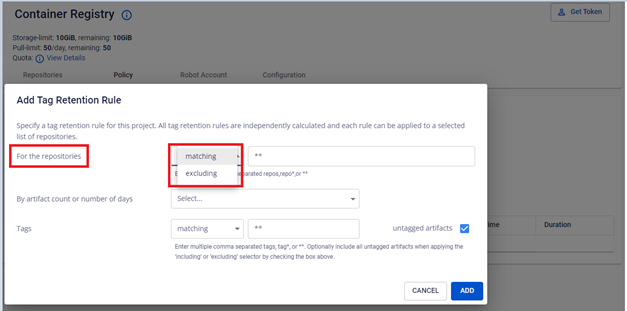
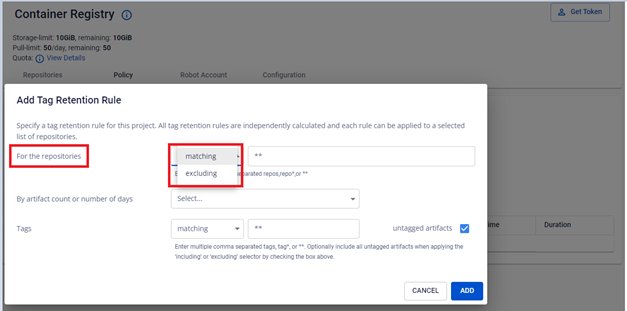
In the Repositories menu, select matching or excluding.
-
In the Repositories field, enter the information to identify the repositories the rule applies to:
- A single repository name, e.g.
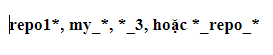
my_repo_1 - A comma-separated list of repositories, e.g.
my_repo_1, my_repo_2 - Repository names with wildcard characters

Use
**to apply to all repositories. If you select matching, the rule applies to the repositories you specify. If you select excluding, the rule applies to all except the repositories you specify. - A single repository name, e.g.
-
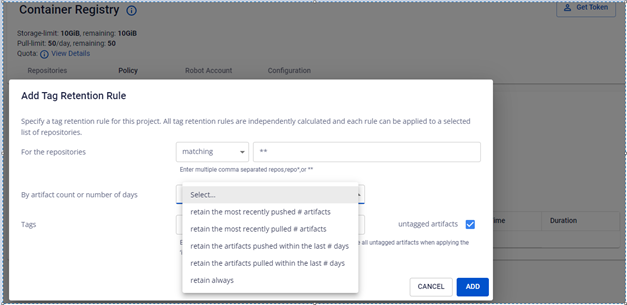
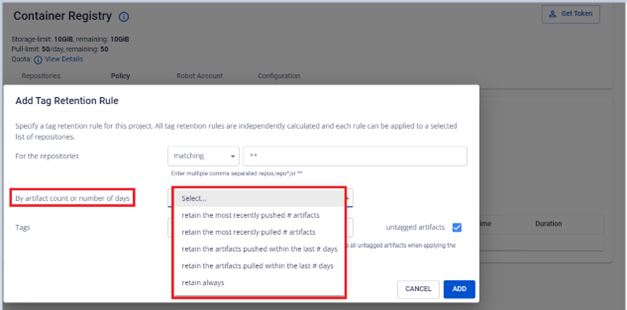
In the By image count or number of days menu, specify the number of tags to retain or the retention period.
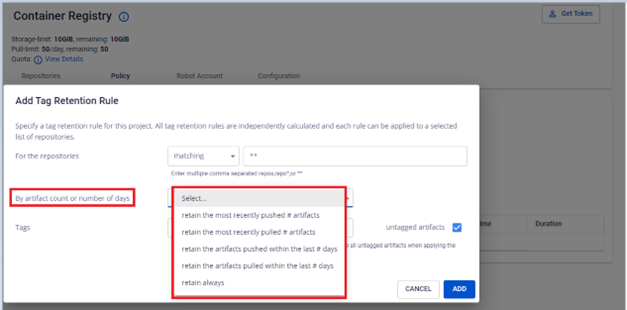
Option Description retain the most recently pushed # images Keep the specified number of most recently pushed images retain the most recently pulled # images Keep the specified number of most recently pulled images retain the images pushed within the last # days Keep images pushed within the specified number of days retain the images pulled within the last # days Keep images pulled within the specified number of days retain always Always retain images under this rule -
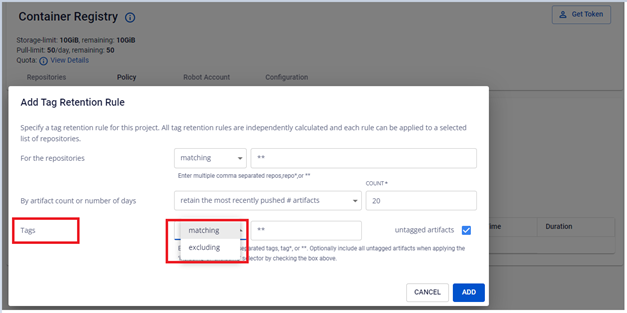
In the Tag menu, select matching or excluding.
-
In the Tag field, enter the information to identify the tags the rule applies to:
- A single tag name, e.g.
my_tag_1 - A comma-separated list of tags
- Tag names with wildcard characters

Use
**to apply to all tags. - A single tag name, e.g.
-
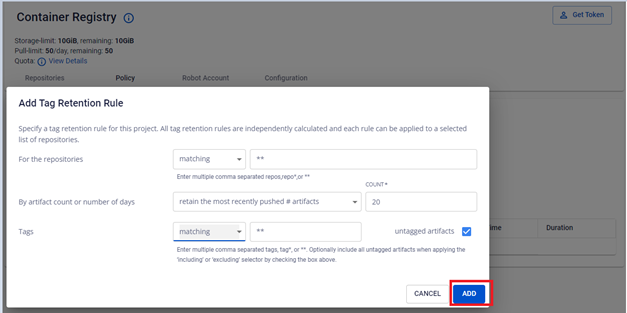
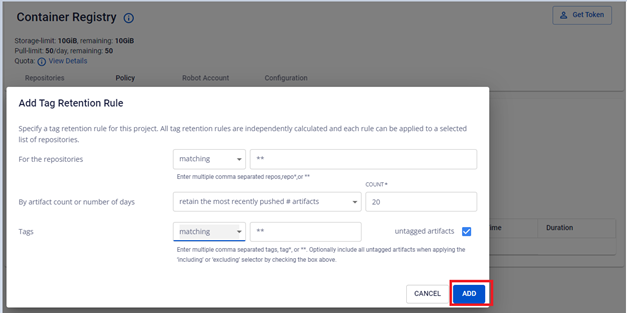
Click Add to save the rule.
-
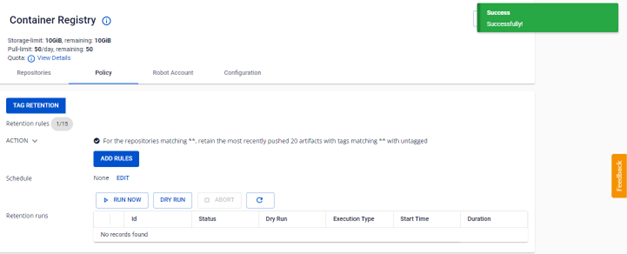
Verify the newly created tag retention rule.
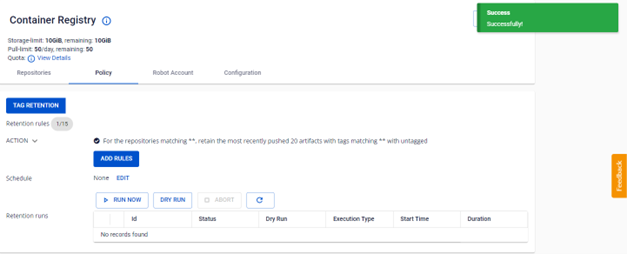
Example: a rule that retains the 20 most recently pushed artifacts across all tags in all repositories.