Manage tag retention rules
After creating a tag retention rule, you can edit, temporarily disable, or delete it as your requirements change. FPT Cloud supports all management operations through the Portal interface.
Update a tag retention rule
-
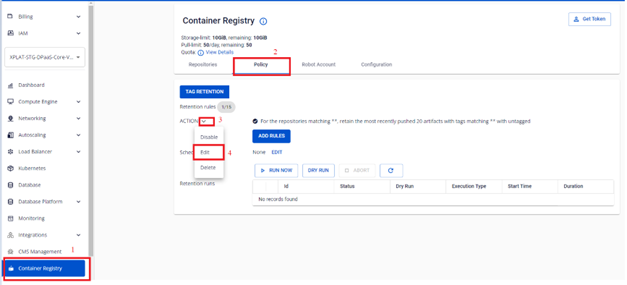
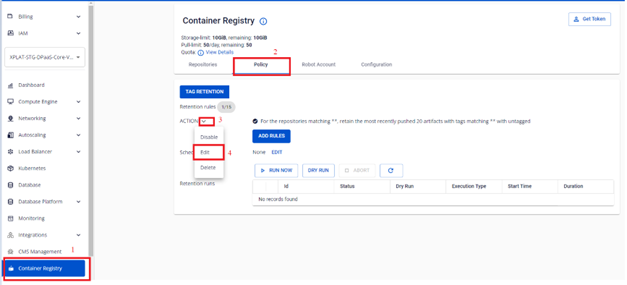
On the FPT Portal menu, select Container Registry > Policy > select the tag retention rule to update > Actions > Edit.
-
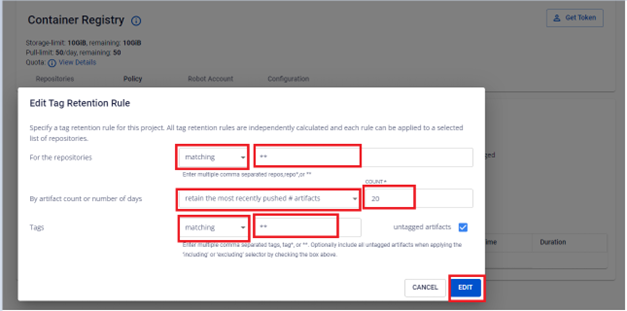
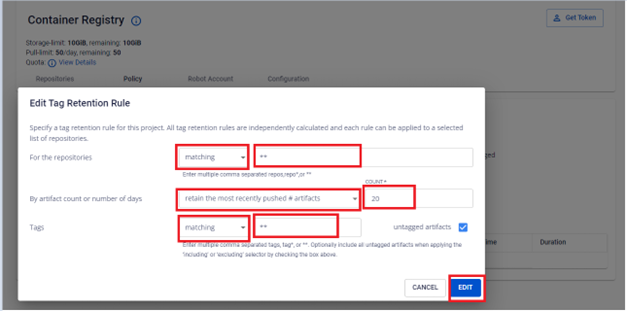
Update the retention rule configuration.
-
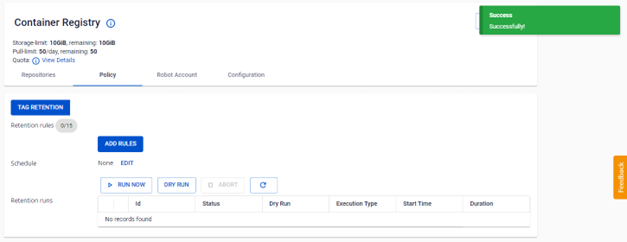
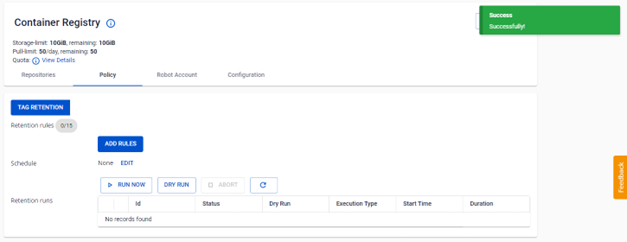
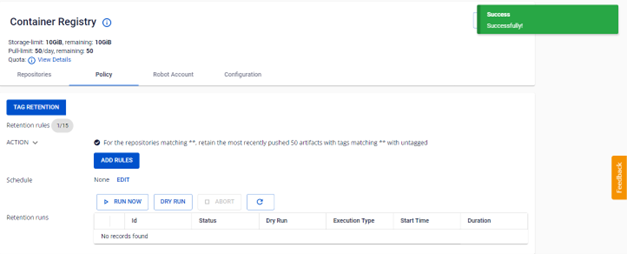
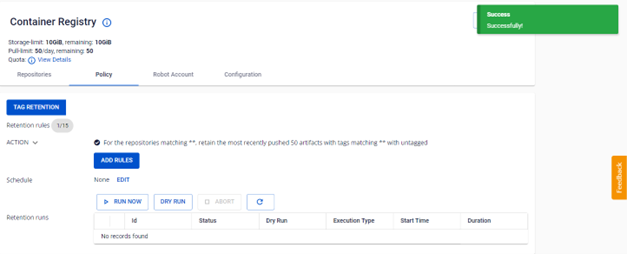
Verify the result after updating.
Disable a tag retention rule
-
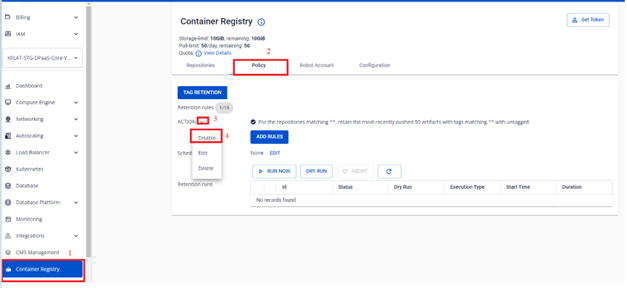
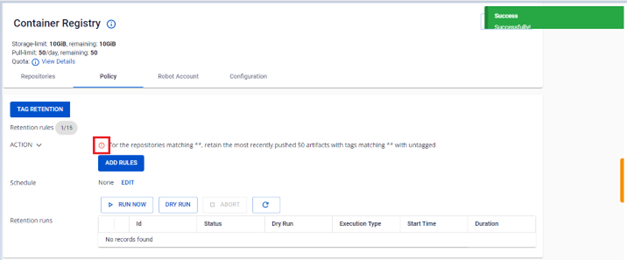
On the FPT Portal menu, select Container Registry > Policy > select the tag retention rule to disable > Actions > Disable.
-
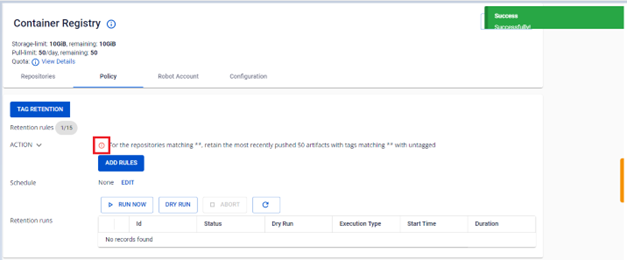
Verify the status after disabling.
Enable a tag retention rule
-
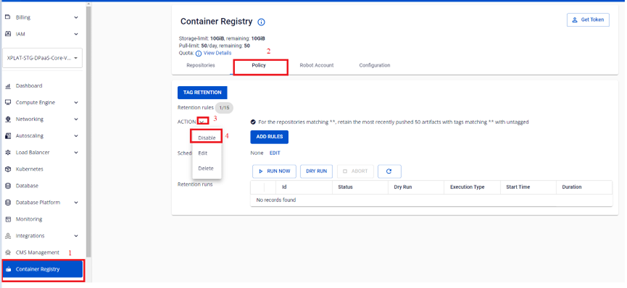
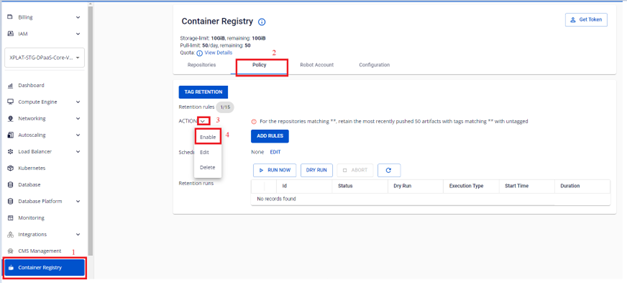
On the FPT Portal menu, select Container Registry > Policy > select the tag retention rule to enable > Actions > Enable.
-
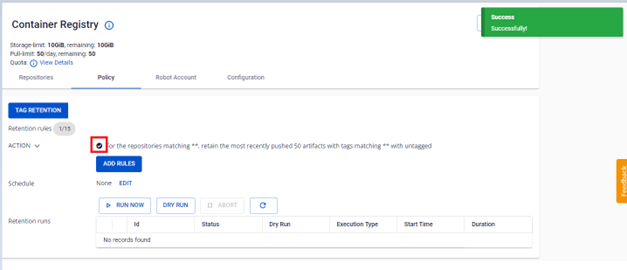
Verify the status after enabling.
Delete a tag retention rule
Deleting a tag retention rule cannot be undone. Deleted rules will no longer be applied to subsequent runs.
-
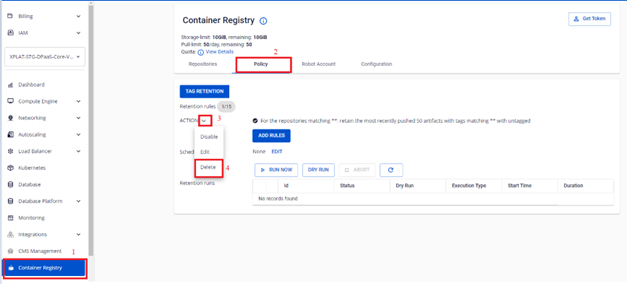
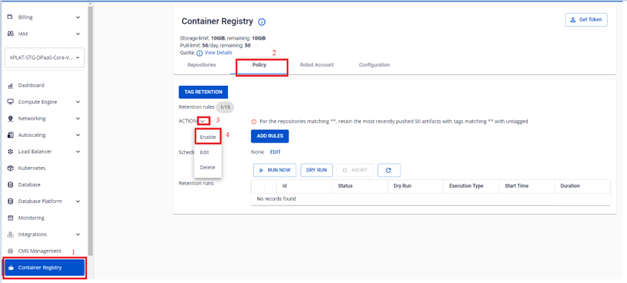
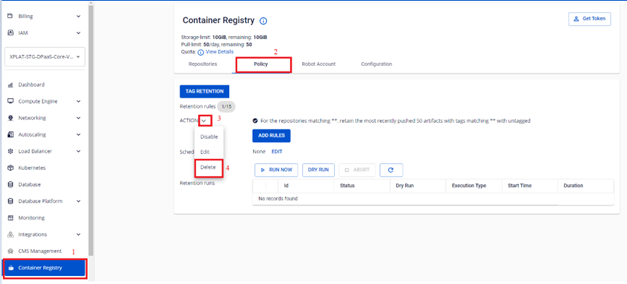
On the FPT Portal menu, select Container Registry > Policy > select the tag retention rule to delete > Actions > Delete.
-
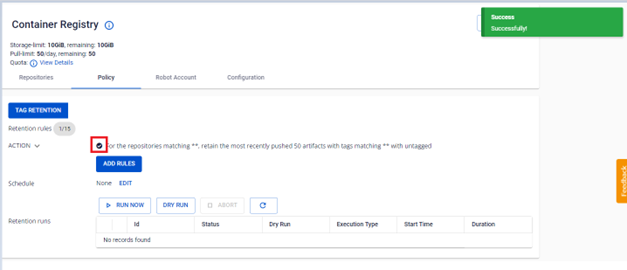
Verify the result after deleting.