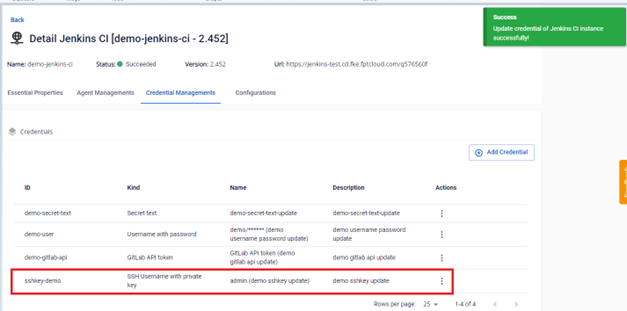
Update a credential
To update a credential's information:
Step 1: In the FPT Portal menu > Jenkins CI > Detail Cluster > Credential Managements.
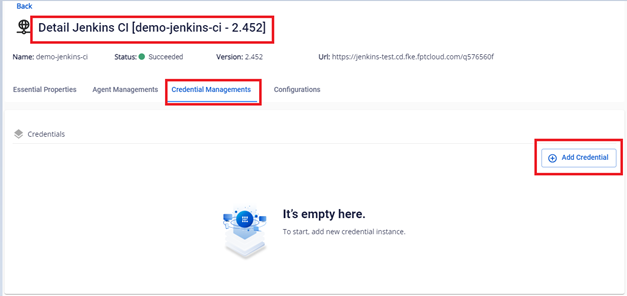
Secret Text
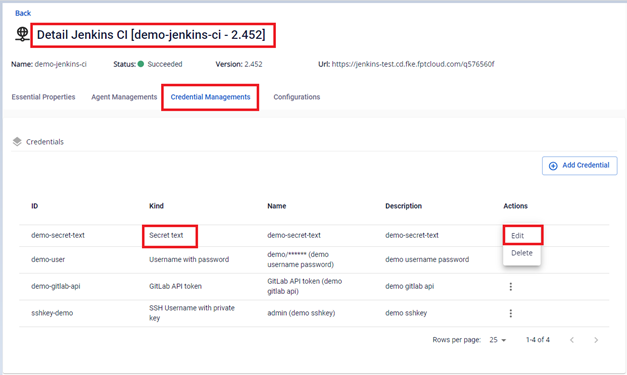
Step 2: On the Credential Managements screen, select the Secret Text credential to edit > Actions > Edit.
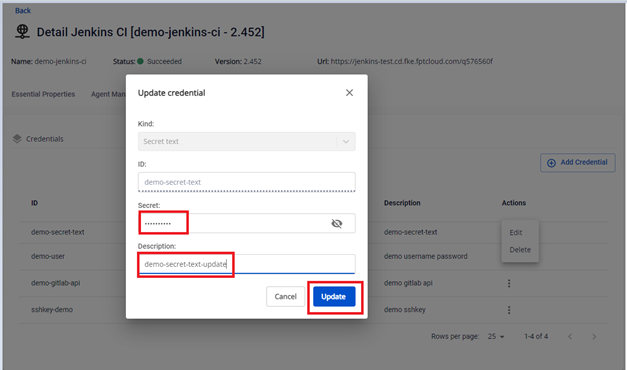
Step 3: Edit the credential information.
Step 4: Result after updating.
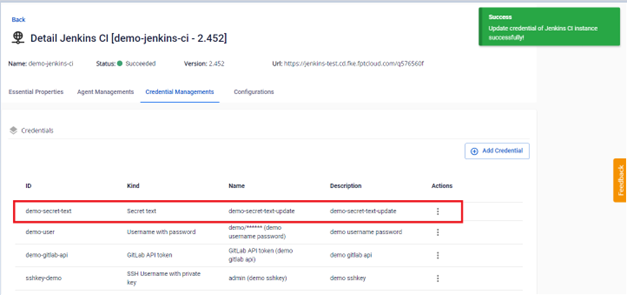
Username with password
Step 2: On the Credential Managements screen, select the Username with password credential to edit > Actions > Edit.
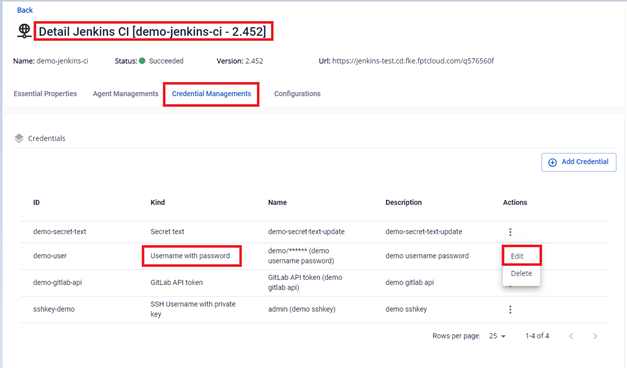
Step 3: Edit the credential information.
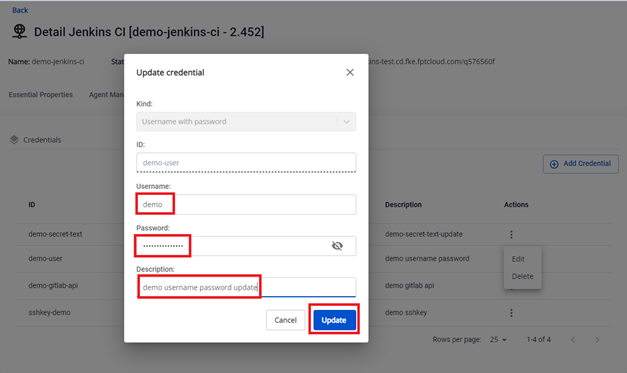
Step 4: Result after updating.
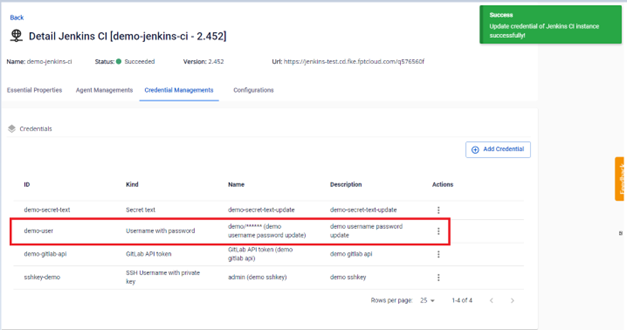
GitLab API token
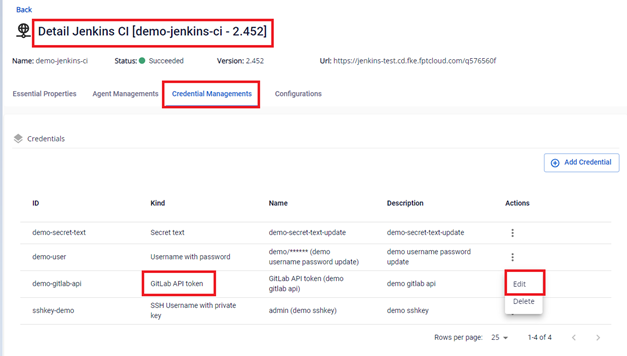
Step 2: On the Credential Managements screen, select the GitLab API token credential to edit > Actions > Edit.
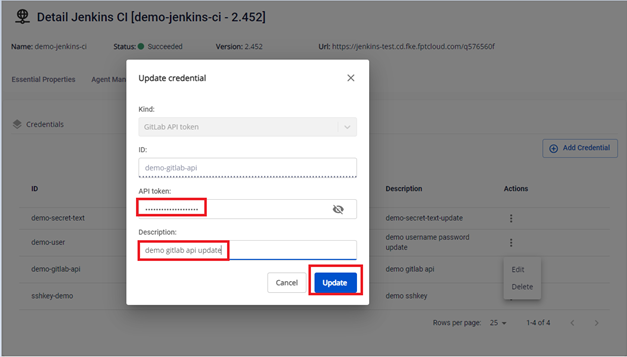
Step 3: Edit the credential information.
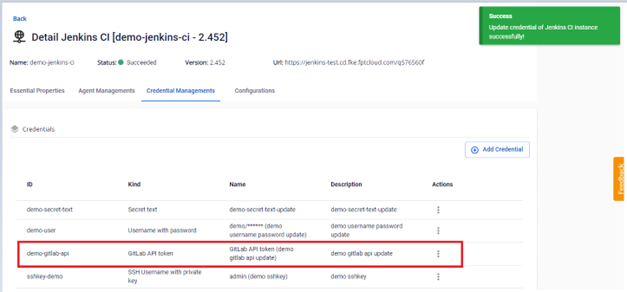
Step 4: Result after updating.
SSH Username with private key
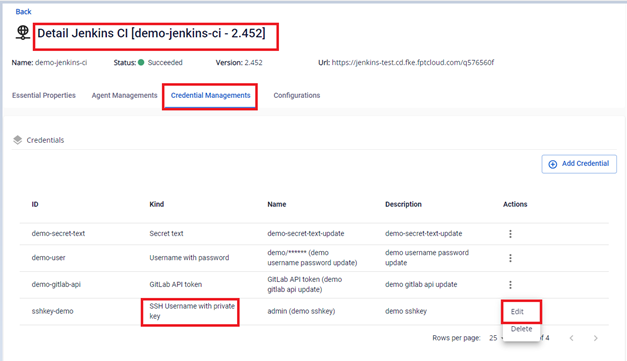
Step 2: On the Credential Managements screen, select the SSH Username with private key credential to edit > Actions > Edit.
Step 3: Edit the credential information.
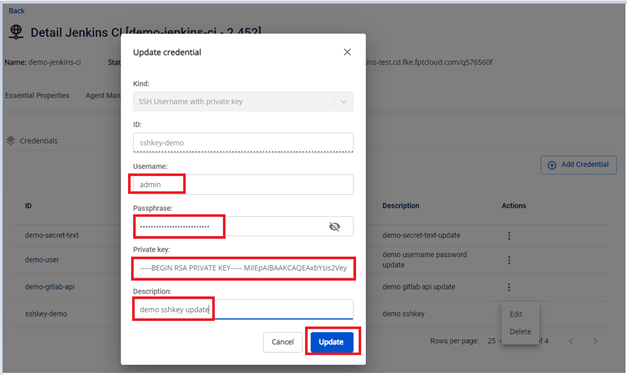
Step 4: Result after updating.