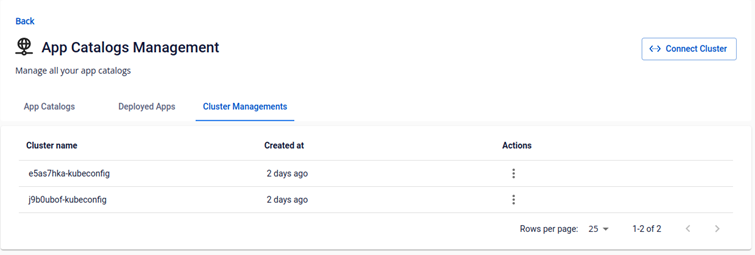
Add Cluster To App Catalogs Management
To be able to deploy an application to a K8s cluster via an App Catalog, you will need to connect a K8s cluster with that App Catalog Instance. FPT Cloud supports adding a new cluster via the interface with the following steps: Step 1 : Prepare a K8s cluster's .kubeconfig that you want to deploy applications. The cluster could be provisioned with FPT Container Services or from any other cloud. Step 2 : From the Management Clusters menu > Click Add Cluster
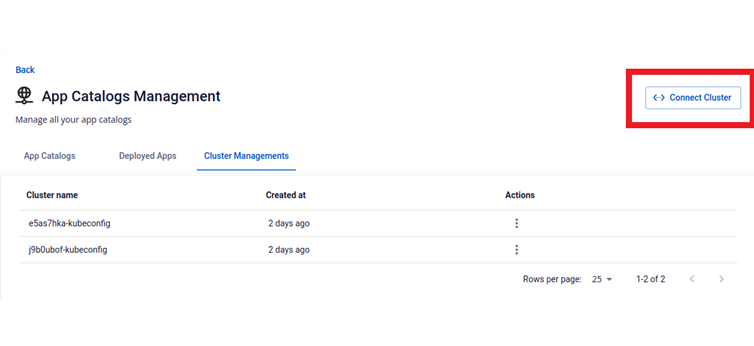
Step 3 : Enter necessary information to add a cluster:
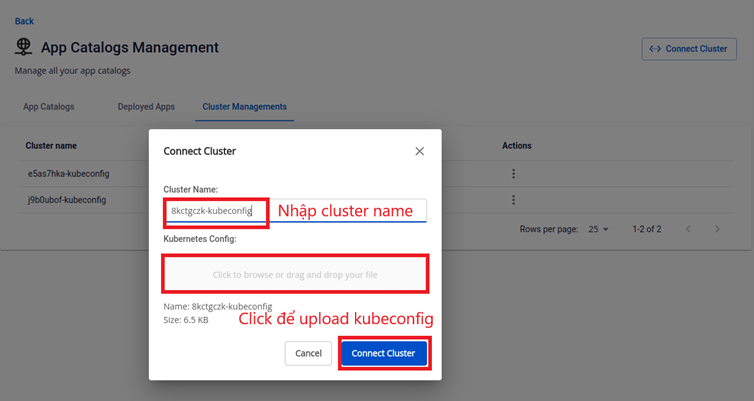
_Note: The information used to connect to the K8s cluster requires admin privileges. The _Cluster Name and**.kubeconfig** file must matched. Step 4 : Click Connect Cluster to finalize adding that cluster. Step 5 : Check the information of the K8s cluster that you have just connected.