Delete An App Catalogs Mangement
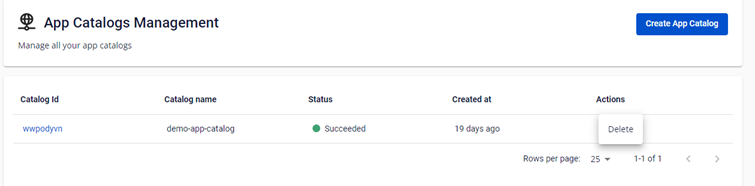
The system allows deleting an App Catalogs Management in case users stopped using the product. To do so, follow these steps: Step 1 : From the App Catalogs Management screen, hover on the Actions button of the desired Catalog and click Delete.
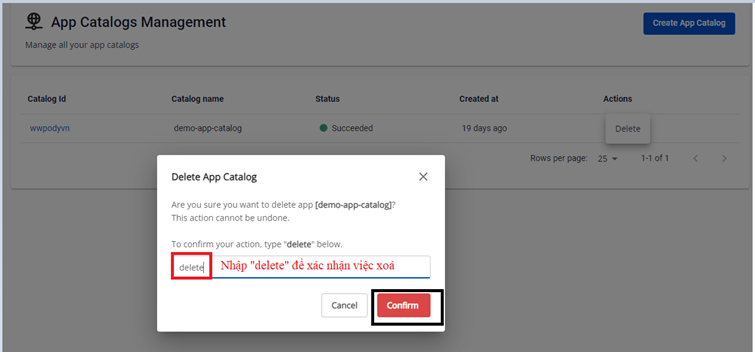
Step 2 : In the confirmation popup, type delete to confirm and click Confirm to execute deletion of the App Catalog.