Create Security
To create a new Security configuration, follow the steps below:
Step 1: In the menu bar, select Integration > Event Gateway.
Step 2: In the Event Gateway list, select an Event Gateway > select the Security tab.
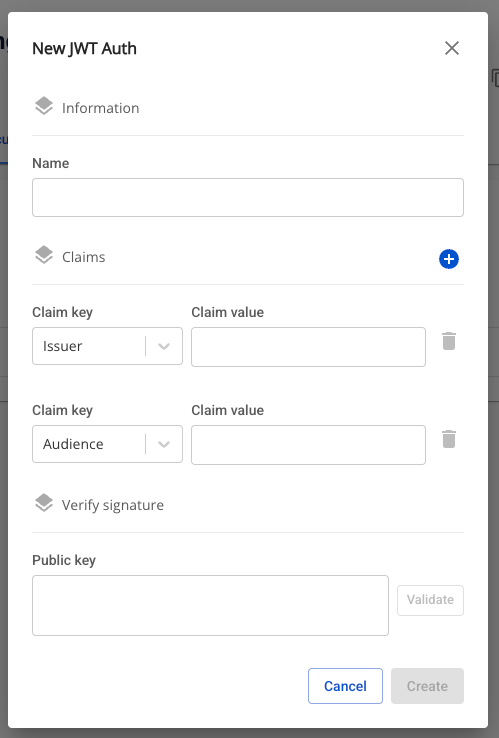
Step 3: In the Security list, click Create > the New JWT Auth popup appears.
Step 4: In the New JWT Auth popup, enter the following information:
- Name (required): JWT auth name.
- May contain a–z, A–Z, hyphens (-), underscores (_), and digits; must start with a letter; maximum 30 characters.
- Claim key: List of claim keys:
- Issuer
- Issued At
- Expiration
- Audience
- Subject
- Scope
- Default claim key is "Issuer".
- The interface displays 1 claim key-value pair by default when JWT Auth is enabled.
- By default, 2 inputs are rendered: Issuer and Audience, both required.
- Value: The value corresponding to each claim key (if any).
- Maximum 100 characters.
- Public key (required): Public key string in PEM format.
- Must begin with
-----BEGIN PUBLIC KEY-----and end according to PEM standard.
- Must begin with
Step 5: Click Create to create the new JWT Auth.