Change issue status in the Issue list
Step 1. In the asset list, select any asset and open the Issue tab. The issue status is displayed on each issue card.
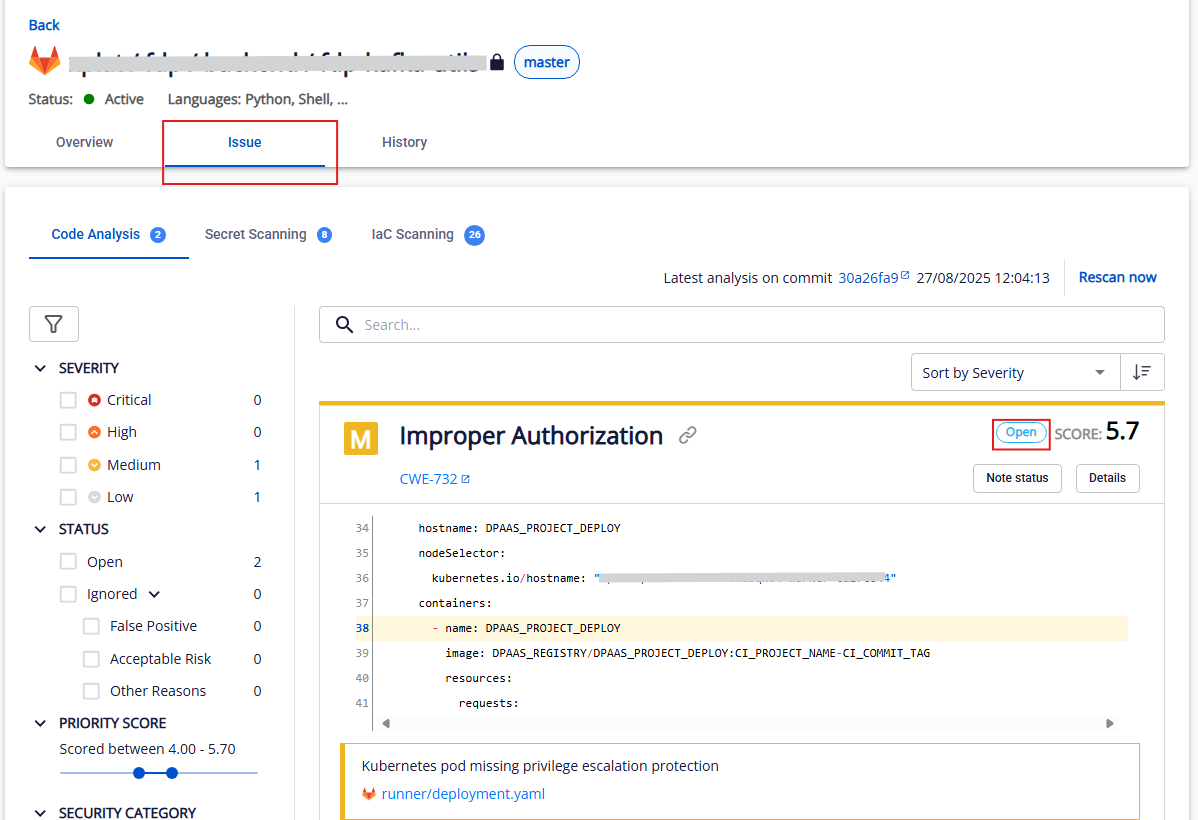
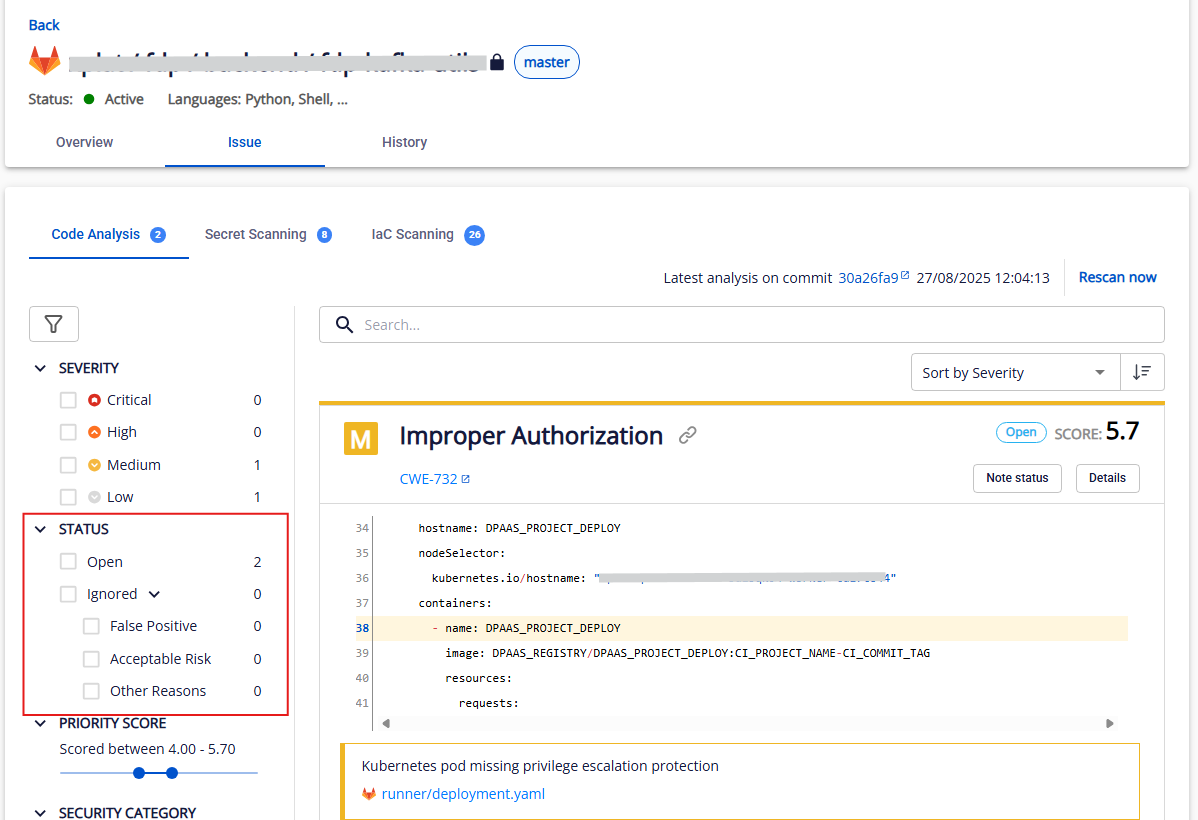
You can filter issues by status: Open, Ignored, and the ignore reasons.
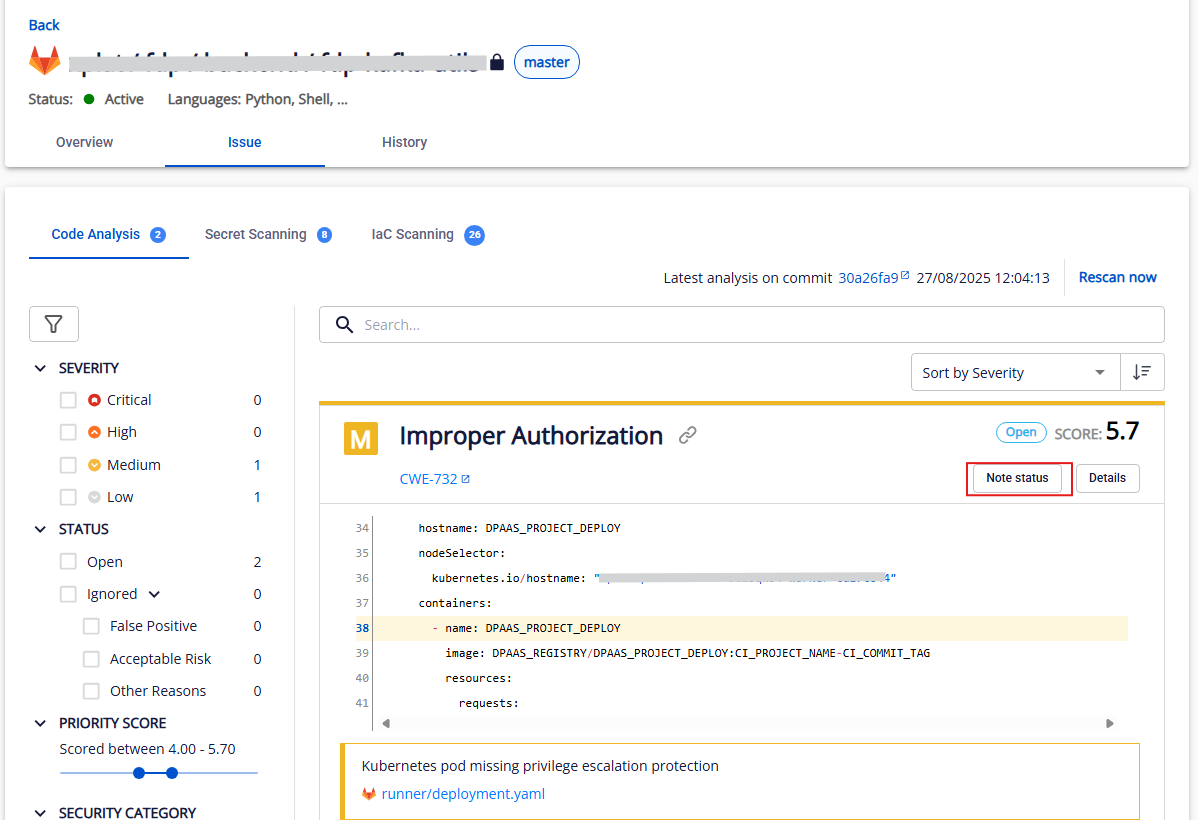
Step 2. To change an issue's status, click Note status.
Step 3. Select the target status (currently supports two statuses: Open and Ignore).
For the Ignored → Open flow, you may optionally add a comment, then click Save.
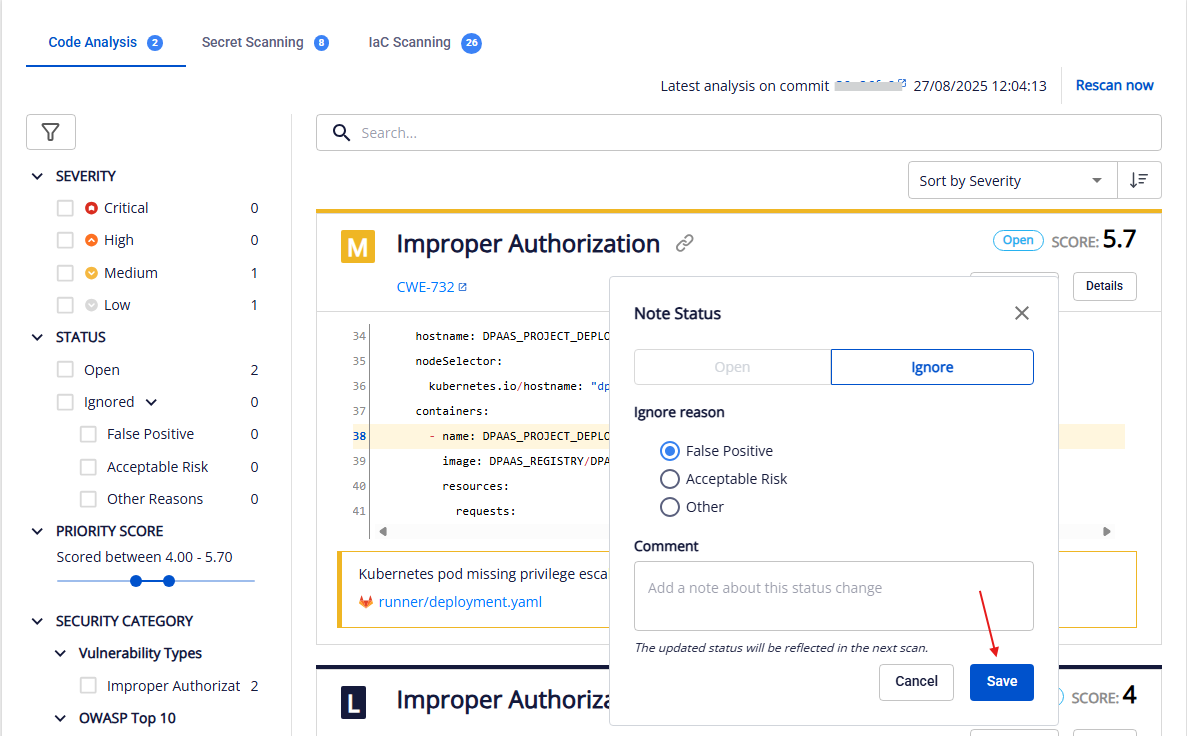
For the Open → Ignored flow, you must select an ignore reason and may optionally add a comment, then click Save.
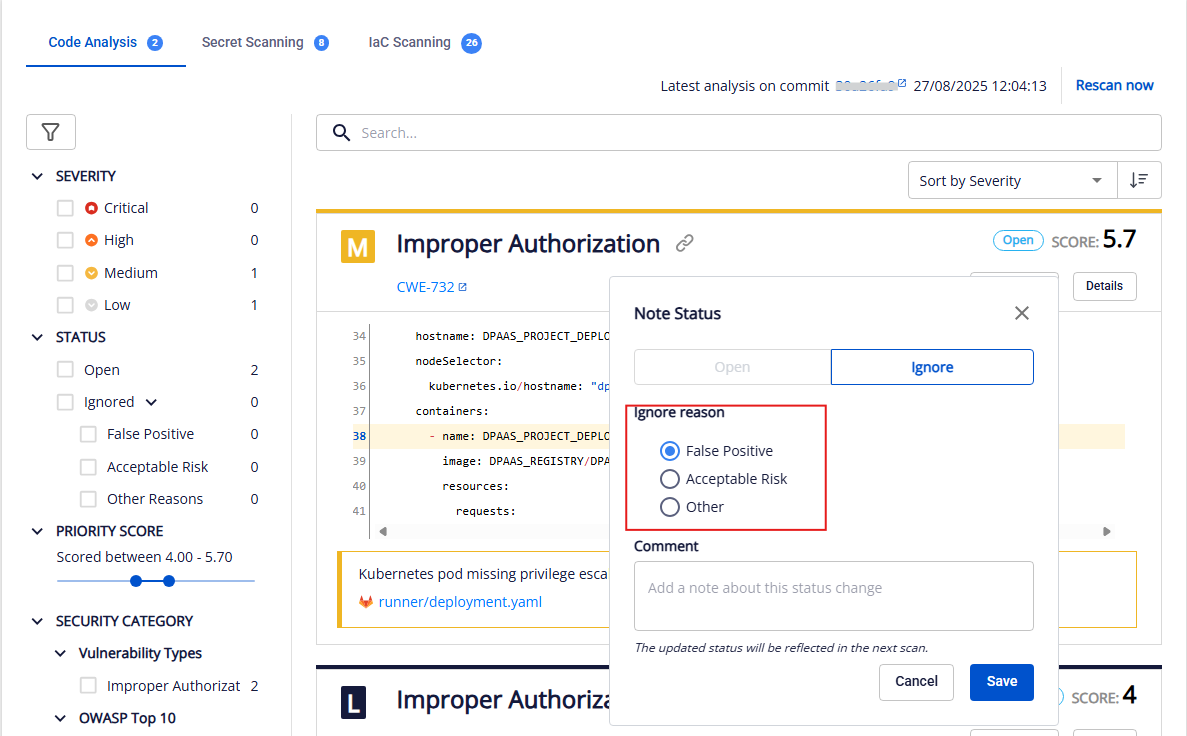
Note: The issue status change takes effect at the next scan.