Configure 2FA
2FA (Two Factor Authentication) is a more secure account verification method that adds an extra layer of security beyond a password. An account can only log in successfully if both verification steps are completed.
To enable two-step verification, follow these steps.
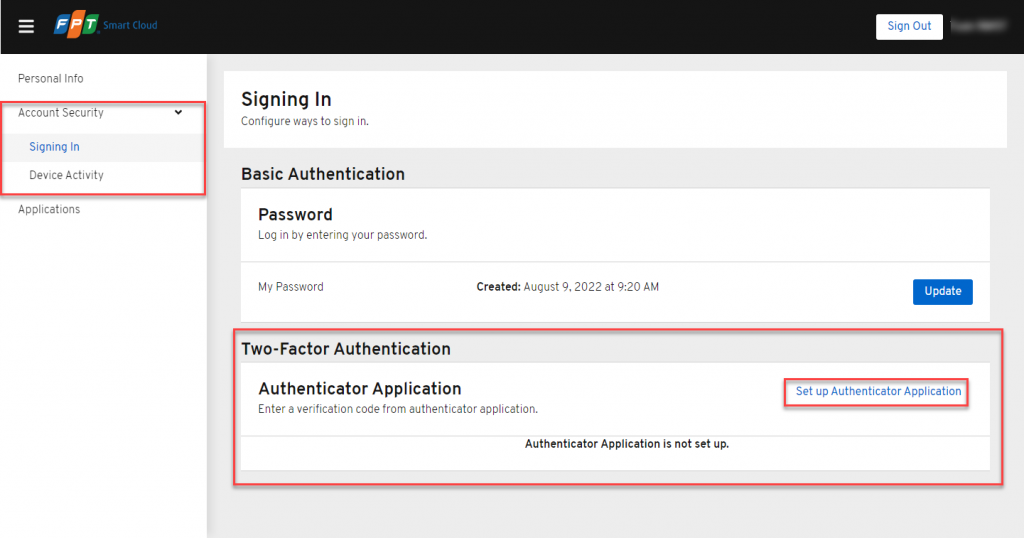
- Click on the account name area in the upper right corner of the FPT Portal, then select Account Security.
- Under Two Factor Authentication, click Set up Authenticator Application.
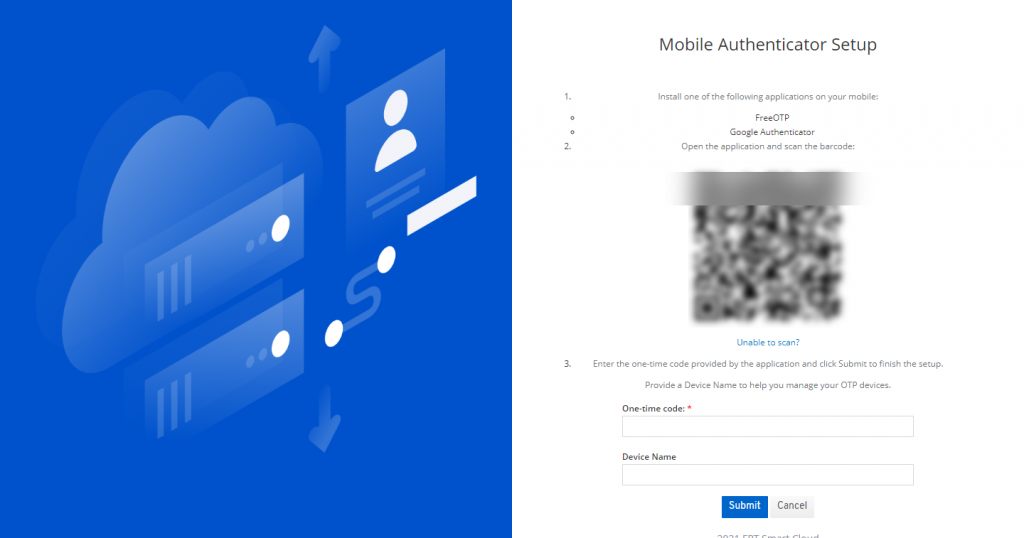
- Install 2FA on your mobile device by following the instructions on the Mobile Authenticator Setup page, then click Submit.
After successfully configuring 2FA, you will be prompted to enter the OTP generated by your 2FA application each time you log in.