Billing permissions
To view billing data, a user must have the Tenant Owner (Super Admin) role or a role that includes billing permission.
If a user without the Tenant Owner role needs to view billing, the Tenant Owner can grant access by following these steps:
-
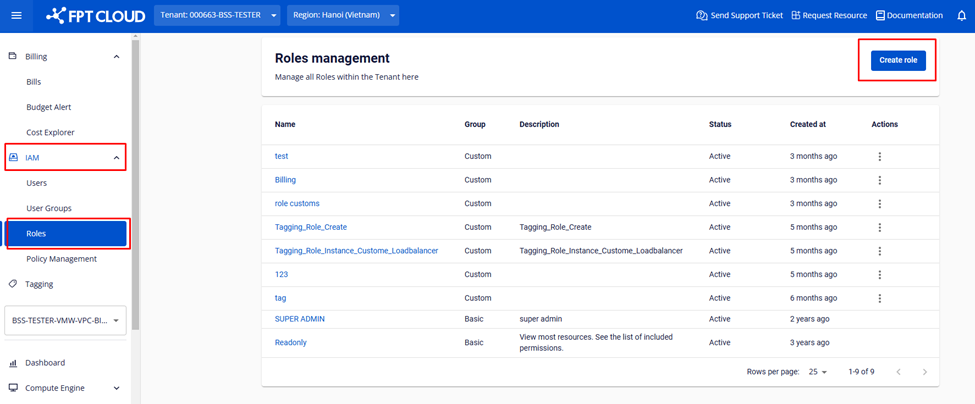
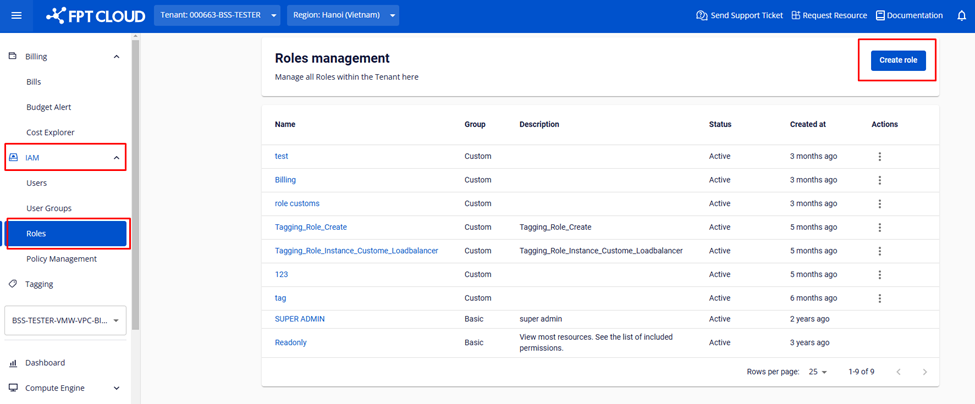
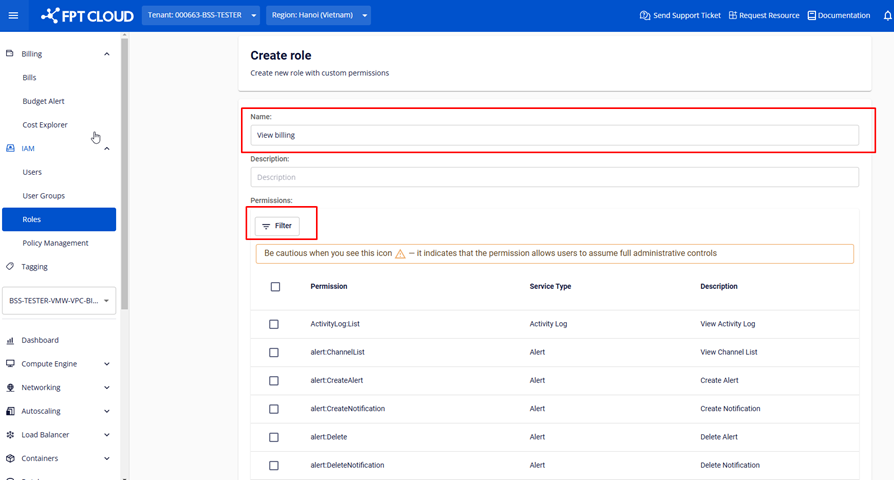
Log in to the FPT Cloud Console as a user with Tenant Owner (Super Admin) rights. Go to IAM > Roles > click Create Role.
-
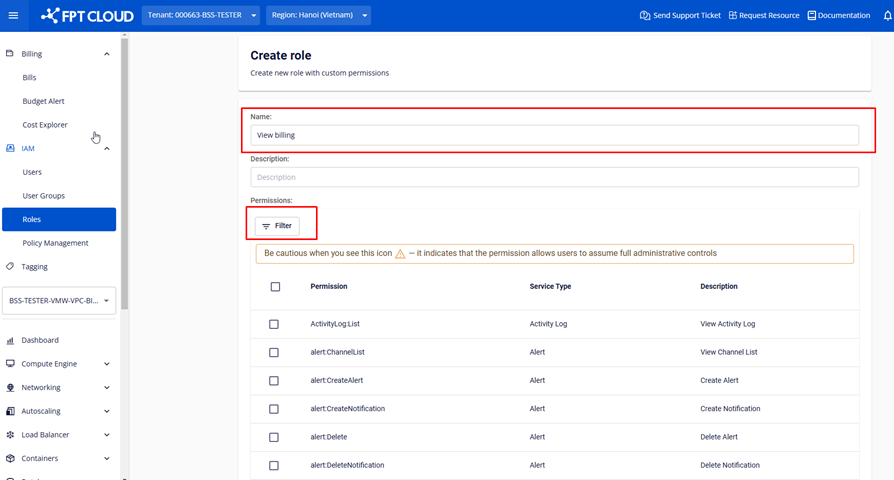
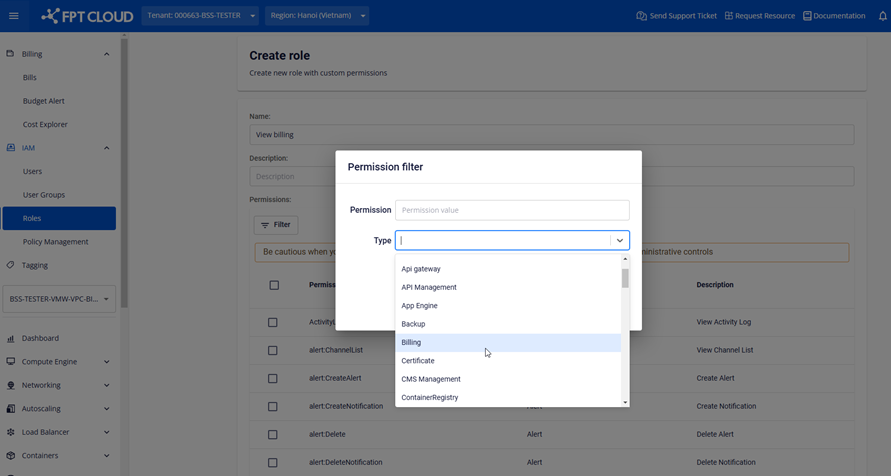
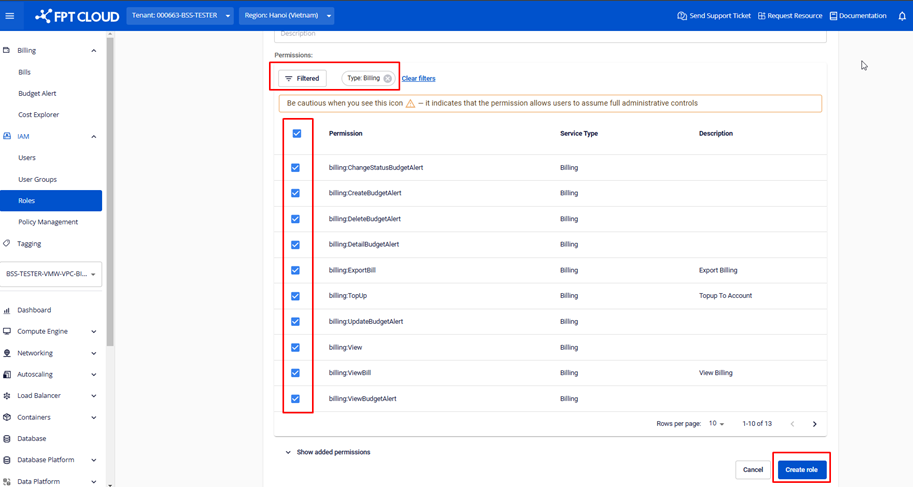
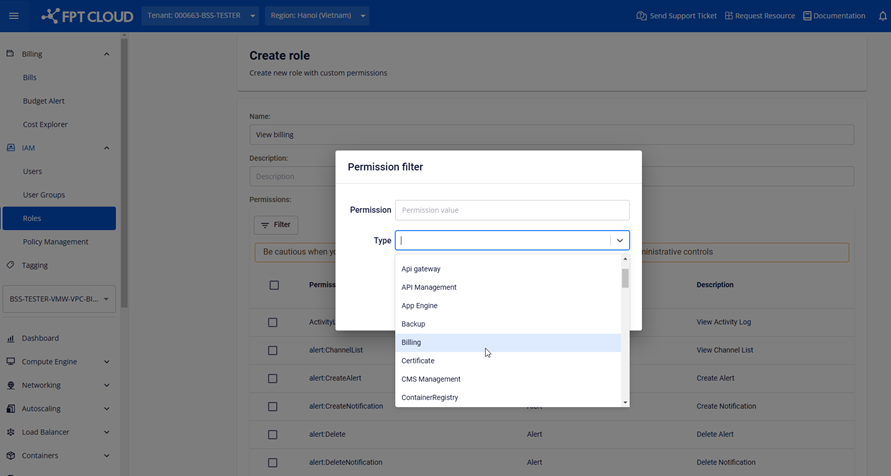
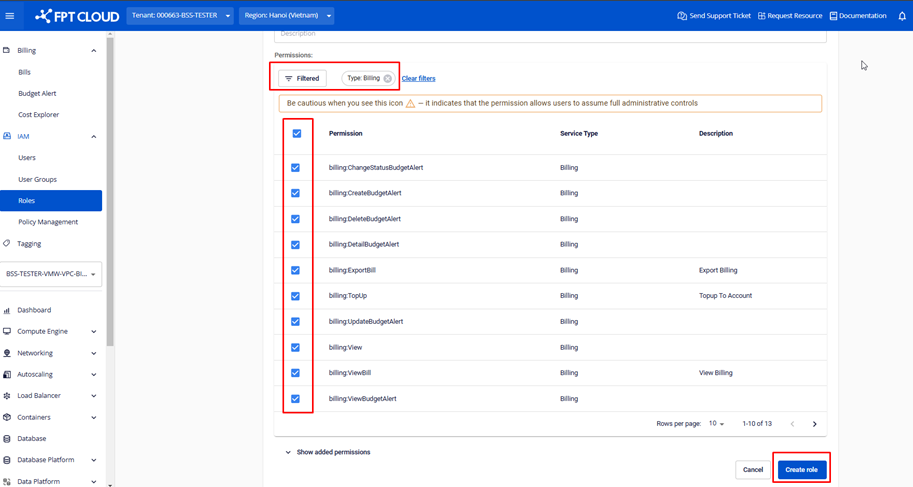
On the Create Role screen, enter a name in the Name field > use the filter to select permissions > set Type = billing > select the required permissions > click Create.
-
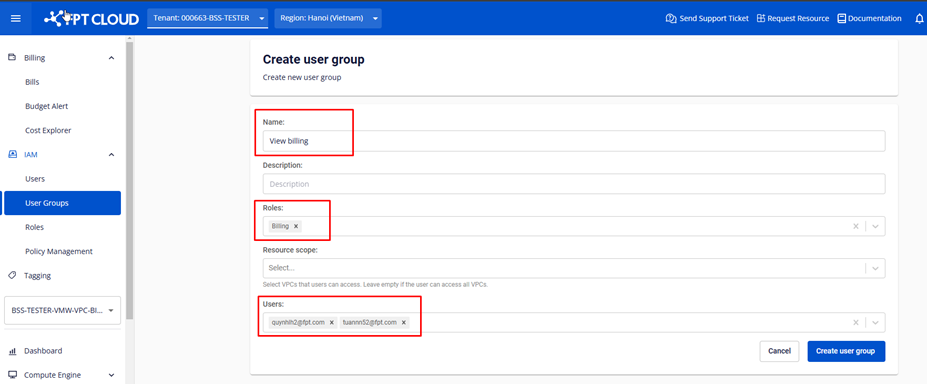
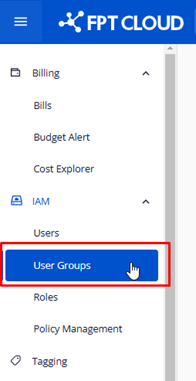
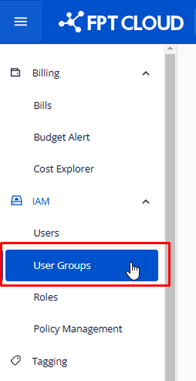
In IAM, select User Groups > click Create user group.
-
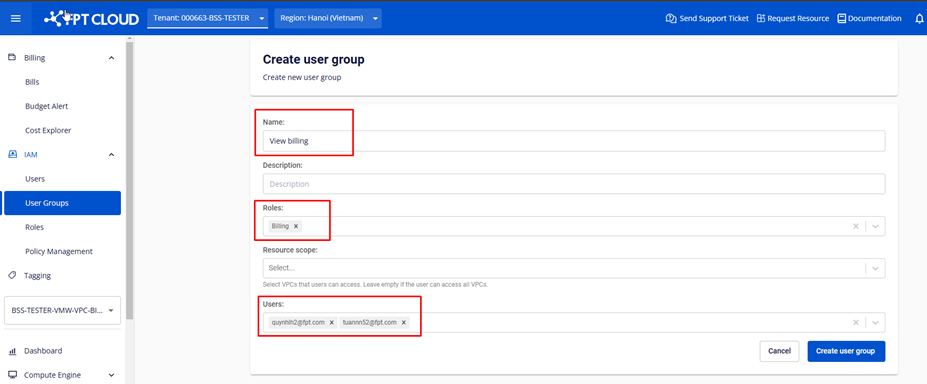
On the Create user group screen, enter a Name > select the billing role created in steps 1–2 > select the users to assign > click Create user group.