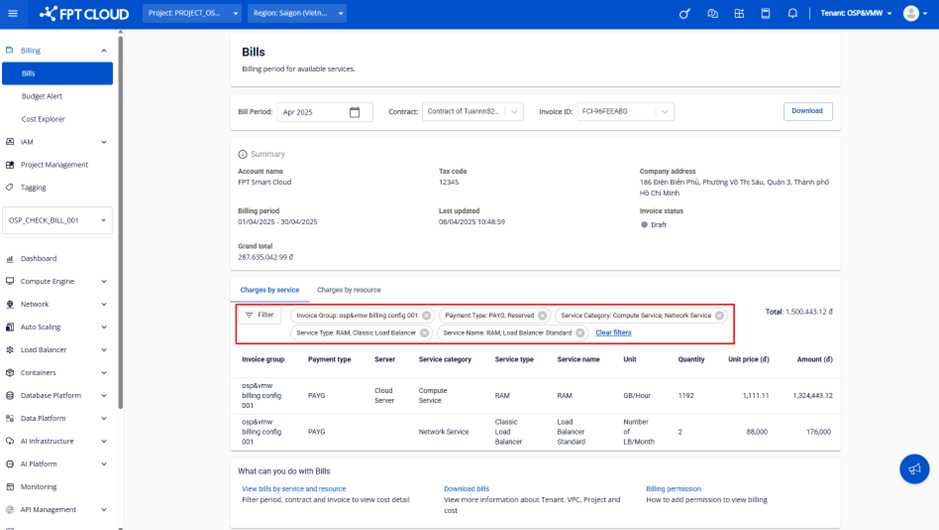
View charges by service
The Charges by service tab lets you view the billed quantity, pricing model, unit price, and total cost for each service. This data corresponds to the Invoice sheet in the downloaded reconciliation file.
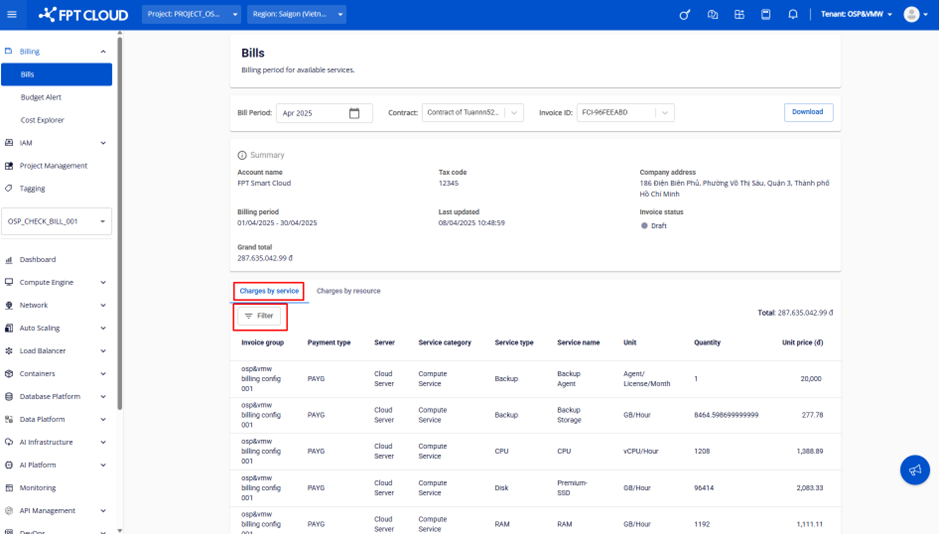
Filter data
You can filter Charges by service data using the following criteria:
- Invoice group
- Payment type
- Service category
- Service type
- Service name
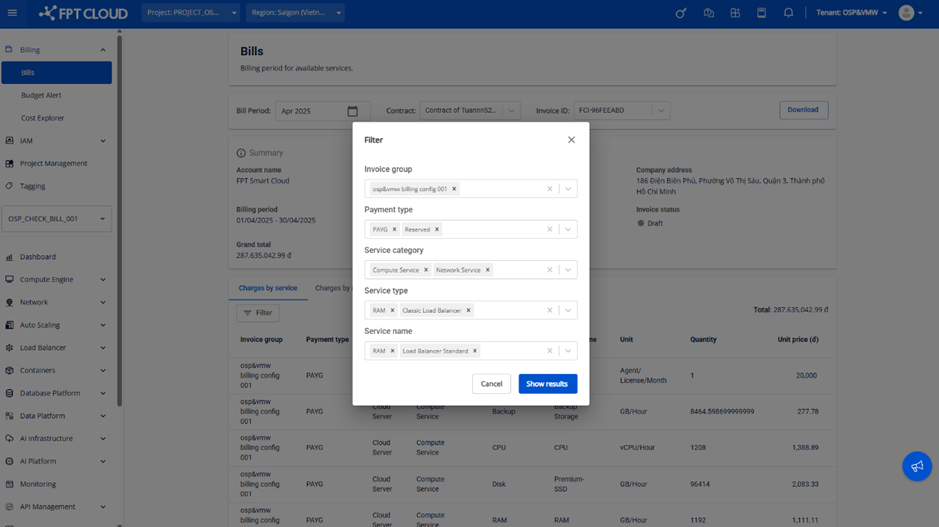
Filter results show only services that satisfy all selected conditions (AND logic). The total amount is the sum of all services matching the filter.