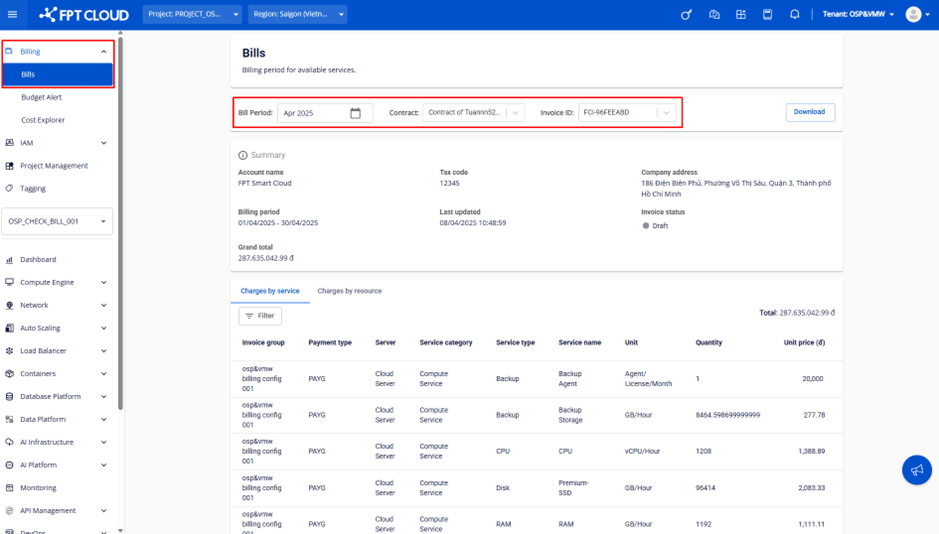
View bills by billing period
note
To view bills, you must be logged in with the Tenant Owner role or a role that has view billing permission. See Billing permissions for setup instructions.
Follow these steps:
-
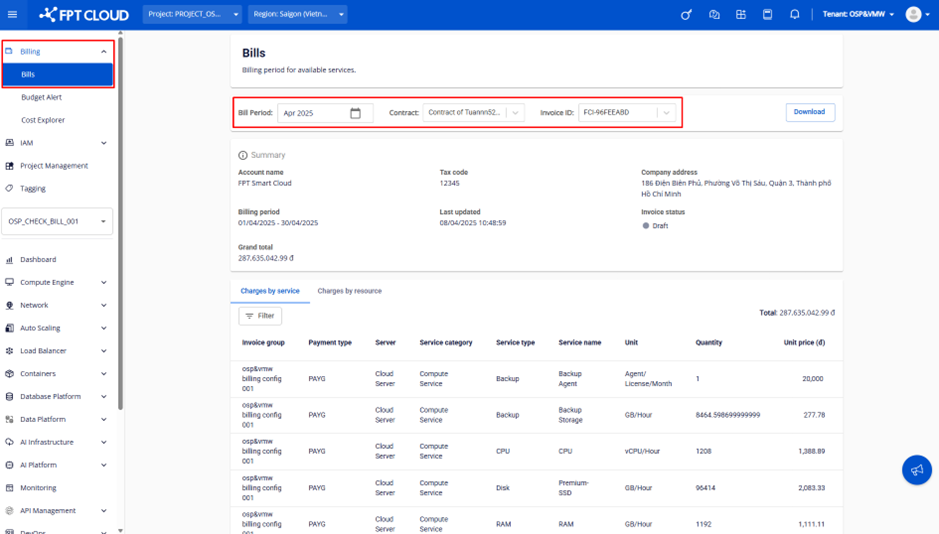
In the menu bar, select Billing > Bills, then select the billing period, contract, and invoice you want to view.
noteIf the Project/VPC resources in a Tenant are split into multiple billing groups for separate payment, the system displays one reconciliation entry per billing group.
-
On the reconciliation screen, you can review the following information:
- Account name – Company name
- Tax code – Tax identification number
- Company address – Registered company address
- Billing period – Start and end dates of the billing period
- Last updated – Timestamp of the most recent data update
- Invoice status – One of three states:
- Draft – Preliminary reconciliation data, not yet finalized for invoicing
- Invoiced – Reconciliation confirmed and invoice issued successfully
- Cancelled – Reconciliation cancelled, no invoice issued
- Grand total – Total amount before VAT at the time of the most recent data update
-
Select the Charges by service tab to view a service-level breakdown, or the Charges by resource tab to view a resource-level breakdown.