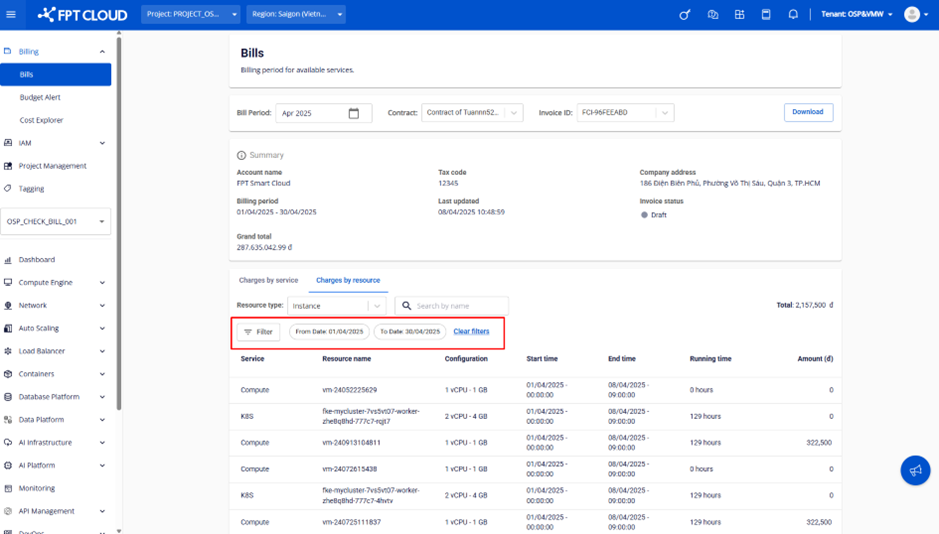
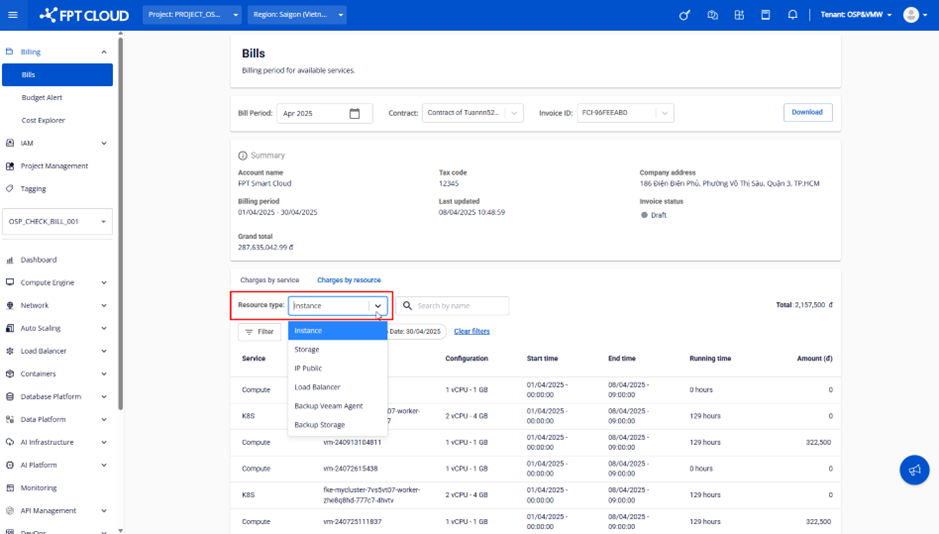
View charges by resource
The Charges by resource tab lets you select a resource type and view the billed quantity, unit price, and total cost for each individual resource. This data corresponds to the Details sheet in the downloaded reconciliation file.
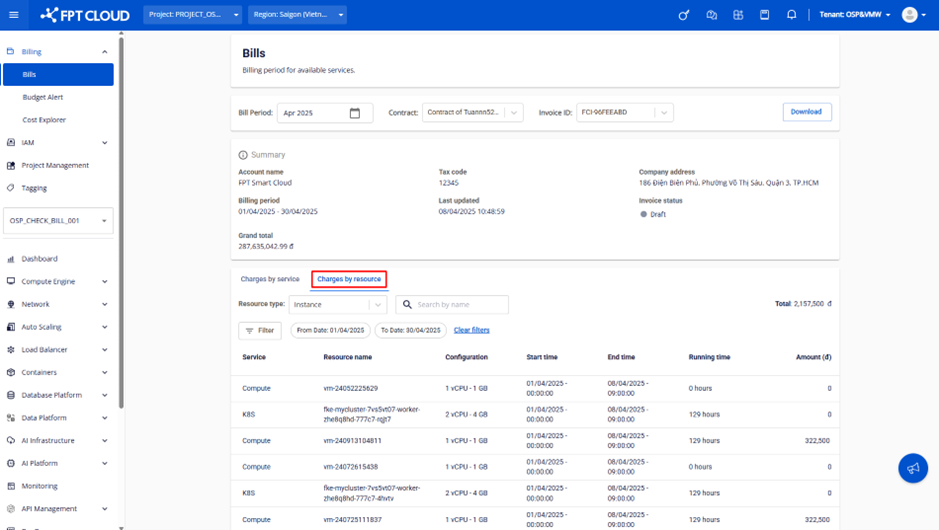
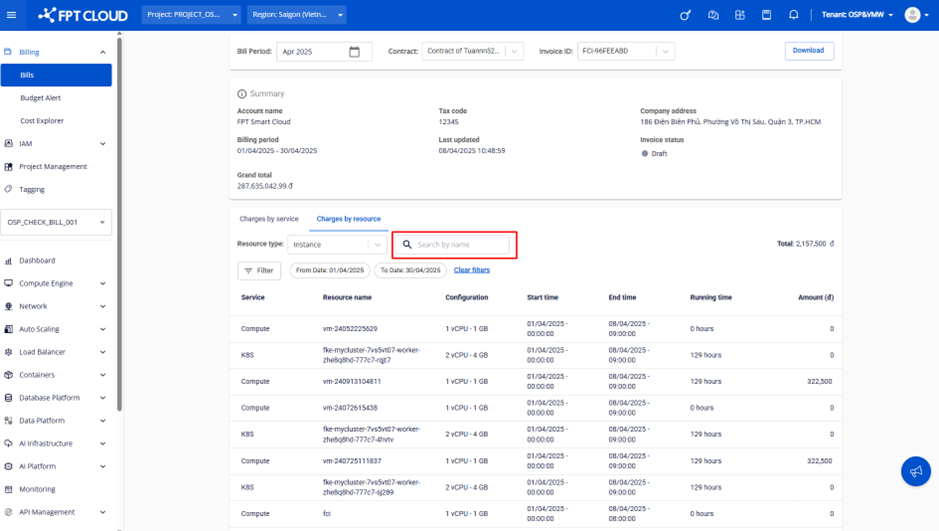
Search resources
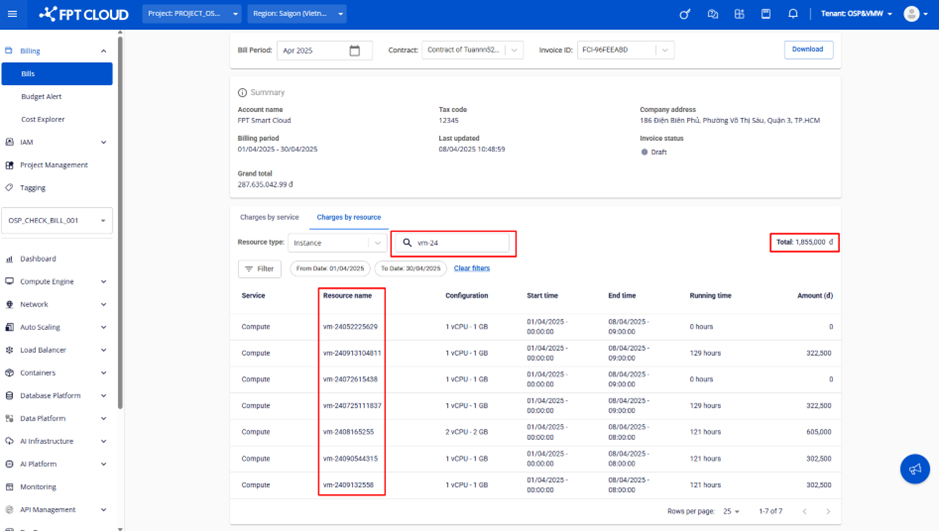
Use the Search by name bar to find resources whose names contain the search term. The total amount updates to reflect only the resources matching the search.
Filter resources
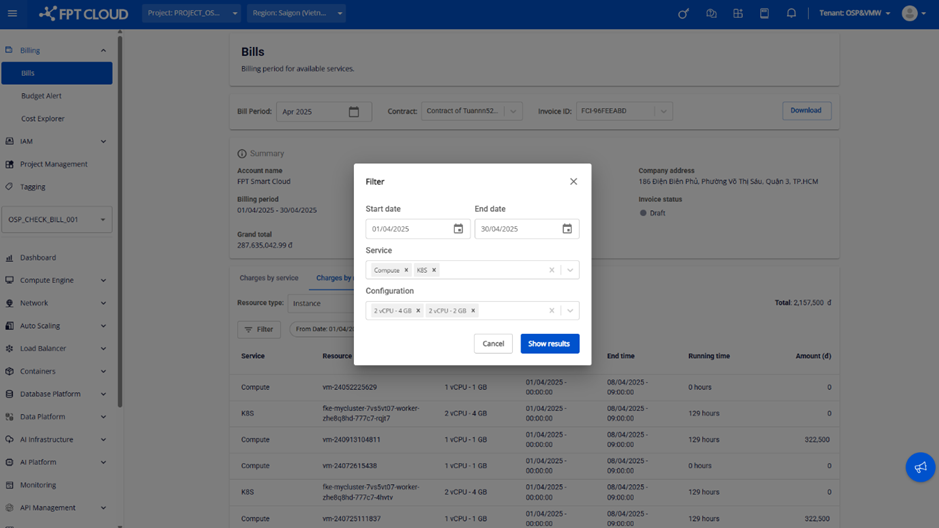
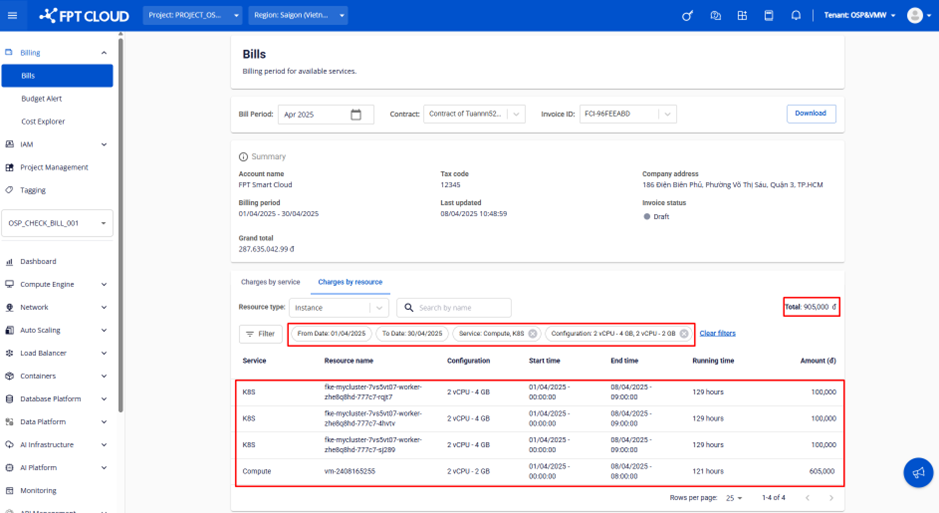
Use the filter panel to narrow down resources by:
- Start date – End date – Resources whose Start time and End time fall within the selected range
- Service – Resources belonging to a specific service. This filter is hidden for resources not grouped by service.
- Configuration – Resource configuration or size. This filter is hidden for resources without a configuration or size.