GPU time sharing/time slicing in FPT Kubernetes Engine
FPT Managed GPU Cluster is built on the open-source K8s platform, automating the deployment, scaling, and management of containerized applications. FPT Managed GPU Cluster integrates Container Orchestration, Storage, Networking, Security, and PaaS components to provide customers with the best environment for developing and deploying applications on the cloud.
FPT Managed GPU Cluster provides time-slicing/time-sharing for multiple containers/processes on a single NVIDIA GPU. By using time-sharing, you can optimize GPU usage costs.
Before going into detail, make sure you understand the time-sharing mechanism, including its limitations and which use cases it is suited for.
1. Prerequisites
You must activate the managed GPU cluster service and have sufficient quota for storage, public IPs, etc. to initialize an FPT managed GPU cluster.
GPU Operator must be installed on the cluster.
The worker group uses a pre-installed driver or has had the driver installed manually.
The worker group must be a GPU worker group type.
You can enable the time-sharing feature on any GPU we provide.
2. Installation guide
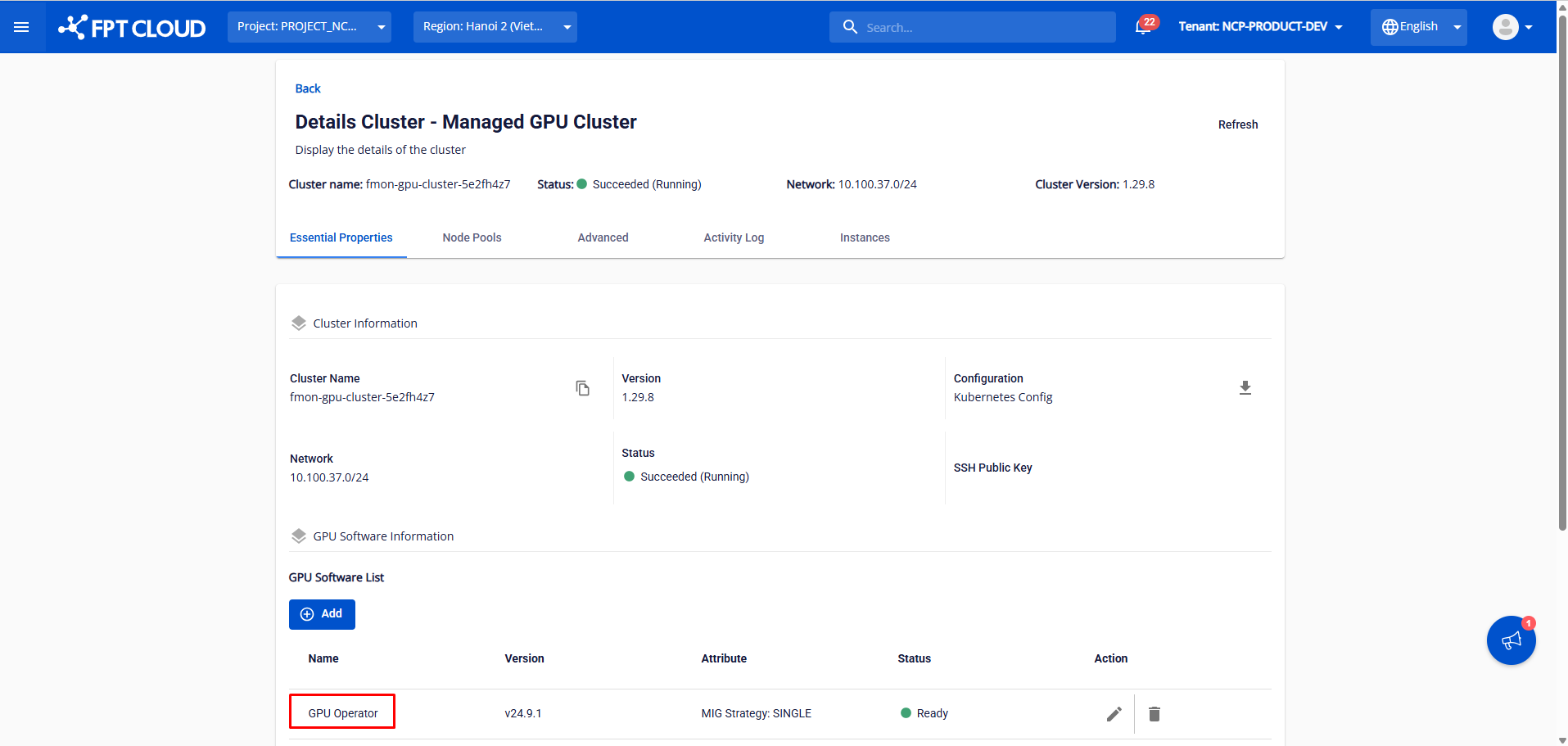
Step 1: Install GPU Operator in the GPU software installation section and wait until the GPU Operator status shows ready.
Step 3: Verify the time slicing installation.
kubectl describe nodes
Output:
Explanation:
There are a total of 8 GPUs on the node. Each GPU is configured with time slicing for a maximum of 10 containers, so the Allocatable value for nvidia.com/gpu is 8 × 10 = 80.
Step 4: Deploy a sample workload on Kubernetes using the time slicing feature.
apiVersion: apps/v1
kind: Deployment
metadata:
  name: vllm-gpt2
spec:
  replicas: 1
  selector:
    matchLabels:
      app: vllm-gpt2
  template:
    metadata:
      labels:
        app: vllm-gpt2
    spec:
      containers:
      - name: vllm
        image: vllm/vllm:latest
        args:
          - --model=gpt2
          - --tensor-parallel-size=1
          - --port=8000
        ports:
          - containerPort: 8000
        resources:
          limits:
            nvidia.com/gpu: 1  # Require 1 GPU
      restartPolicy: Always
Check the logs of the vllm-gpt2 pod:
kubectl logs <pod_name>
Result:
3. Using time slicing with MIG
As an administrator, you may want to combine multiple GPU sharing features in FKE. The GPU time-sharing feature can work together with MIG (multi-instance GPU), which allows a physical GPU to be divided into up to seven partitions. These partitions are isolated from each other. You can configure GPU time sharing for each MIG instance.
For example, if you set the MIG profile value to 1g.10gb, the underlying GPU is divided into seven partitions. If you also set max-shared-clients to 3, each partition supports up to three containers, meaning a total of up to 21 shared GPU devices are available for allocation on that physical GPU. To understand how gpu-partition-size translates to actual partitions, refer to the MIG documentation.
To enable GPU time sharing on a MIG instance, select both MIG and time slicing on the worker group sharing screen.
4. Limitations of time slicing
With GPU time-sharing, memory limits are not enforced on the GPU. To avoid out-of-memory (OOM) errors, you should set GPU memory limits in your workloads. To avoid security issues, only deploy workloads within the same trust boundary when using GPU time sharing.
The maximum number of containers that can use time sharing on a single physical GPU is 48. When configuring GPU time sharing, you should consider the resource requirements of your workloads and the capabilities of the underlying physical GPU to optimize system performance and responsiveness.