Reboot a Virtual Machine
Reboot a virtual machine
Reboot is the action of restarting the system to improve the operational status of the server.
During operation, programs running on the virtual machine may encounter errors for various reasons. If these errors occur too frequently, the system may malfunction and slow down. In such cases, you need to reboot the machine to restart those programs and restore the virtual machine to proper working order.
FPT Cloud supports rebooting your virtual machine directly from the FPT Portal interface. To use this feature, follow the steps below:
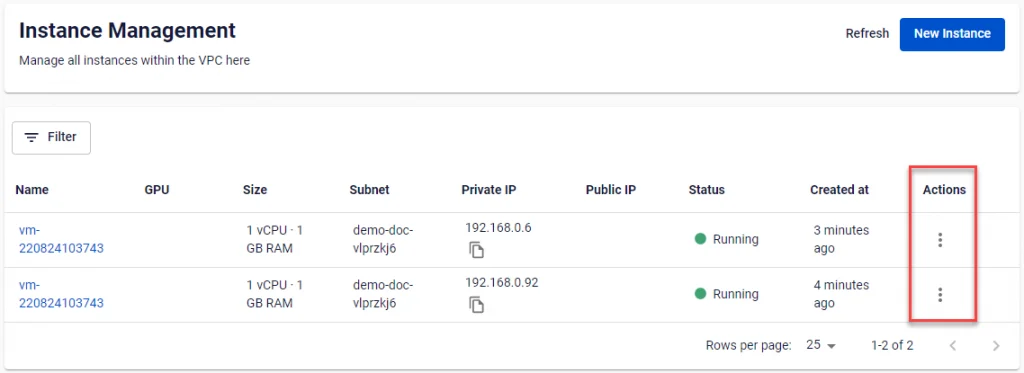
Step 1: On the Instance Management dashboard, select Action at the end of the row for the server you want to reboot.
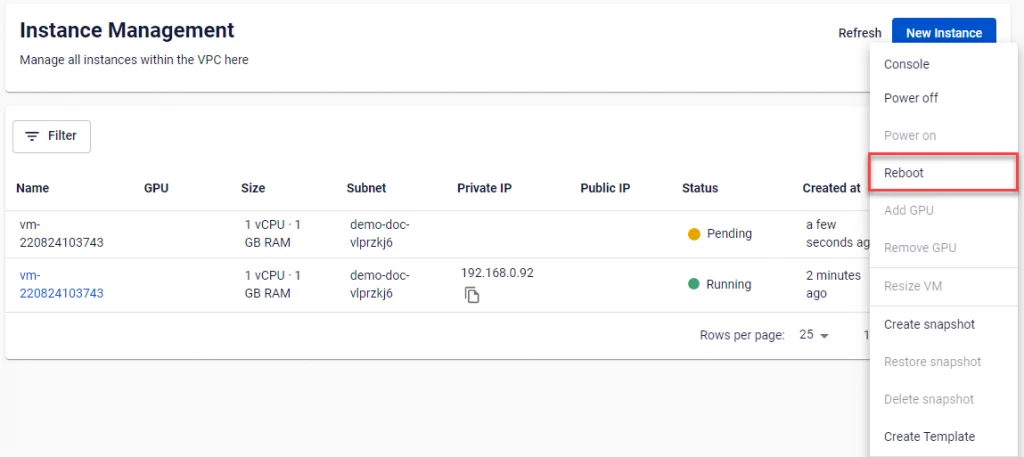
Step 2: Select the Reboot function. The system will then perform the reboot and notify you of the processing status.