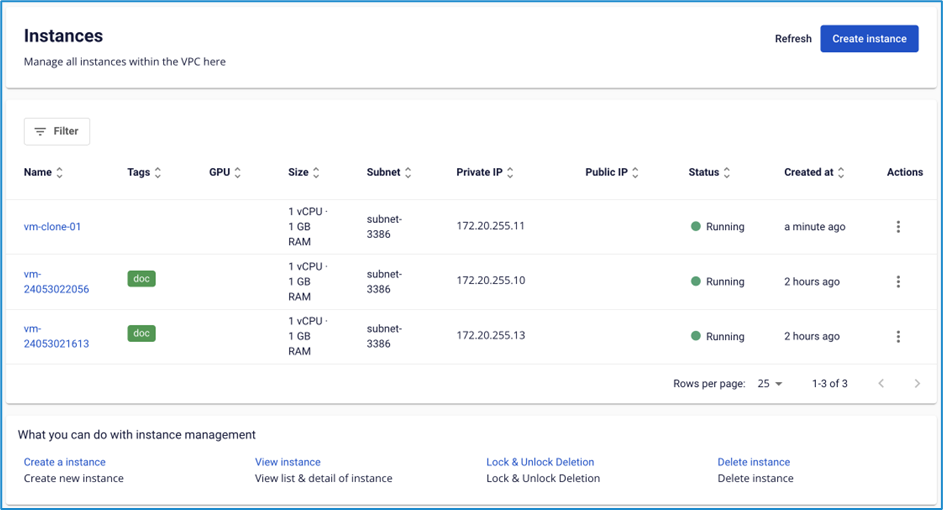
Clone a virtual machine
The Clone Instance feature lets you create a new virtual machine that is identical to the original — saving time when you need to deploy multiple virtual machines with the same configuration.
Prerequisites
- ✅ The original Instance is in Power on or Power off state.
- ✅ The Instance does not have an external disk attached.
note
- This feature is not supported for Instances that have an external disk.
- For Instances with a Snapshot or GPU, the system clones the Instance but does not include the Snapshot or GPU.
Clone a virtual machine
-
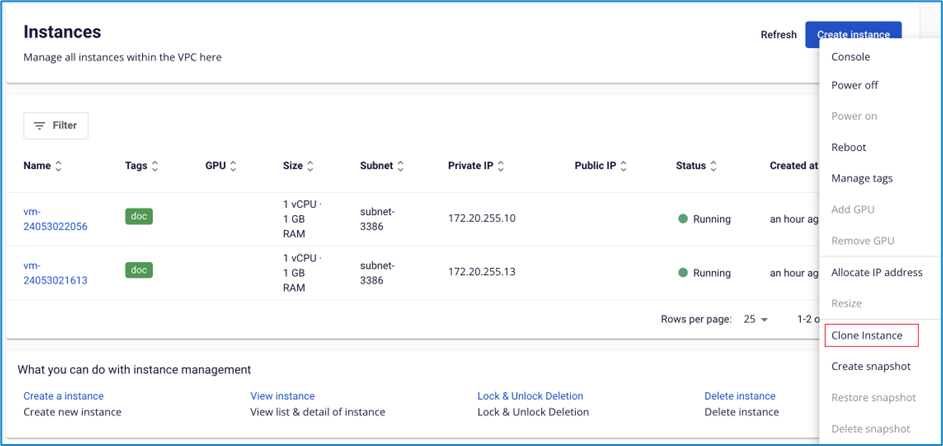
Select the Instance you want to clone, then click Actions → Clone instance.
-
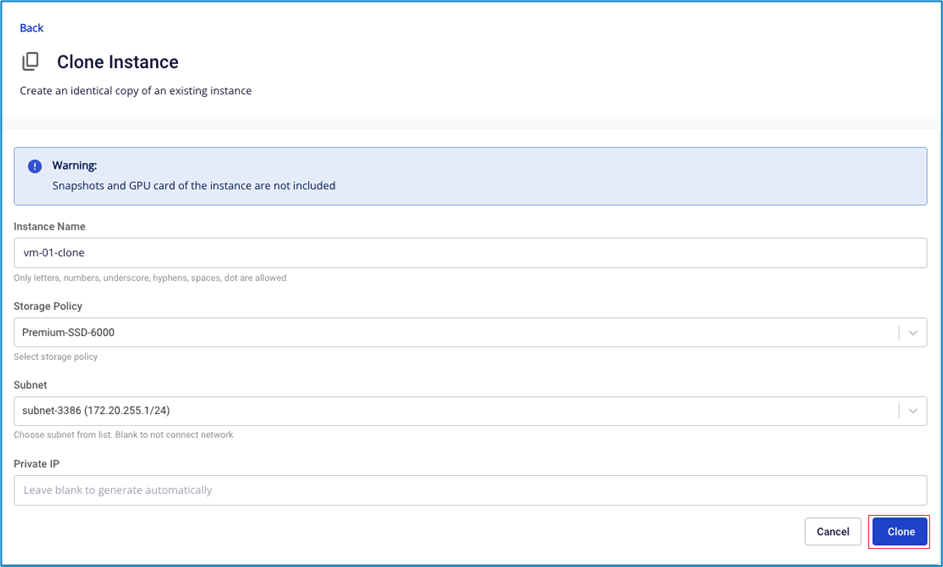
Enter the parameters:
- Instance name: Name for the cloned virtual machine (accepts letters, numbers,
-,_, spaces, and periods only). - Storage policy: Select the storage type.
- Subnet: Select a subnet from the list.
- Private IP (optional): Enter an IP for the cloned instance. If left blank, the system assigns one automatically.
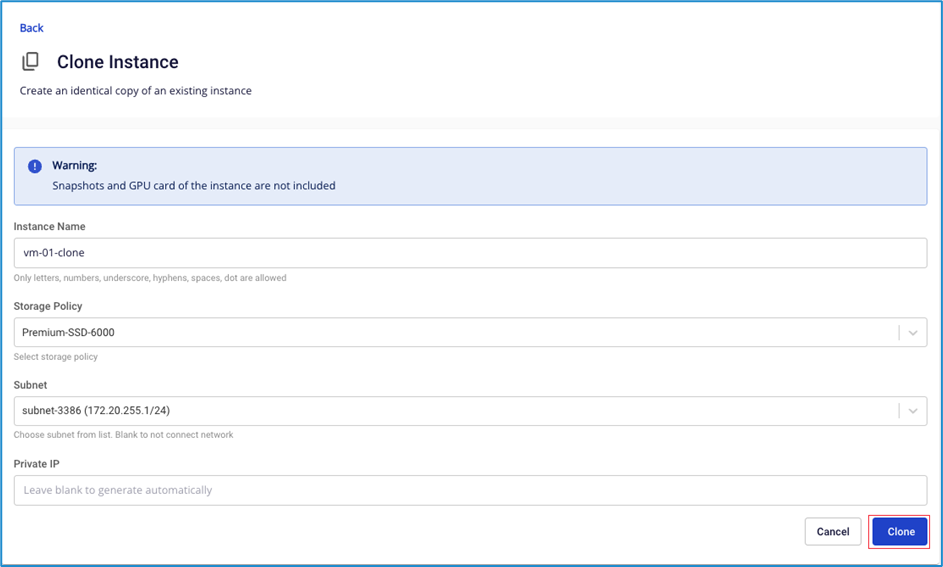
- Instance name: Name for the cloned virtual machine (accepts letters, numbers,
-
Click Clone.
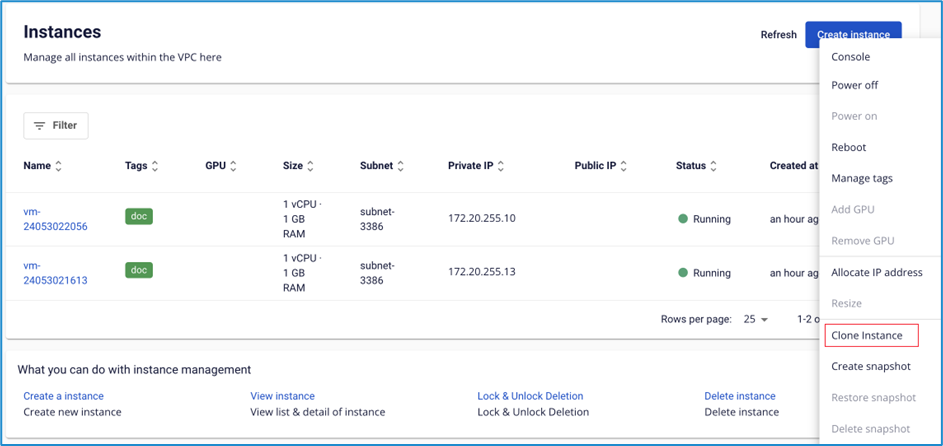
The system returns to the Instance list. The cloned Instance appears with Pending status.
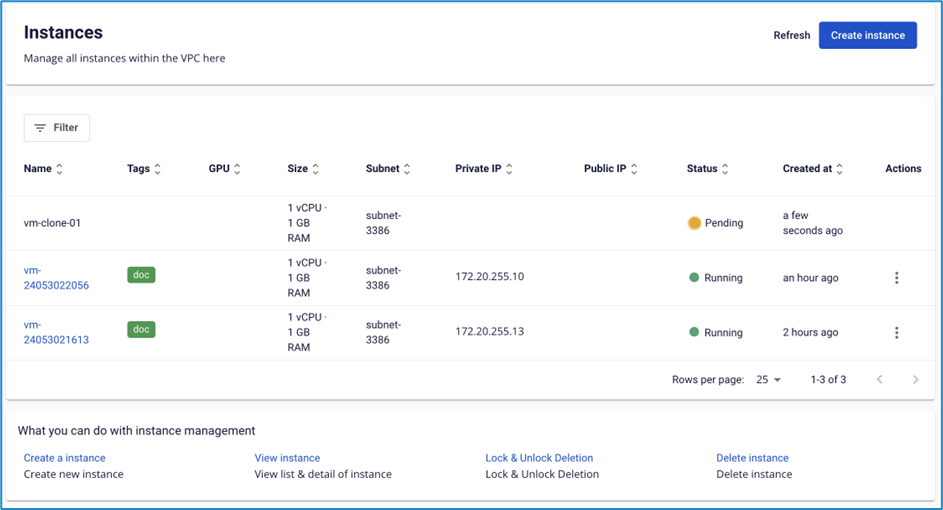
Once complete, the status changes to Running.