Hpc Fixed Rental
Set Fixed Rental Period
The Fixed Rental feature on the HPC Portal is highly recommended when you have large projects that require the machine to run for days, weeks, or even months. This feature allows you to save significantly on costs compared to standard hourly rental. The discount tiers available on the HPC Portal are as follows:
– 6 hours: Rent a machine continuously for 6 hours to save 6% in cost compared to hourly rental
– Day: Rent a machine continuously for 1 day to save 8% in cost compared to hourly rental
– Week: Rent a machine continuously for 1 week to save 10% in cost compared to hourly rental
– Month: Rent a machine continuously for 1 month to save 20% in cost compared to hourly rental
Note: The Fixed Rental feature does not accumulate machine uptime. The system charges based on the assumption that the machine runs continuously for the selected duration.
Example: If your project takes 8 hours to complete, to optimize and minimize costs, you should select a Fixed rental for 6 hours and set Keep machine running after the Fixed rental expires to continue for the remaining 2 hours.
- To set Fixed Rental for a machine, follow these steps:
Go to Hosts > Fixed rental to open the Fixed Rental setup dialog.
Select at least 1 image to apply Fixed Rental to, configure the Fixed Rental settings such as Rental period and Number of machines, review the discounted amount for the machine, and click Confirm.
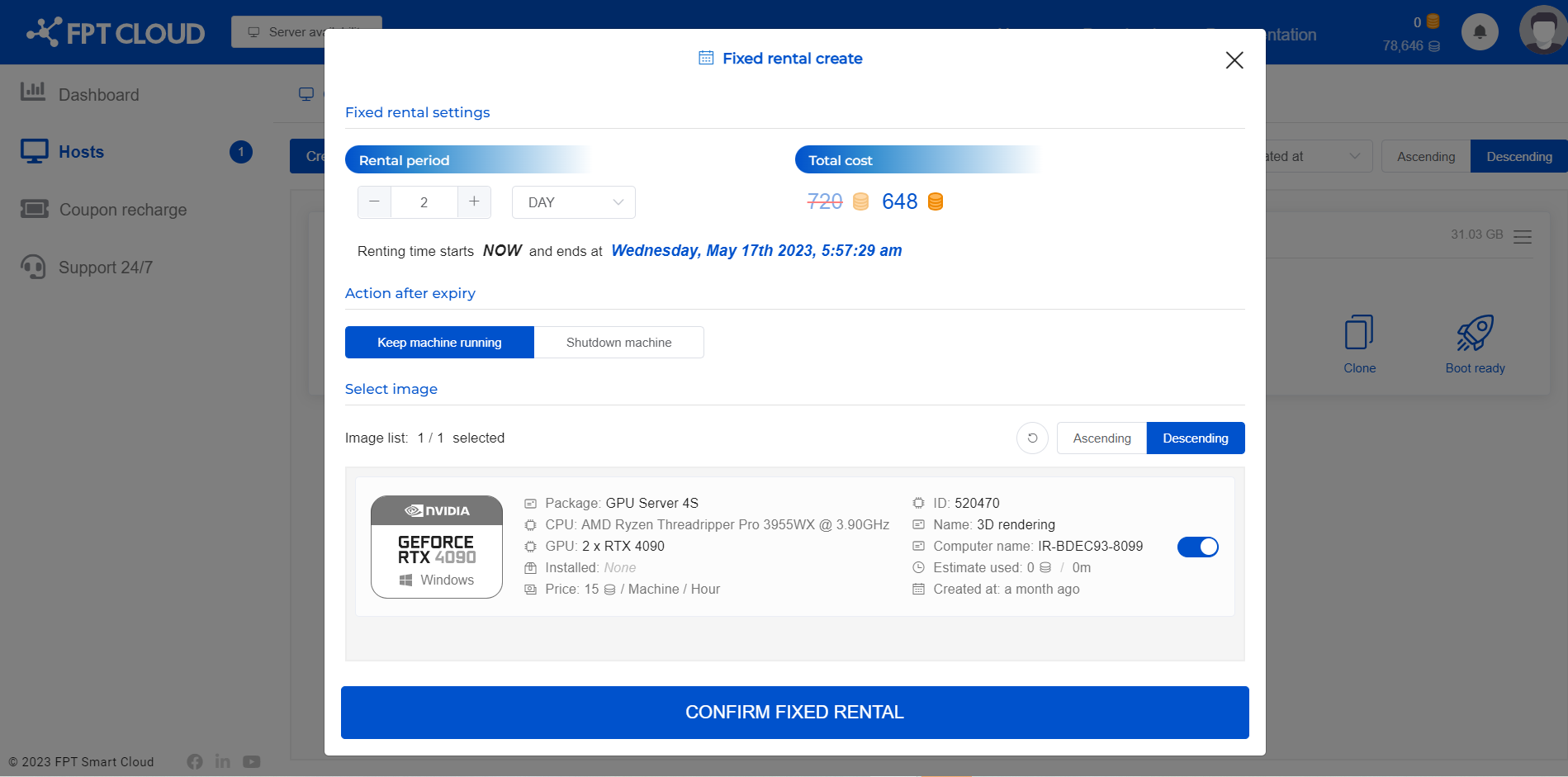
Alternatively, you can select a specific image first and then set up Fixed Rental for the machine by selecting Action > Fixed rental as follows:
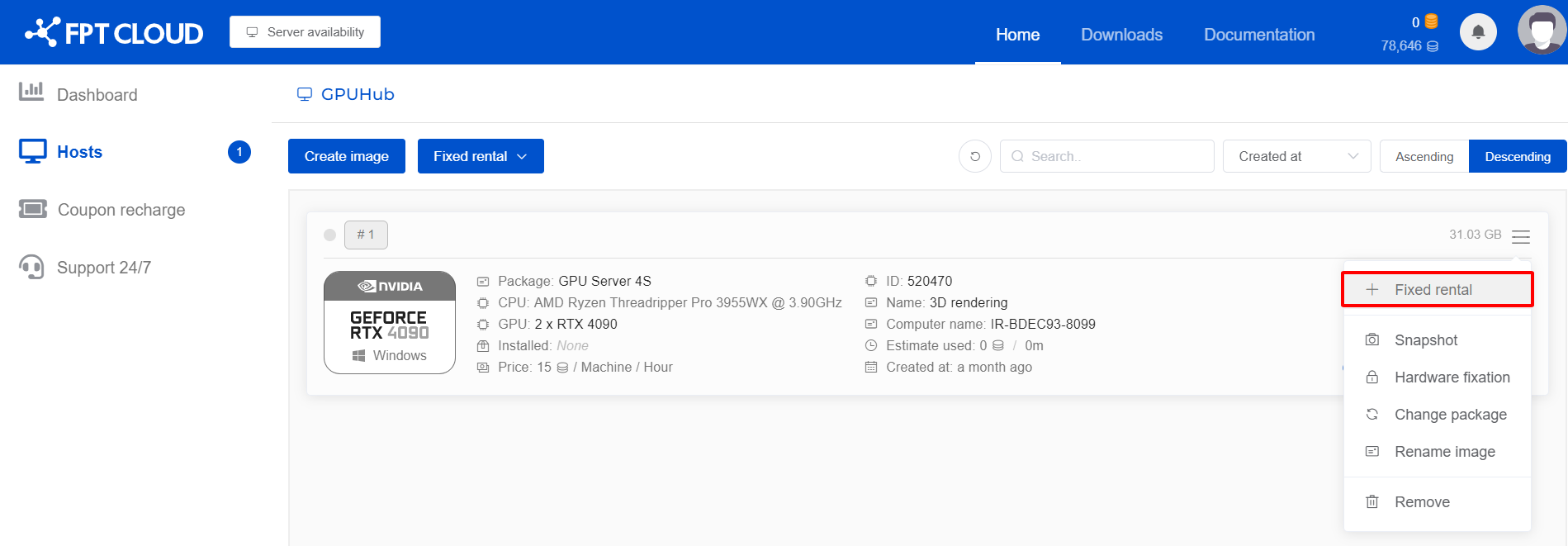
- After setting up Fixed Rental for the machine, you can configure the Action after expired by selecting Image > Setting and choosing:
– Keep the machine running: After the fixed rental period expires, the system will continue running the machine and charge it on an hourly basis. Please ensure your account balance is sufficient to keep the machine running and avoid interrupting your work.
– Shutdown machine: After the fixed rental period expires, the system will automatically shut down the machine.
-
Renew the fixed rental period after expiration by selecting Image > Renewal and configuring the same settings as the initial Fixed Rental setup.
-
End the fixed rental by selecting Image > Deactivate.