Schedule Shutdown
Schedule Shutdown lets you set a future automatic shutdown time for your machine — useful when you are busy or do not have time to monitor the machine after your work is done.
Set a Shutdown Schedule
-
Select the image → Schedule.
-
In the dialog, choose your desired time and click Save settings.
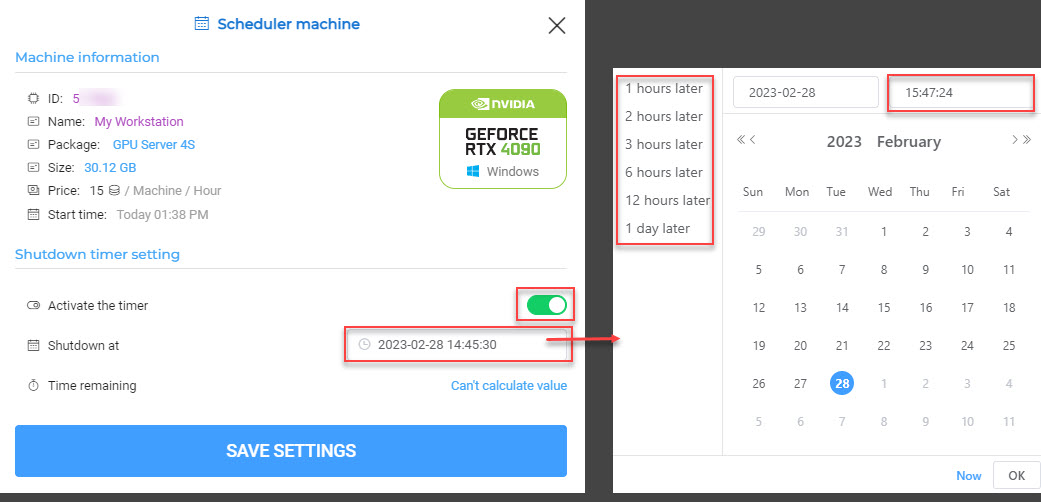
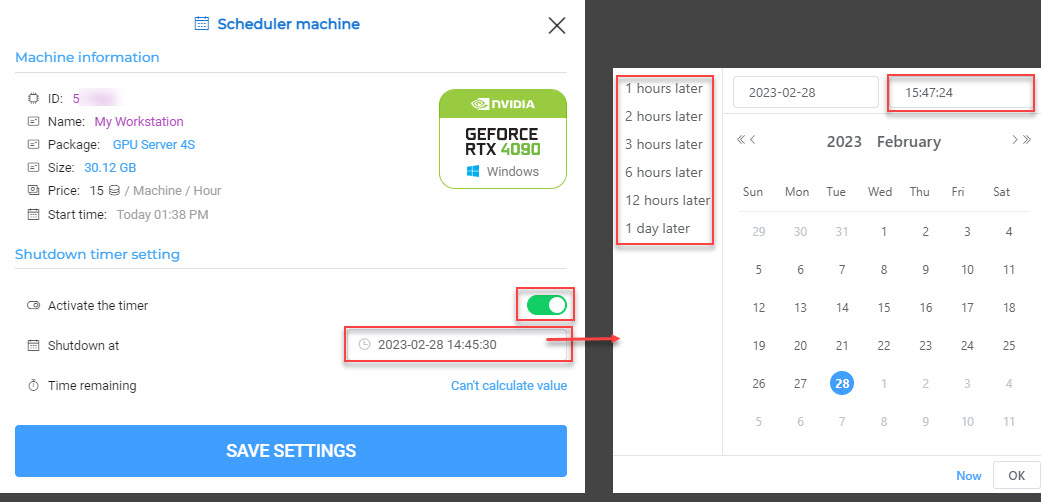
After configuring, you can view the remaining time before the automatic shutdown on the Hosts list interface.