Create an Instance from a template
Creating a virtual machine from a template lets you deploy quickly with a pre-configured setup.
Create an Instance
-
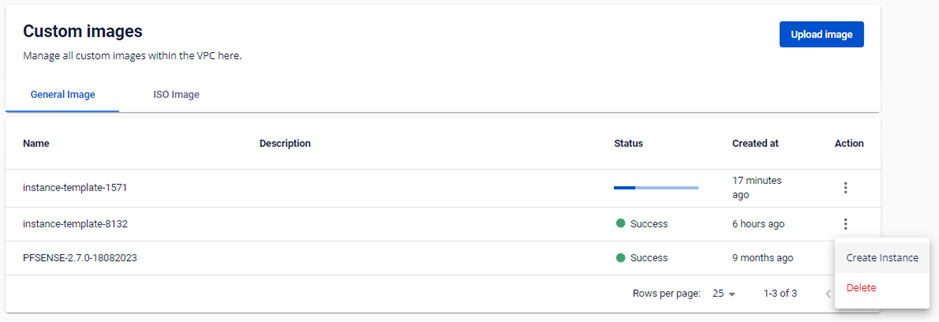
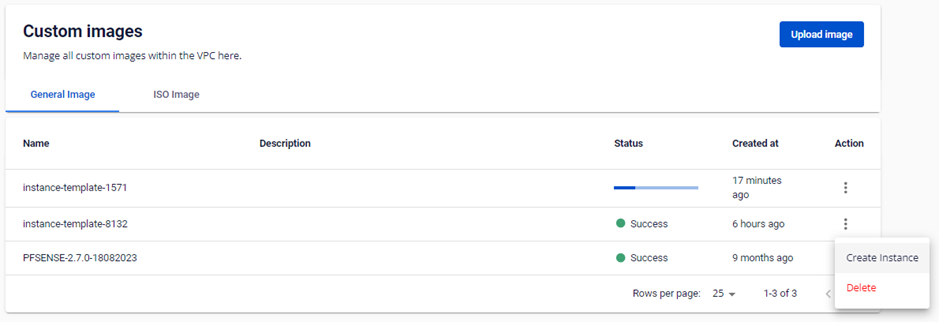
On the Custom Images page, select Actions → Create Instance on the desired template.
note
Only templates with a Success status can be used to create an Instance.
-
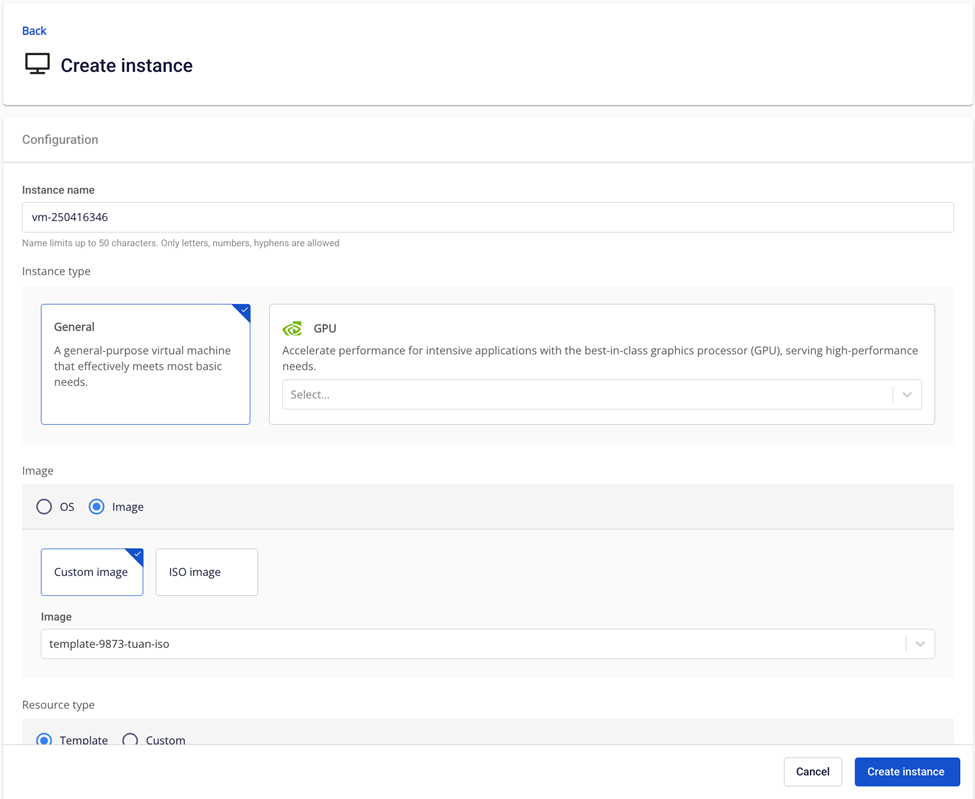
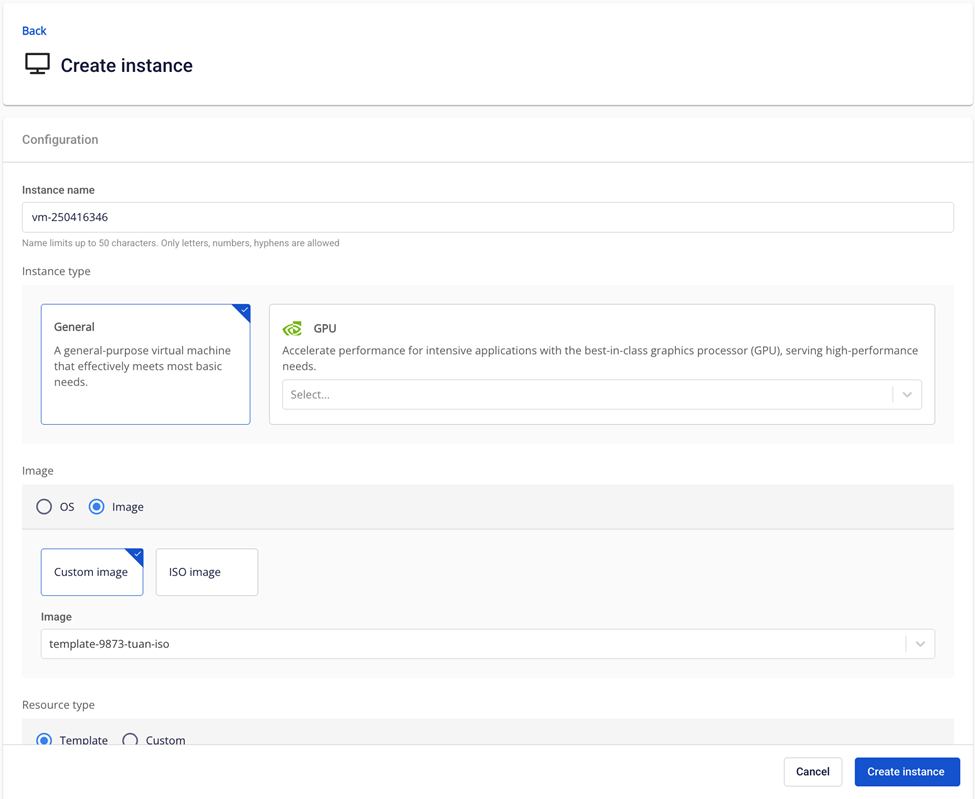
Fill in the Instance details.
warning
The Instance storage capacity must be greater than the image size.
- Click Create Instance and monitor the progress on the Instances page.