Monitor Group
Step 1: Go to Autoscaling > Autoscale Group. Click the name of the group you want to monitor.
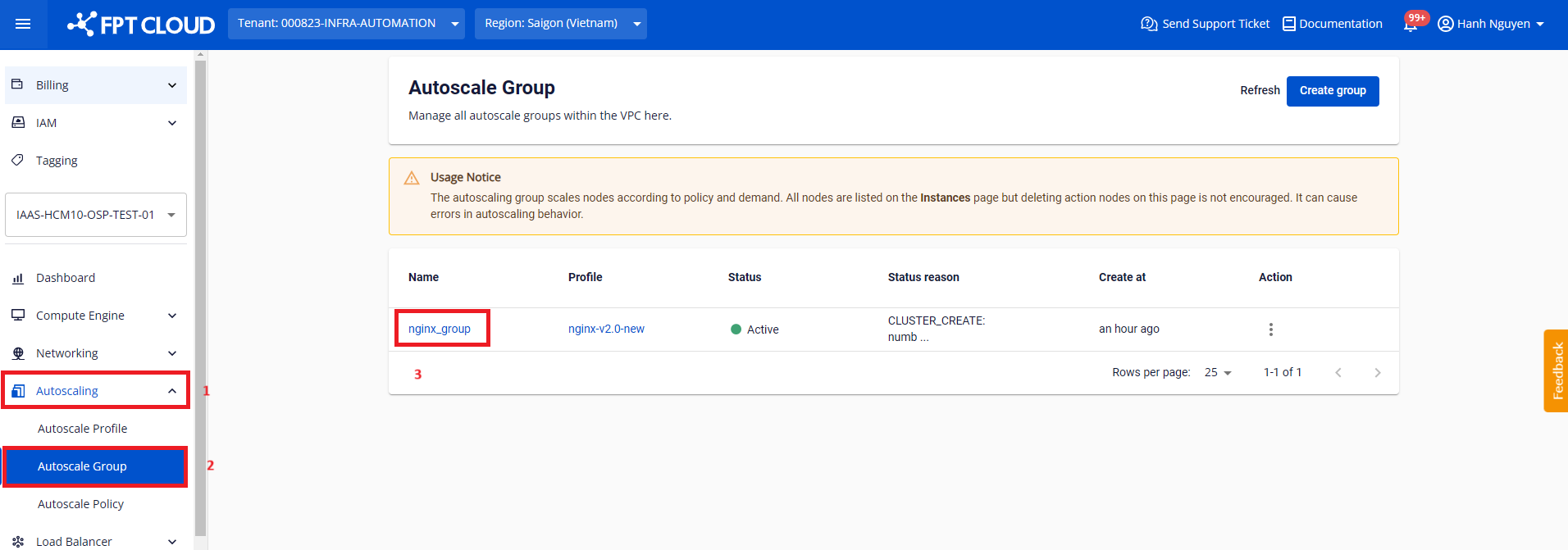
Step 2: Navigate to the Monitoring tab.
The Monitoring page provides visual charts of the group's resource usage behavior. By monitoring regularly, you can build an effective scaling strategy for each specific service cluster.
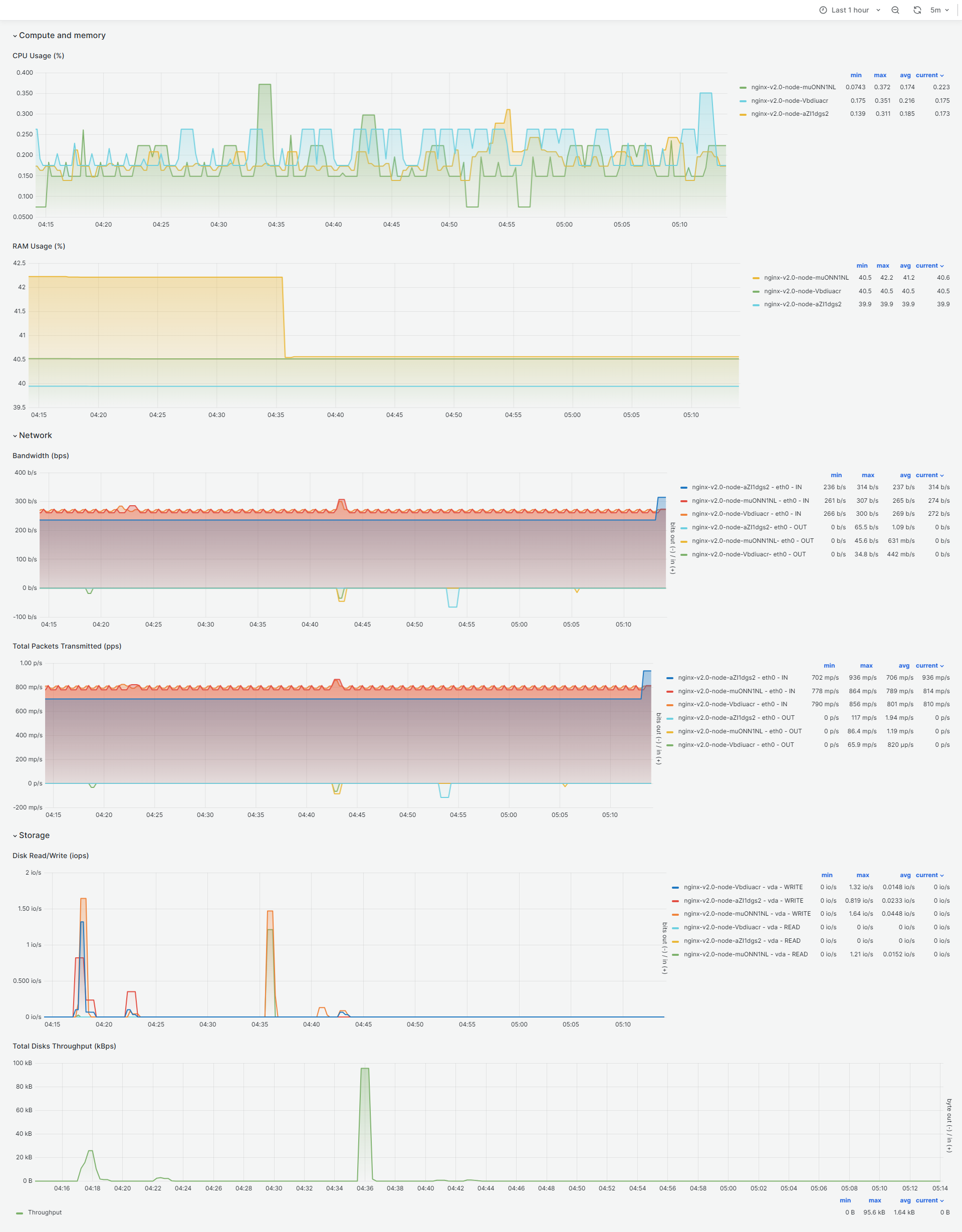
Compute and memory
- CPU Usage (%)
- RAM Usage (%)
Network
- Bandwidth (bps)
- Total Packets Transmitted (pps)
Storage
- Disk Read/Write
- Total Disks Throughput