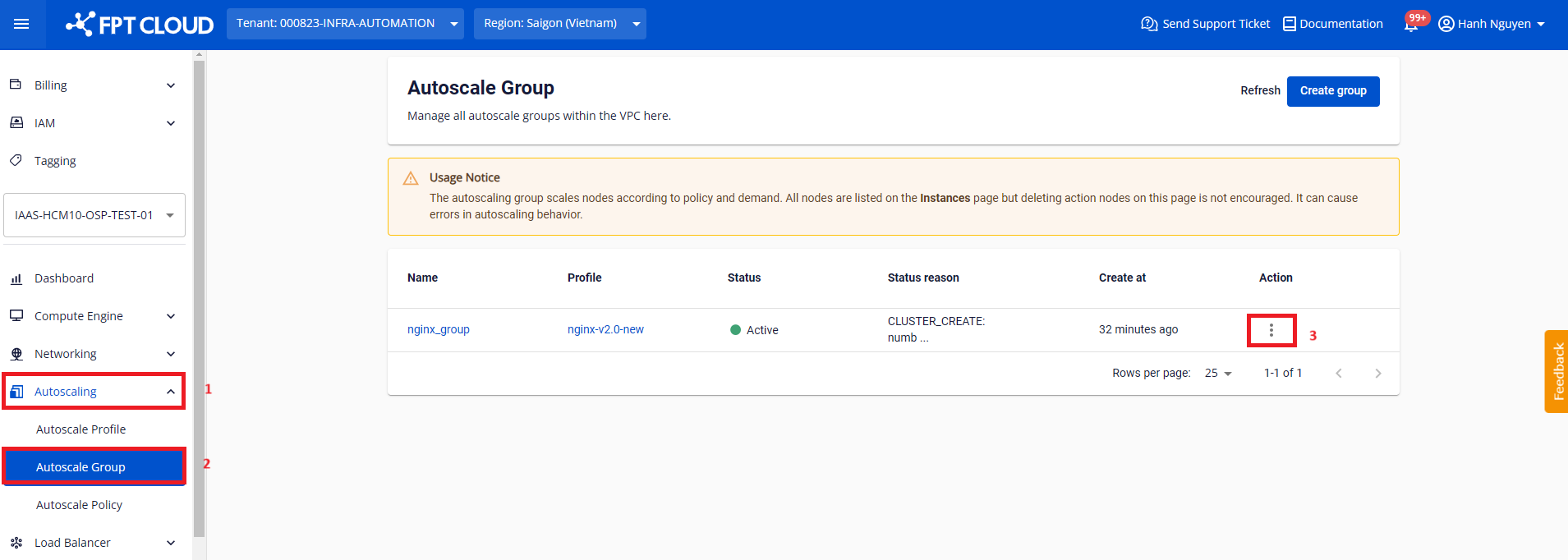
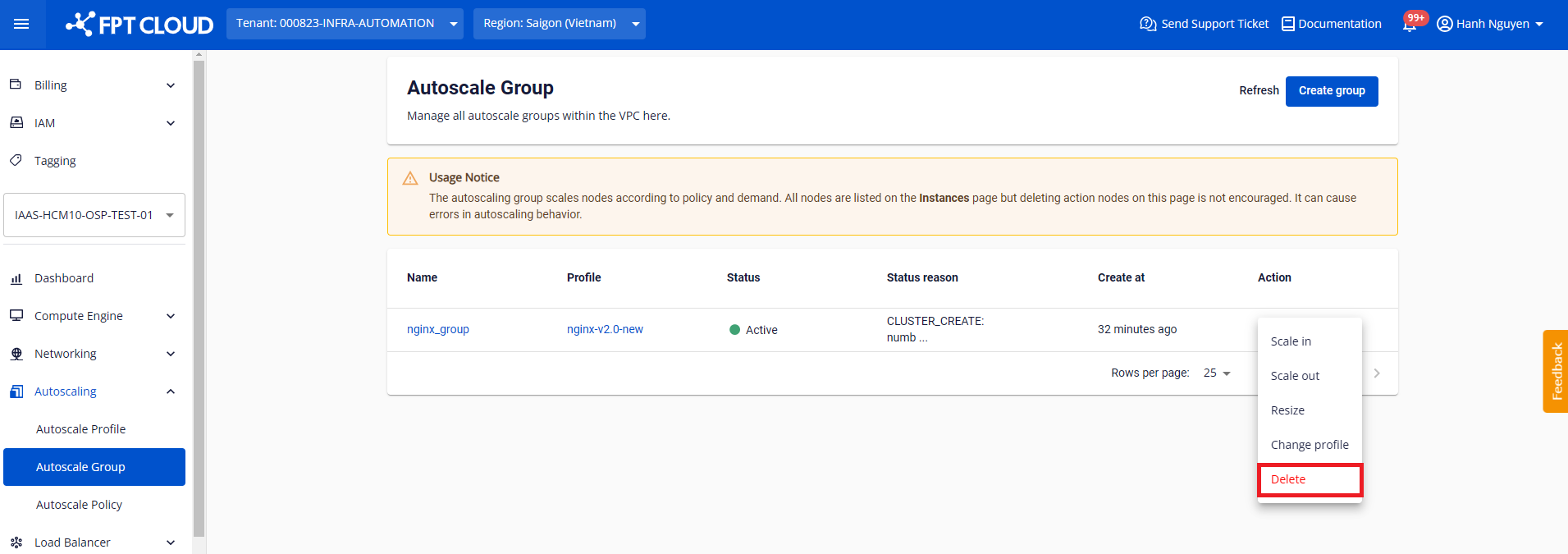
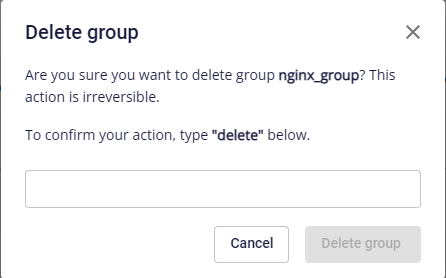
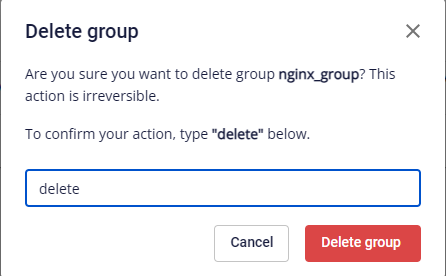
FPT Cloud ServerFPT AutoscaleManage GroupDelete GroupOn this pageDelete Group Step 1: Go to Autoscaling > Autoscale Group. On the row of the group to delete, click the Action menu icon. Step 2: Select Delete. Step 3: A confirmation dialog appears. If the group name is correct, type delete and click Delete group to confirm. Click Cancel to abort the operation.