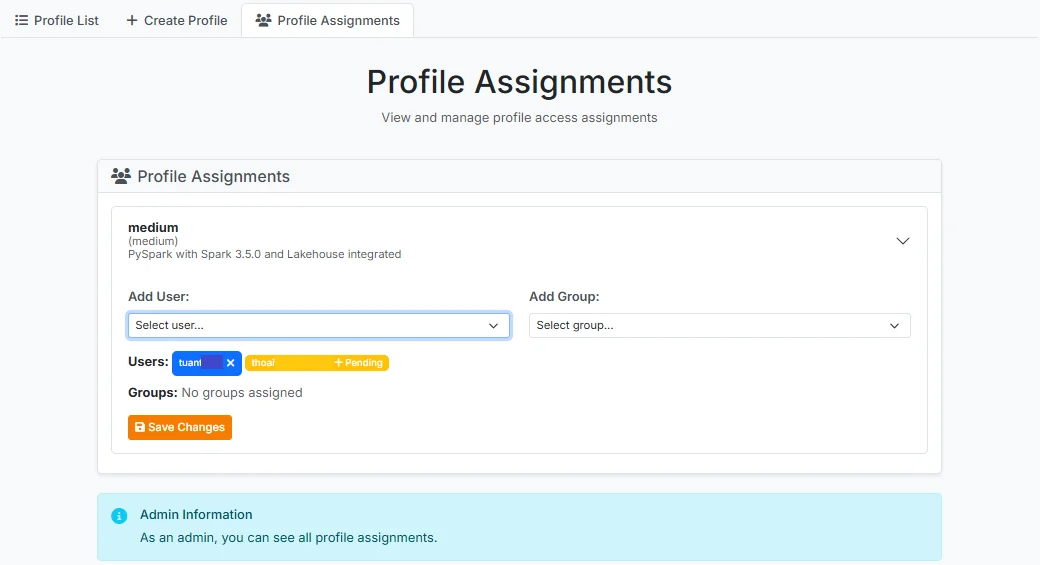
Assign User Profile Permissions
After logging into JupyterHub, a user with the Admin role selects the Service > Profile menu and clicks the Profile Assignments tab.
The system displays cards corresponding to the created profiles. Click on the profile that needs permissions configured to expand its details.
-
Add User: Select from the list of Users in the system
-
Add Group: Select from the list of Groups in the system
After making your selections, click Save Changes to apply the user/group permissions to the profile.