Manage Connectors
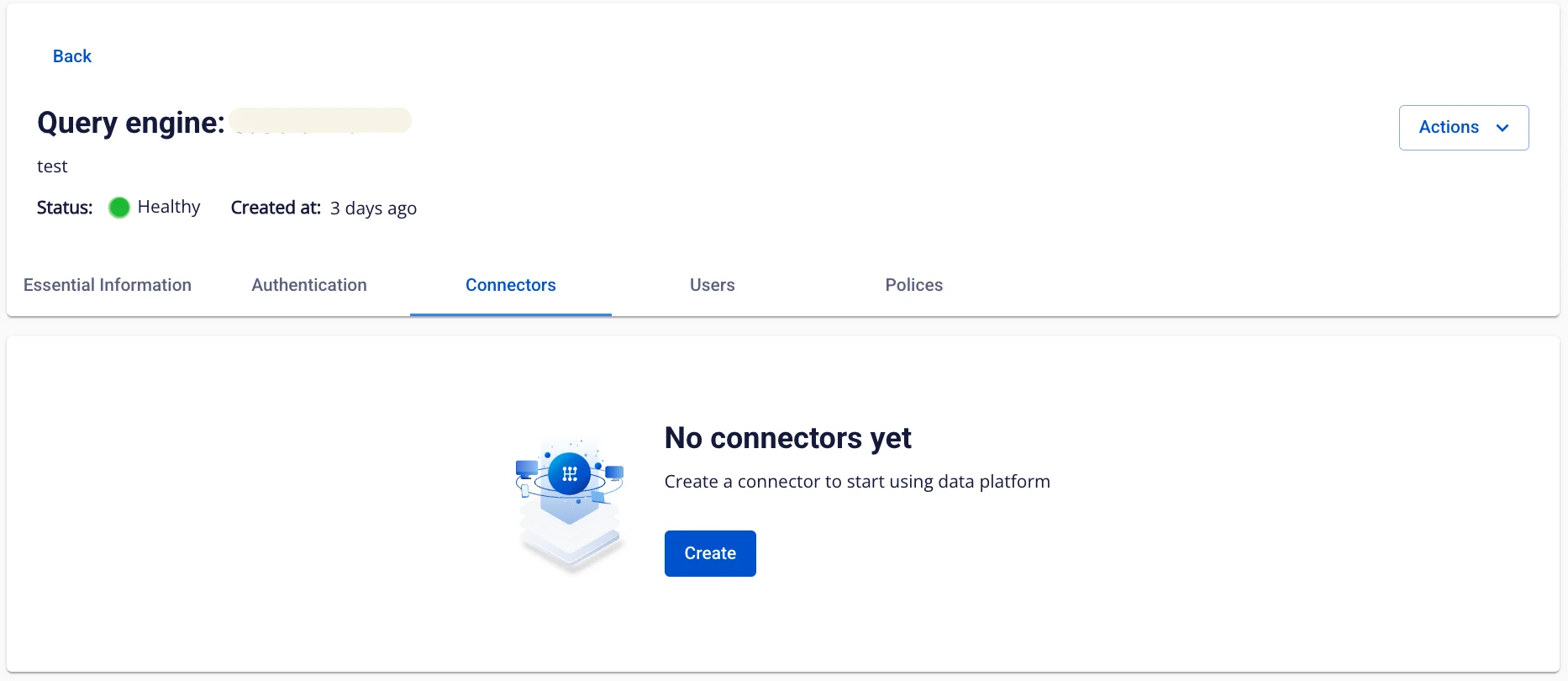
Displays the Connector information of the Query Engine.
Add a Connector:
-
Step 1. On the Connectors screen, click Create a connector, then select Connector Type as Iceberg Catalog – Hive.
-
Step 2. Enter the Connector information:
-
Enable S3 SSE:
-
All files written to S3 are automatically encrypted. When you view or download a file, the Workspace automatically decrypts it. → Increases data security.
-
Keyvault: Select the keystore you created (Create Keystore).
-
Without S3 SSE → files are stored as-is, without encryption.
-
-
Catalog name: Catalog name
-
Catalog type: Enter hive
-
Catalog URL: Hive Metastore connection address
-
File Format: File format (parquet/orc/avro)
-
Default Warehouse Directory: Directory path (s3a:///path)
-
S3 Endpoint: S3 access address (https://)
-
S3 Access Key: Access key
-
S3 Secret Key: Secret key
-
-
Step 3. Click Create to create the Connector, or click Cancel to abort. (After creating the Connector, Query Engine transitions to Processing status and completes the configuration in approximately ~3 minutes.)
Delete a Connector:
-
Step 1. On the Connectors screen, select the connector name to delete, then select Action > Delete.
-
Step 2. Confirm the deletion or cancel the operation in the confirmation dialog.