Configure RBAC policy
ArgoCD supports user permission management via RBAC policy config. By default, newly created accounts have readonly permission when they log in. FPT Cloud supports configuring RBAC policy via the Portal interface.
- Go to the Security & Access > RBAC screen.
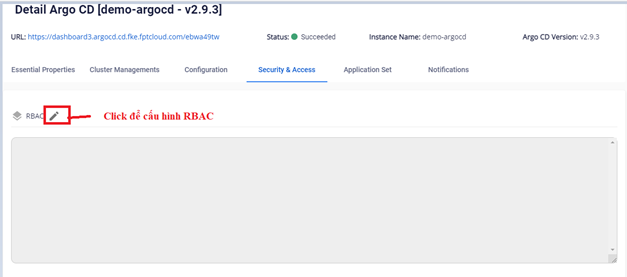
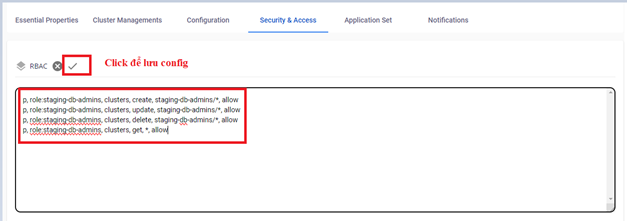
- Enter the desired RBAC configuration.
Example:
p, role:staging-db-admins, clusters, create, staging-db-admins/*, allow
p, role:staging-db-admins, clusters, update, staging-db-admins/*, allow
p, role:staging-db-admins, clusters, delete, staging-db-admins/*, allow
p, role:staging-db-admins, clusters, get, *, allow
- The result after saving:
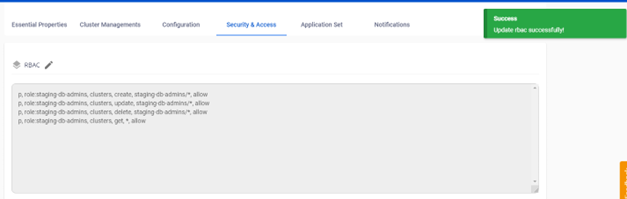
To remove a policy, update the configuration and delete the unnecessary policy line.