Configure email notifications
FPT Cloud allows you to configure email notifications for your Jenkins instance through the Portal interface.
Edit email configuration
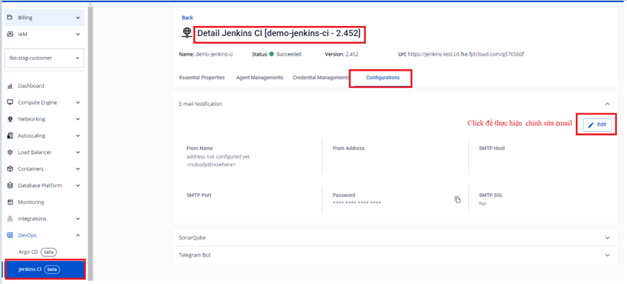
Step 1: In the FPT Portal menu > Jenkins CI > Detail Cluster > Configurations > Edit email.
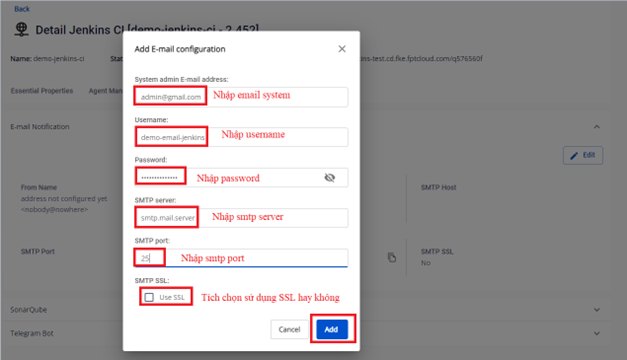
Step 2: Enter the updated email configuration details and click Update.
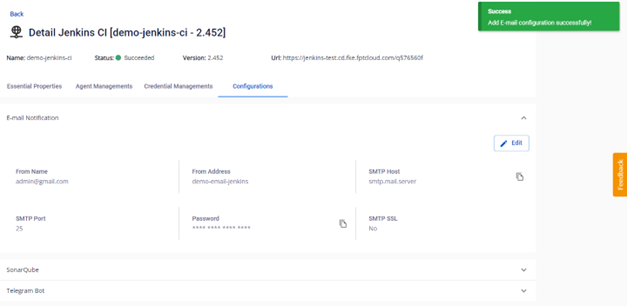
Step 3: Result after updating the email configuration.