Uninstall Applications
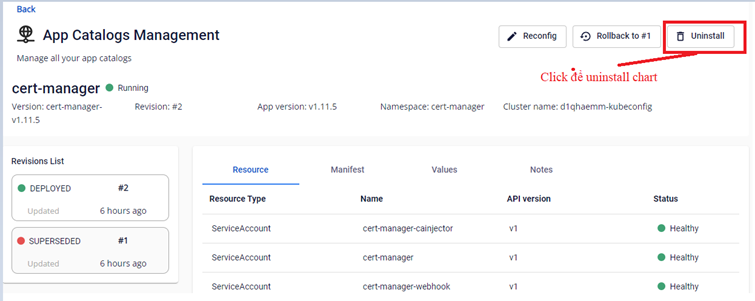
The system allow uninstalling installed chart. To do so, follow these steps: Step 1 : From the cluster detail screen, click Uninstall
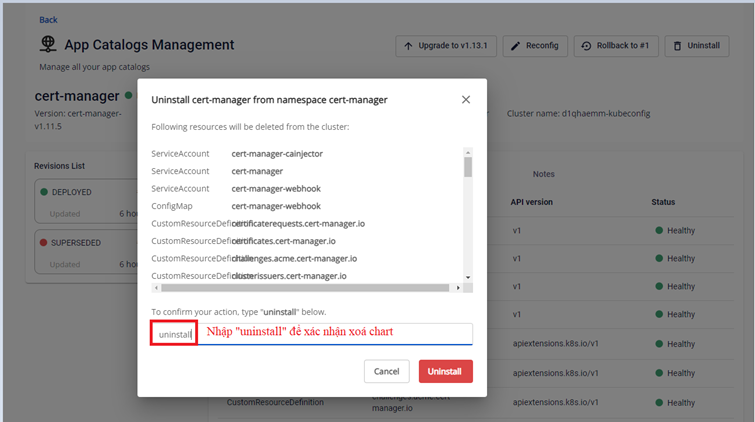
Step 2 : Enter "uninstall " to confirm and click Uninstall to execute the process.
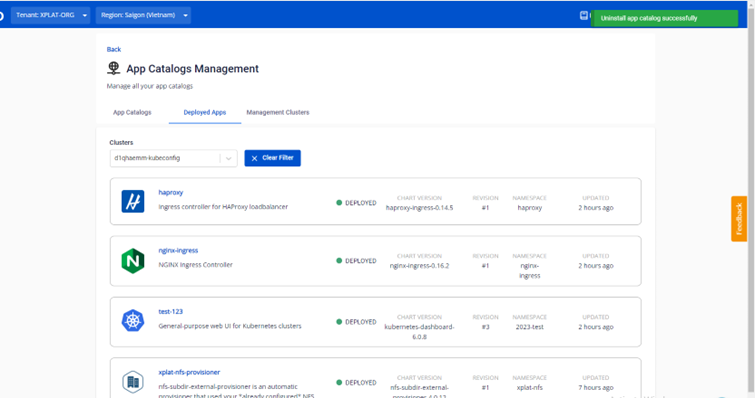
Step 3 : If succeed, the system will display a notification indicates that the App Catalog has been uninstalled successfully.