Deploy App Catalogs To Cluster
After searching for the desired chart, to deploy the app to the K8s cluster, follow these steps: Step 1 : Click Deploy to start deploying the app catalog
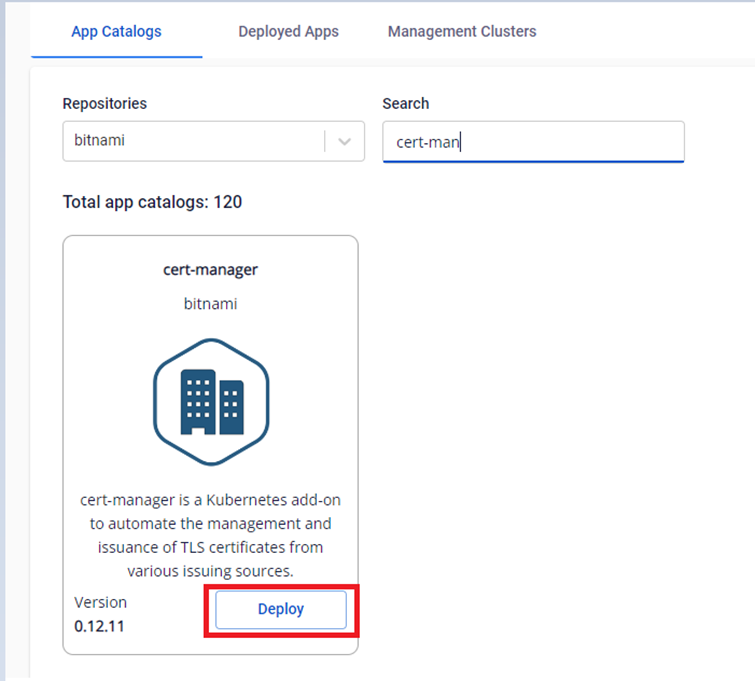
Step 2 : Enter the required information to deploy the app:
- Release name : The name used to deploy the chart Note : The release name must be unique for each chart in each namespace.
- Versions : The version of the chart used to deploy Note : You need to check the compatibility of the app version and the Kubernetes version
- Clusters : Select the cluster from the Management Clusters list
- Namespace : Enter the K8s namespace to deploy the app. If the namespace does not exist on the Kubernetes cluster, the namespace will be created automatically during the chart installation process.
- User Defined Values : Enter the values you need to change during the deployment process. If this value is blank, the app will be installed with the default values
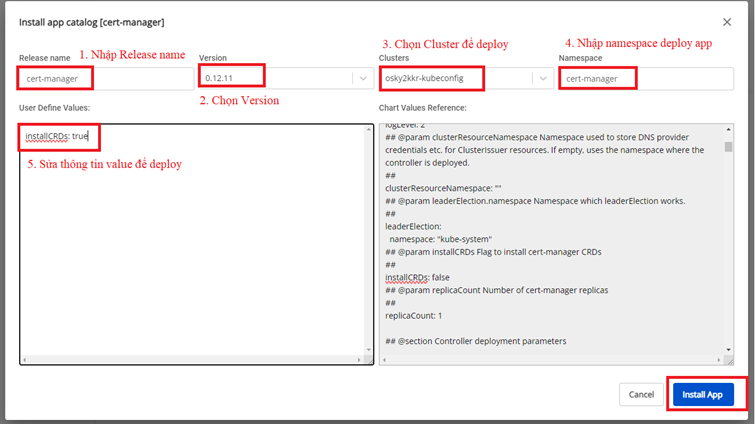
Step 3 : Click Install App to proceed deploying the chart. After the chart is deployed, it can be managed in the Deployed Apps section.
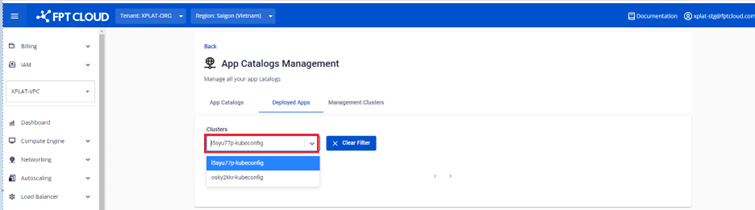
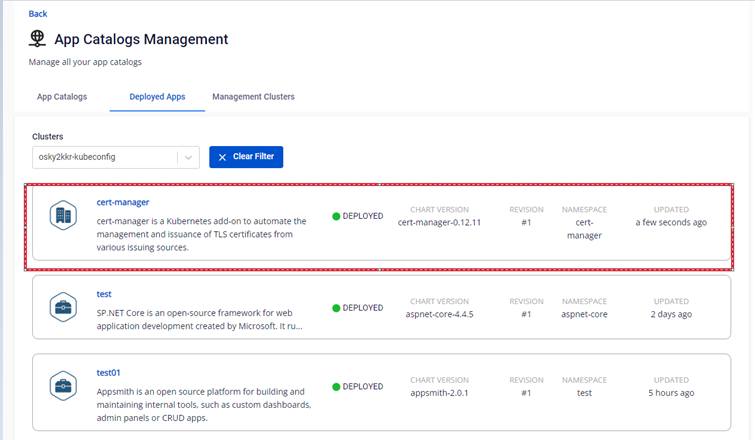
Step 4 : View the deployed app in the cluster
- To view the deployed chart in the namespace, run this command:

Copyhelm -n ||NAMESPACE|| list
- To view the user values that was used to deploy, run this command:
Copyhelm -n ||NAMESPACE|| get values cert-manager

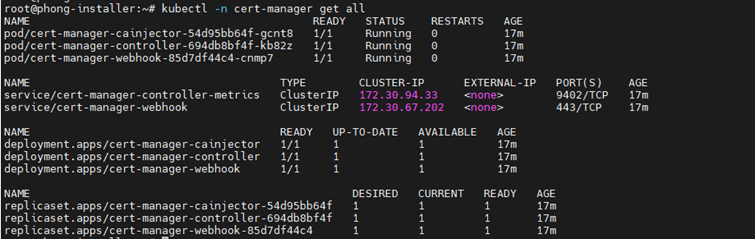
- To view the status of the pods and services that have been deployed, run this command:
Copyhelm -n ||NAMESPACE|| get all