User management
This feature lets authorized users manage Grafana dashboard accounts with one of the following roles: Admin, Editor, or Viewer.
Step 1: Log in to FPT Cloud Portal at https://console.fptcloud.com.
Step 2: In the FPT Cloud Portal menu, click Monitoring to display the workspace list.
Step 3: Click a workspace name to view its details.
Step 4: Select the User Management tab.
Step 5: Click Add user.
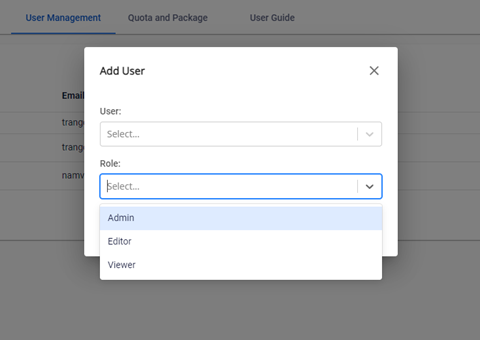
You can add users to the Grafana Dashboard with the following roles:
| Role | Description |
|---|---|
| Admin | Full access to manage the workspace, users, and settings. |
| Editor | Can create and edit dashboards and alerts. |
| Viewer | Read-only access to dashboards and data. |