View the workspace list
Step 1: Log in to FPT Cloud Portal at https://console.fptcloud.com.
Step 2: In the FPT Cloud Console Portal menu, click Monitoring. The workspace list is displayed as shown below.
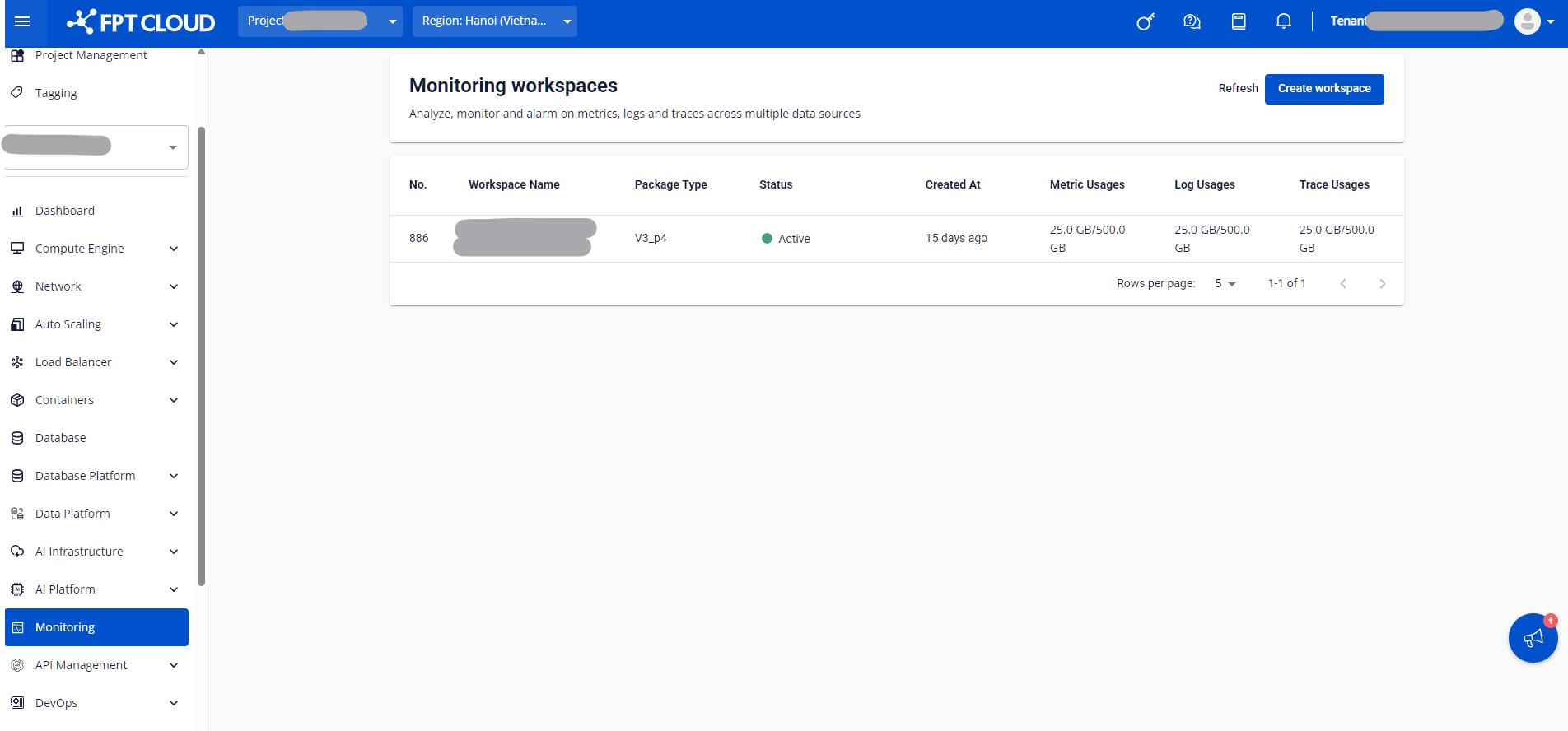
Each workspace entry shows the following information:
| Field | Description |
|---|---|
| Workspace name | The workspace name. This cannot be changed after creation. |
| Package Type | The service package for this workspace. FMON currently offers four packages: TRIAL, BASE, PRO, and ADVANCE. |
| Status | The operational status of the workspace. |
| Created At | The time the workspace was created. |
| Metric Usages | Current metric data usage, in metric records. |
| Log Usages | Current log data usage, in GB. |
| Trace Usages | Current trace data usage, in GB. |