GitLab Cloud integration
Only Org Admin and Team Manager have permission to edit the GitLab integration.
See permission details.
Configure GitLab
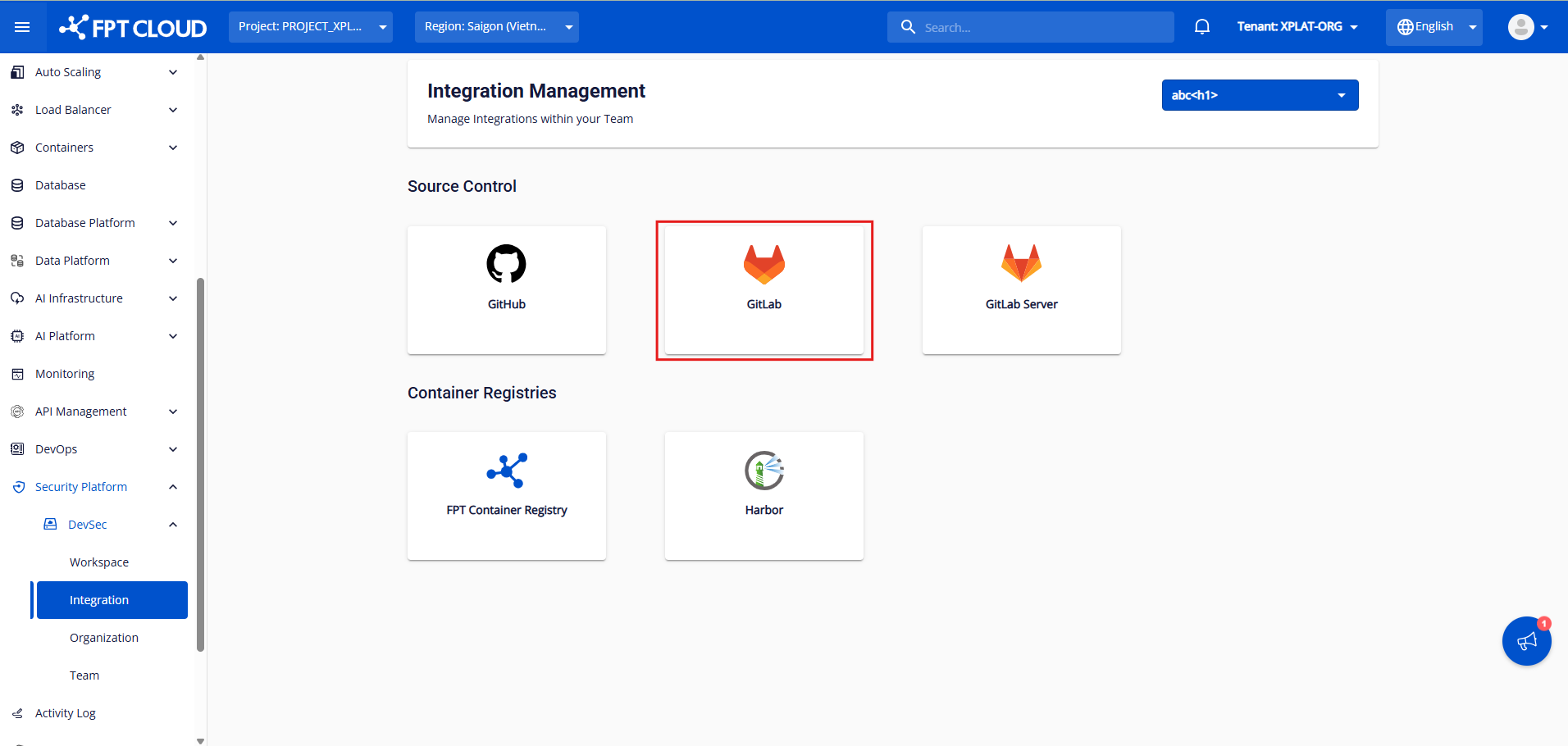
Step 1: After selecting an org/team, click GitLab to go to the GitLab Cloud integration screen.
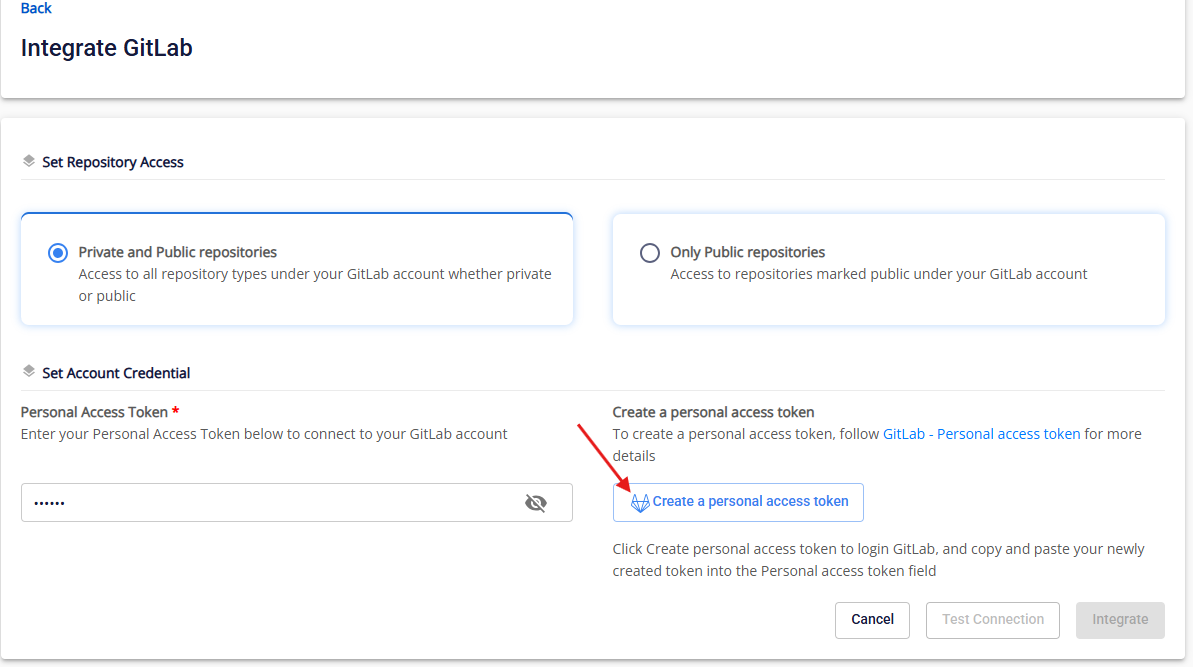
Step 2: After configuring access to Private/public repositories, click Create a personal access token. You will be redirected to GitLab to create a token.
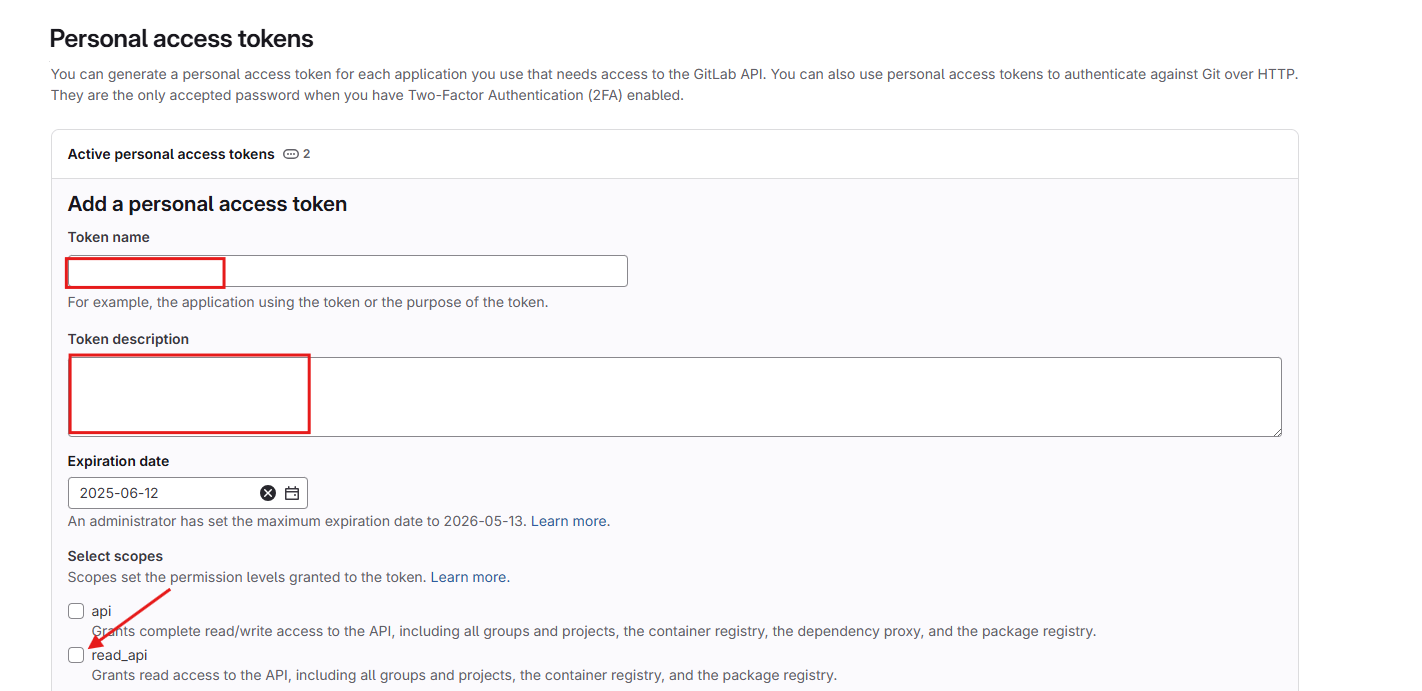
Step 3: Fill in Token name and Token Description, then select read_api.
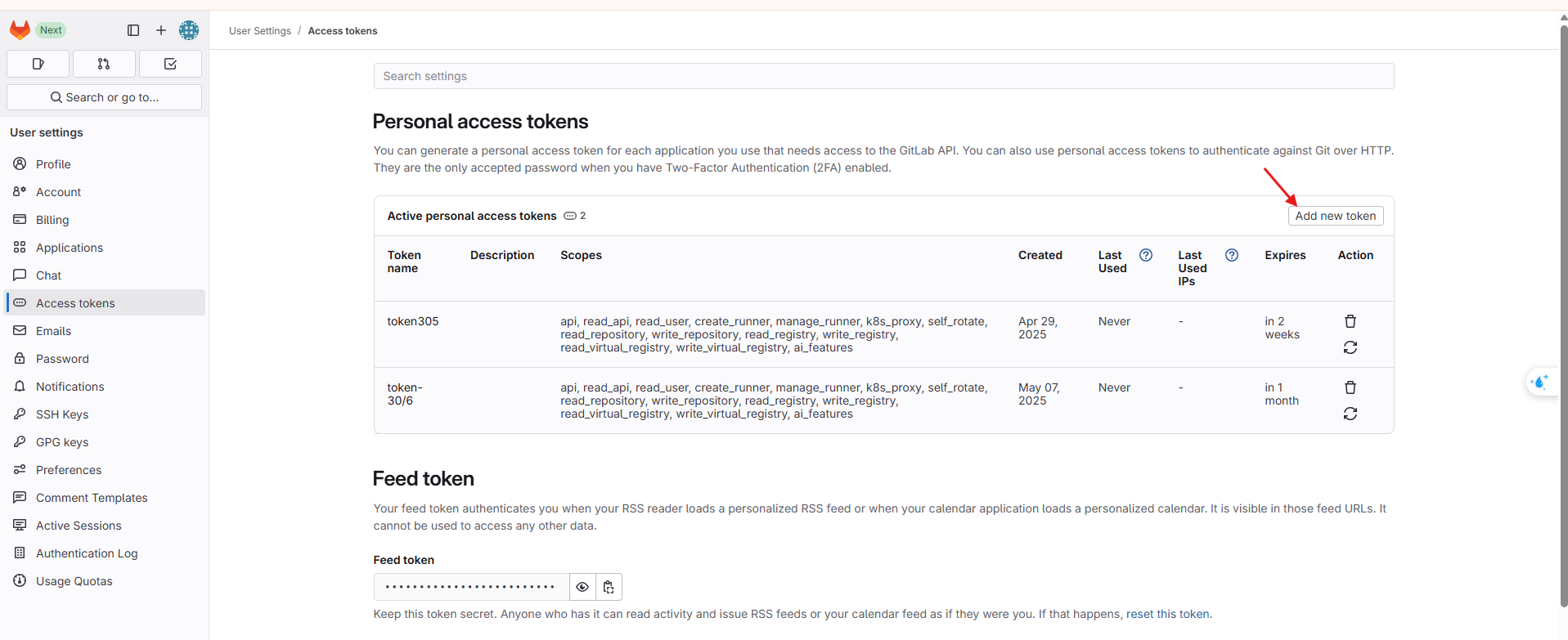
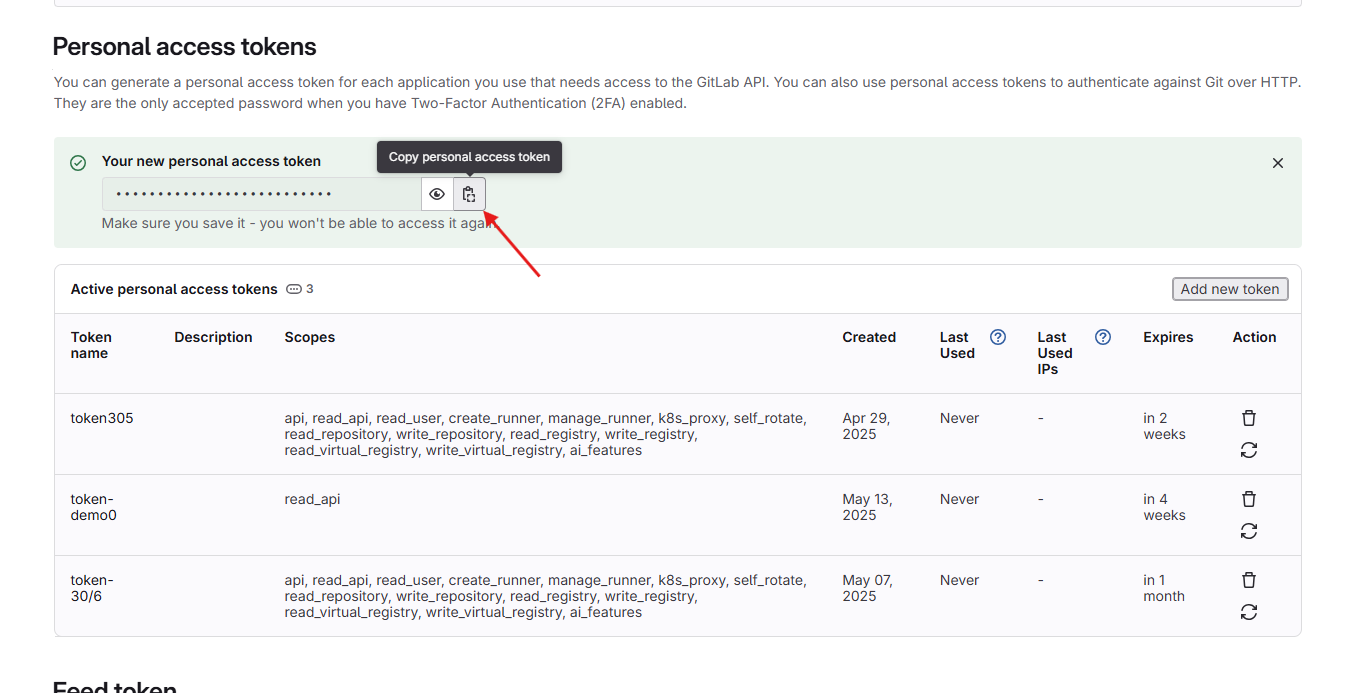
Step 4: Copy the personal access token.
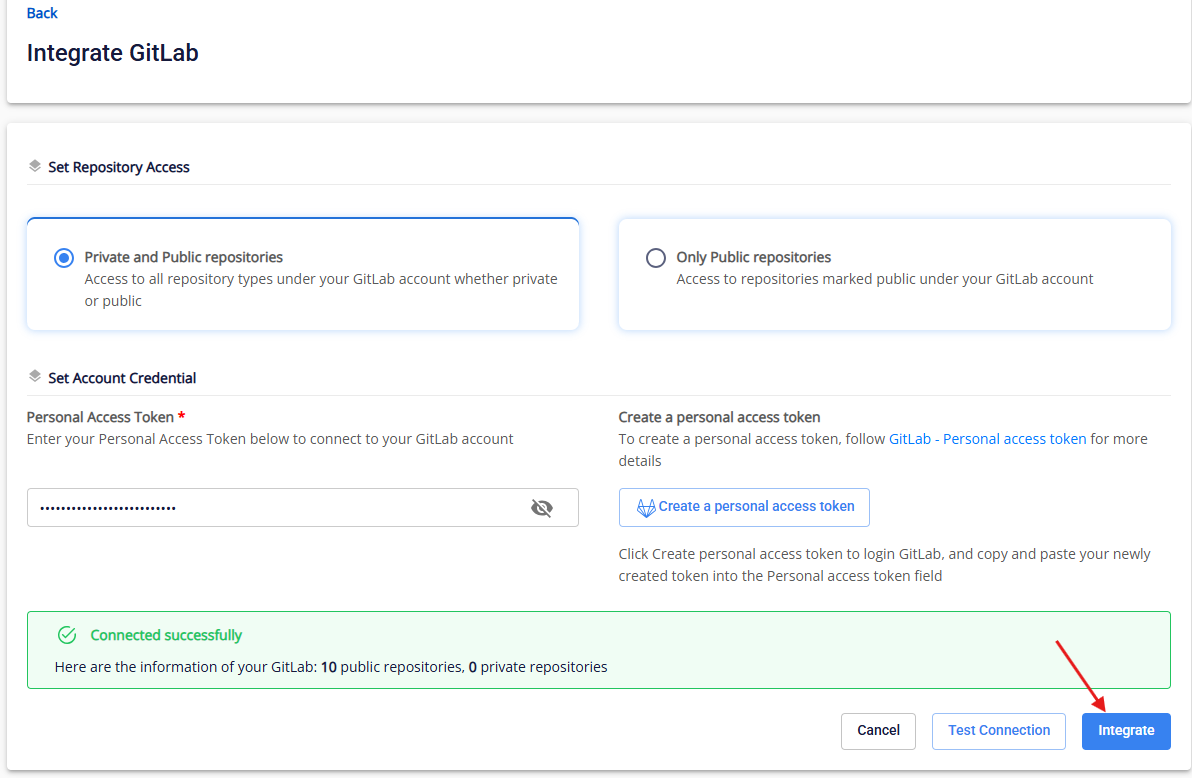
Step 5: Paste the Personal Access Token and click Test Connection.
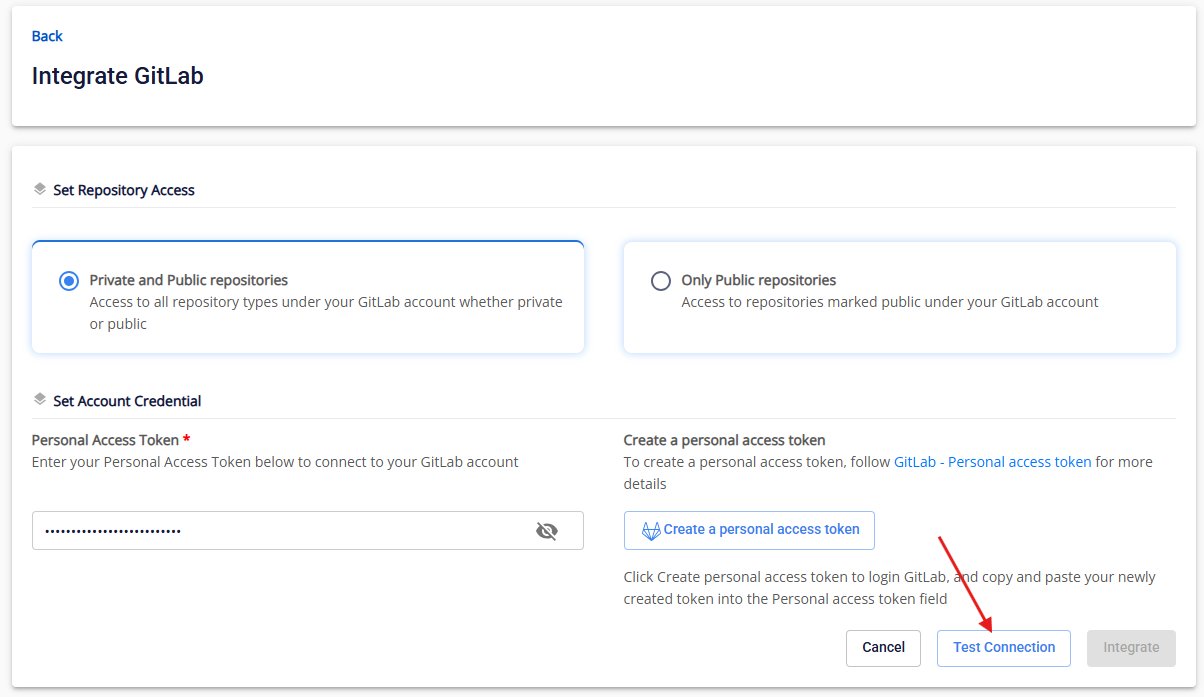
The system validates required fields and the Personal Access Token. If either check fails, a Test connection Failed message appears. If successful, Test connect successfully is displayed.
Step 6: Click Integrate.