Manage members
Only Org Admin has permission to edit.
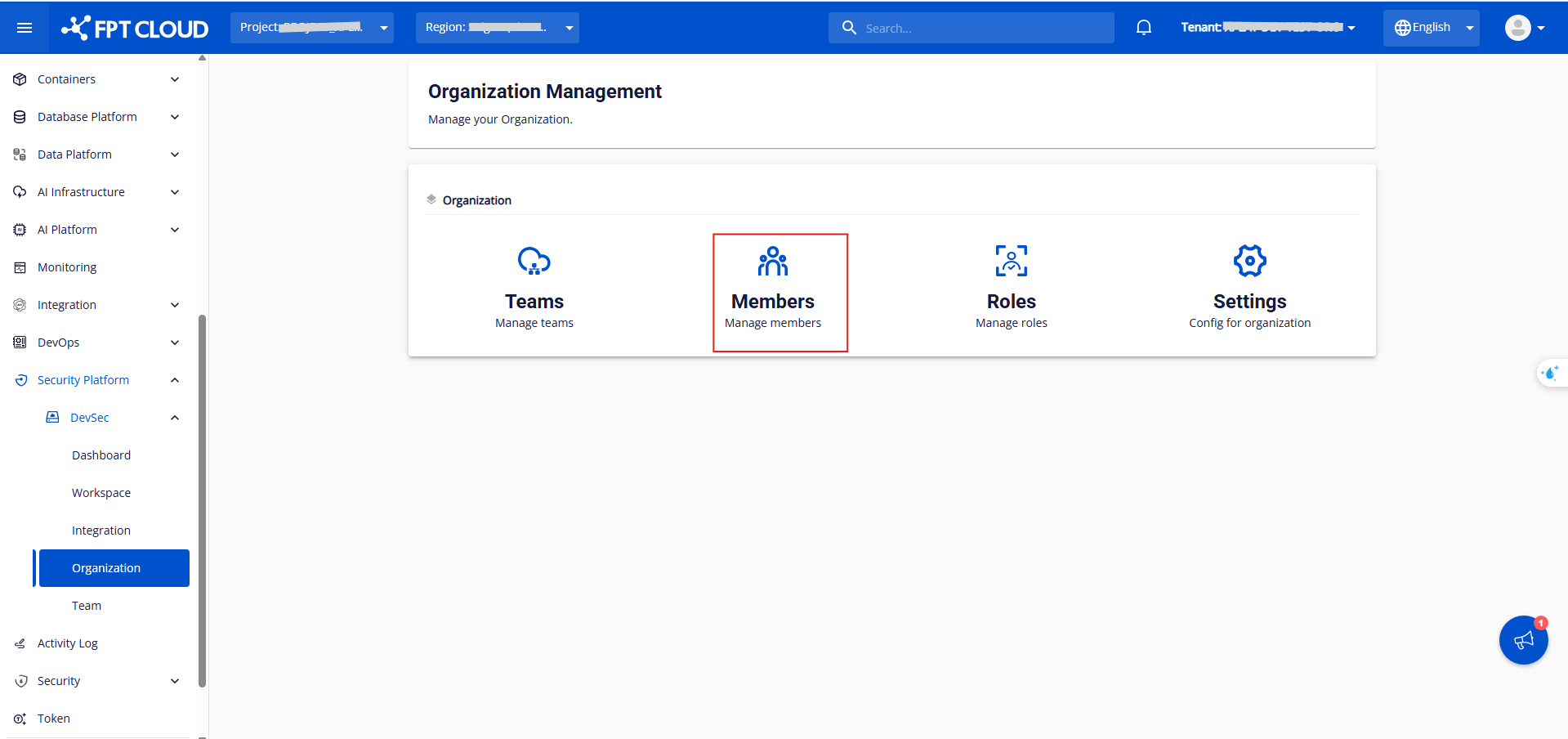
Step 1: In the Organization section, click Member to view the member list and available actions.
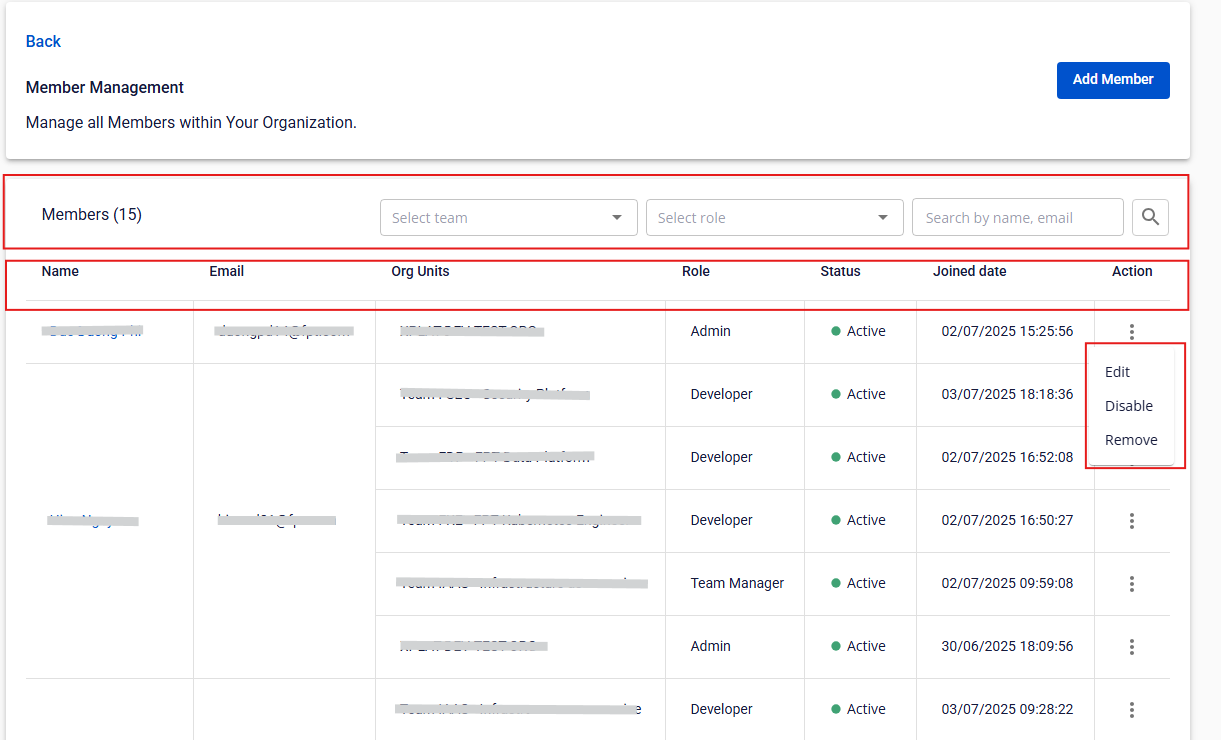
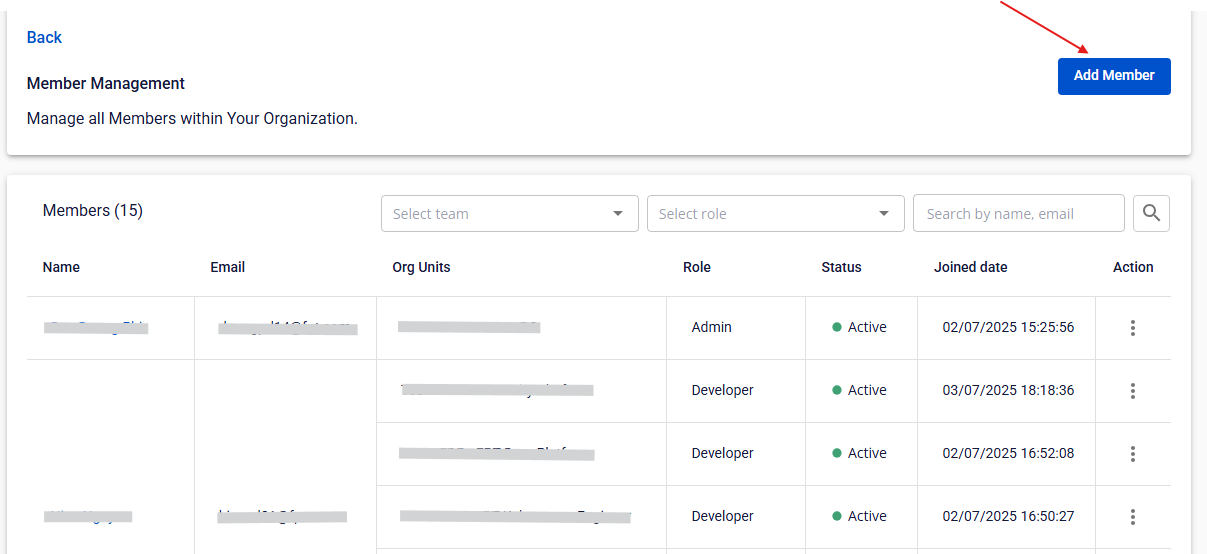
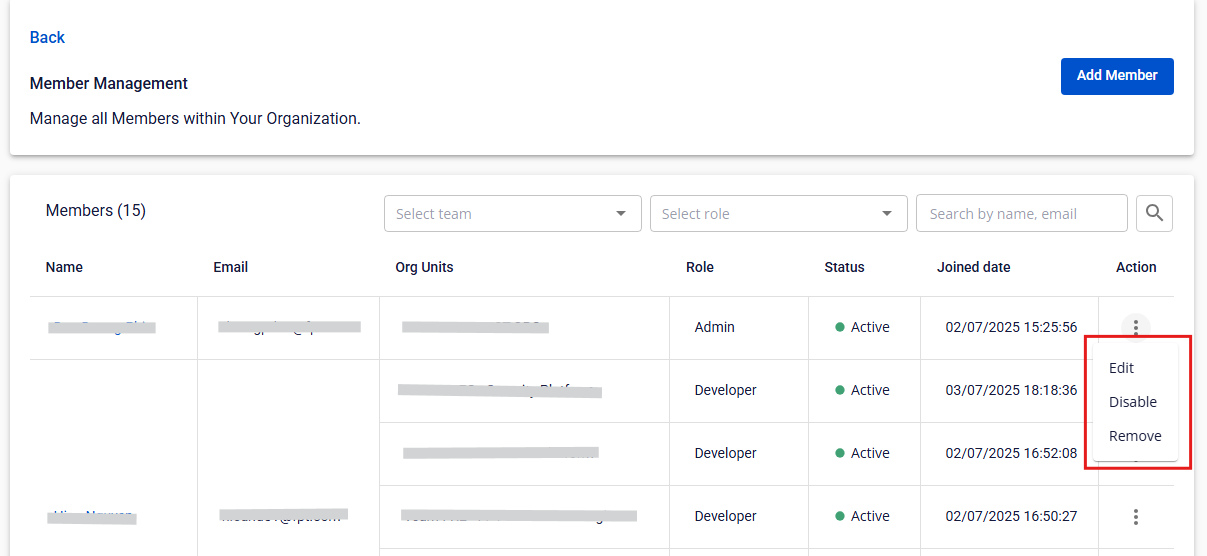
You can view each member's Name, Email, Org Units, Role, Status, and Joined date, and perform actions such as Add Member, Edit, Disable/Enable, and Remove.
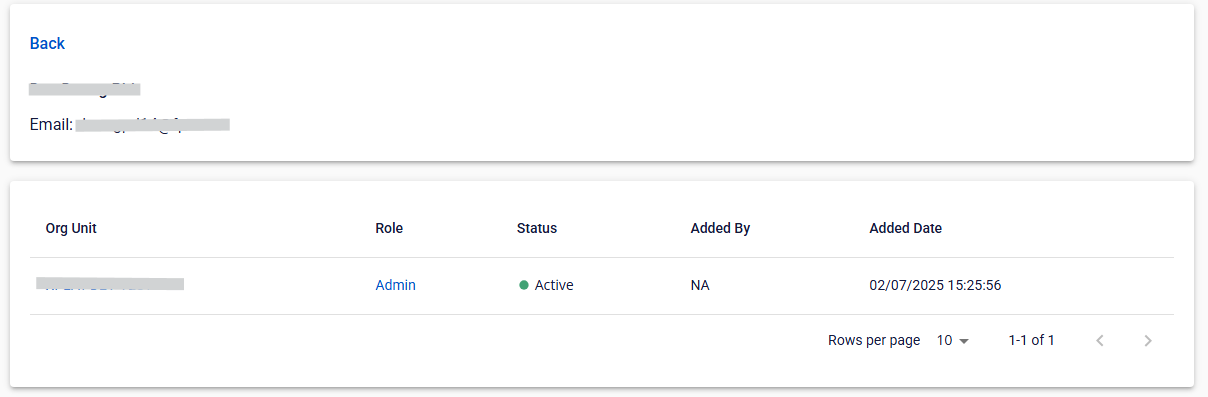
Step 2: Click the hyperlink on a Member Name to view that member's details.
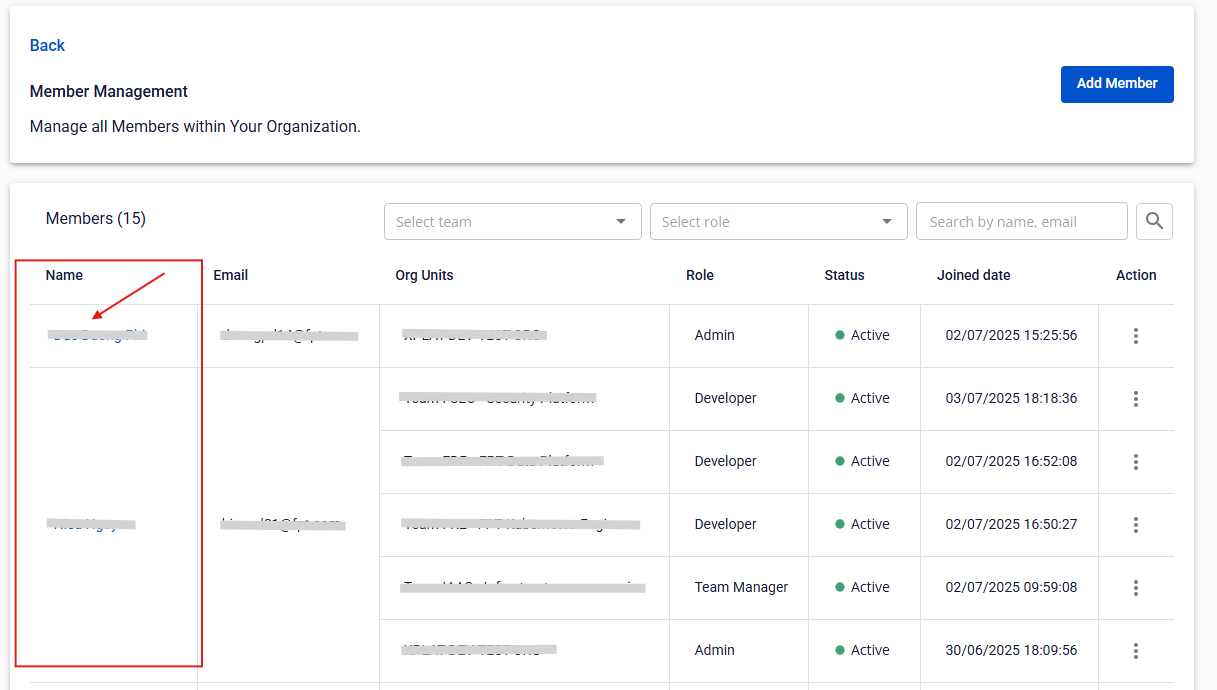
Here you can view Org Units, Role, Status, Added By, and Added Date.
Add a member
Only Org Admin has permission.
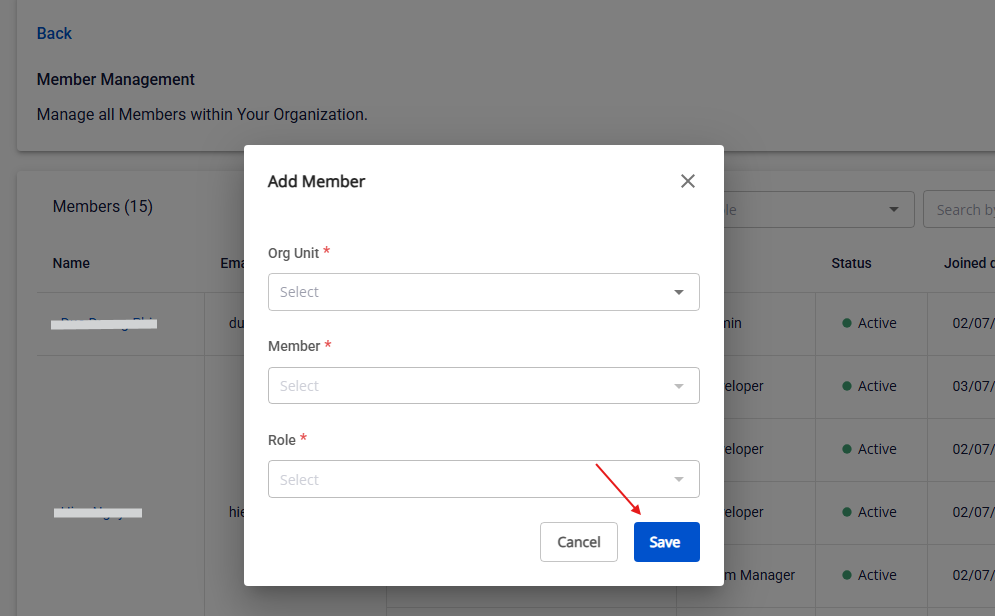
Step 1: Click Add Member.
Step 2: Select the Organization Unit, Member, and Role.
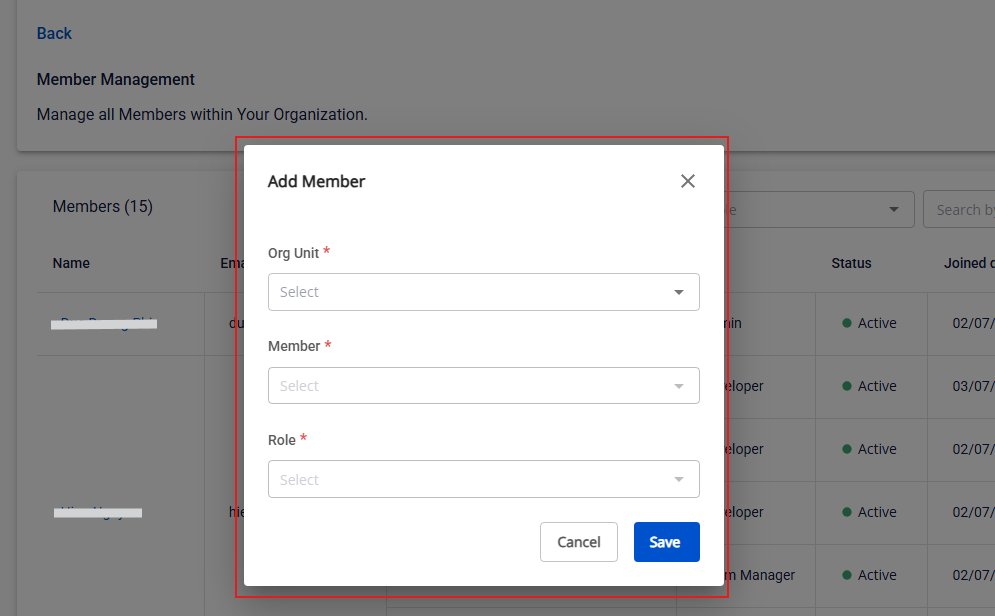
Step 3: Click Save.
Edit a member
Only Org Admin has permission.
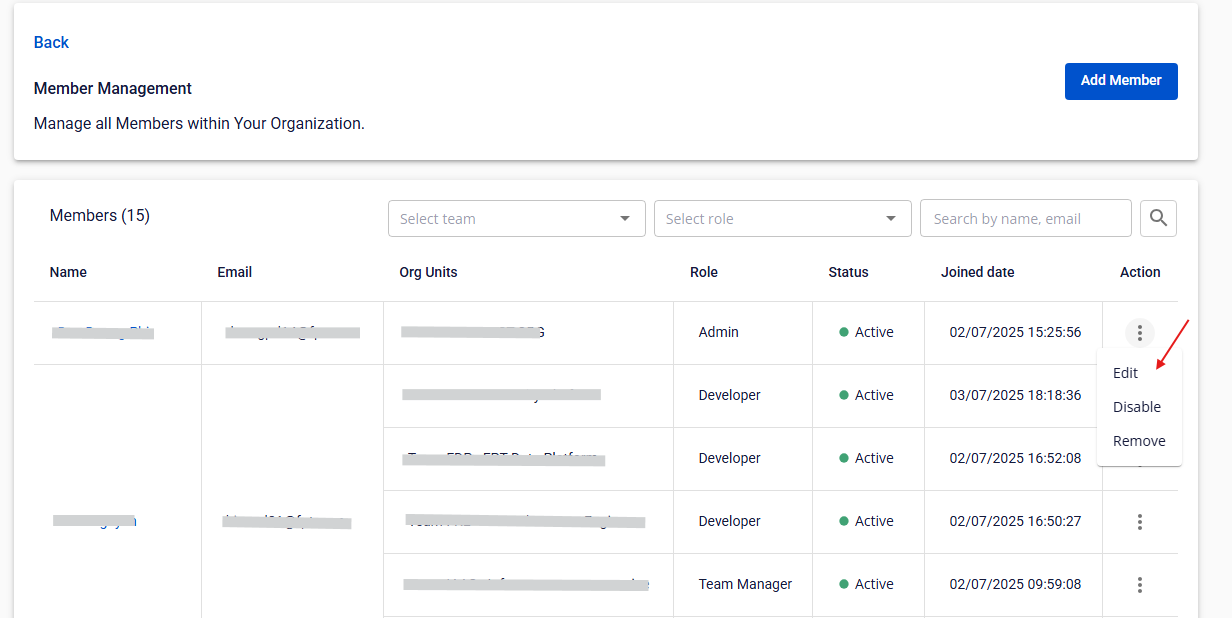
Step 1: Click Edit in the Action column for a member.
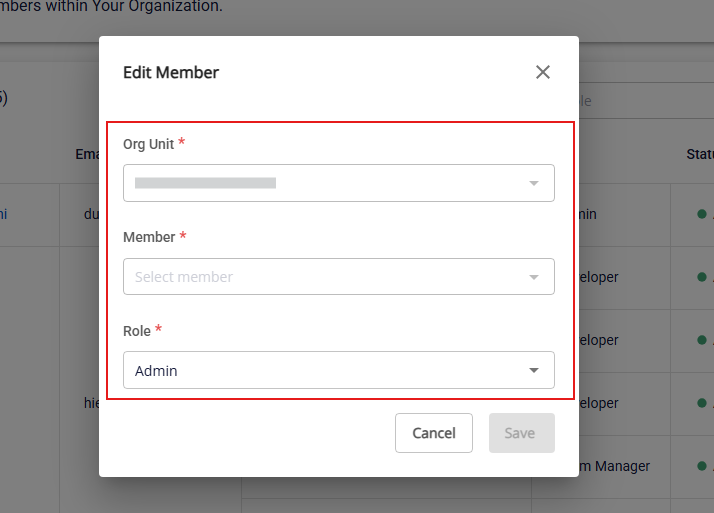
Step 2: Select the Member, Org Unit, and Role.
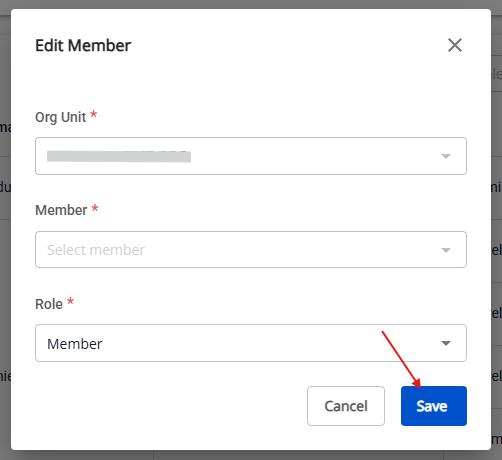
Step 3: Click Save.
Remove a member
Only Org Admin has permission.
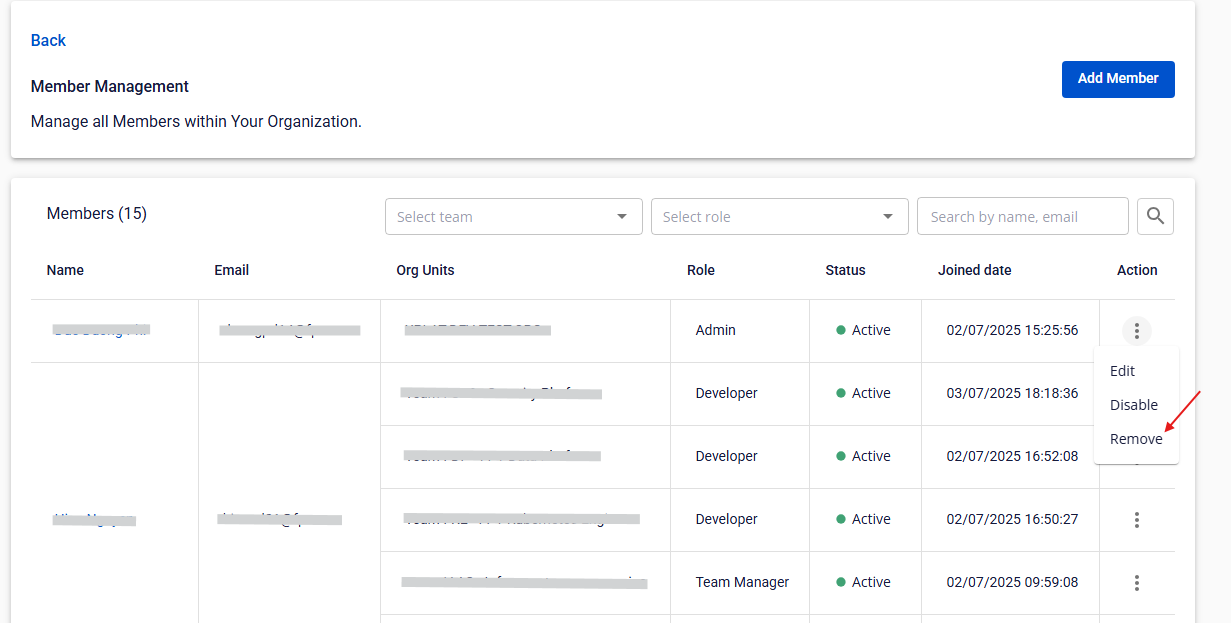
Step 1: Click Remove in the Action column for a member.
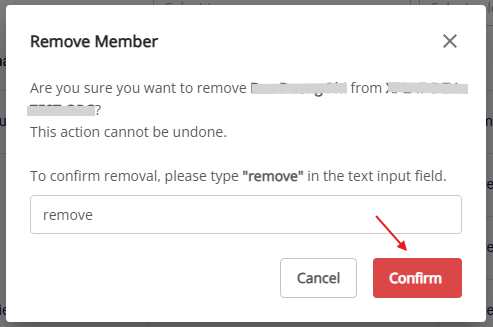
Step 2: Type remove, then click Confirm.
Disable a member
Only Org Admin has permission.
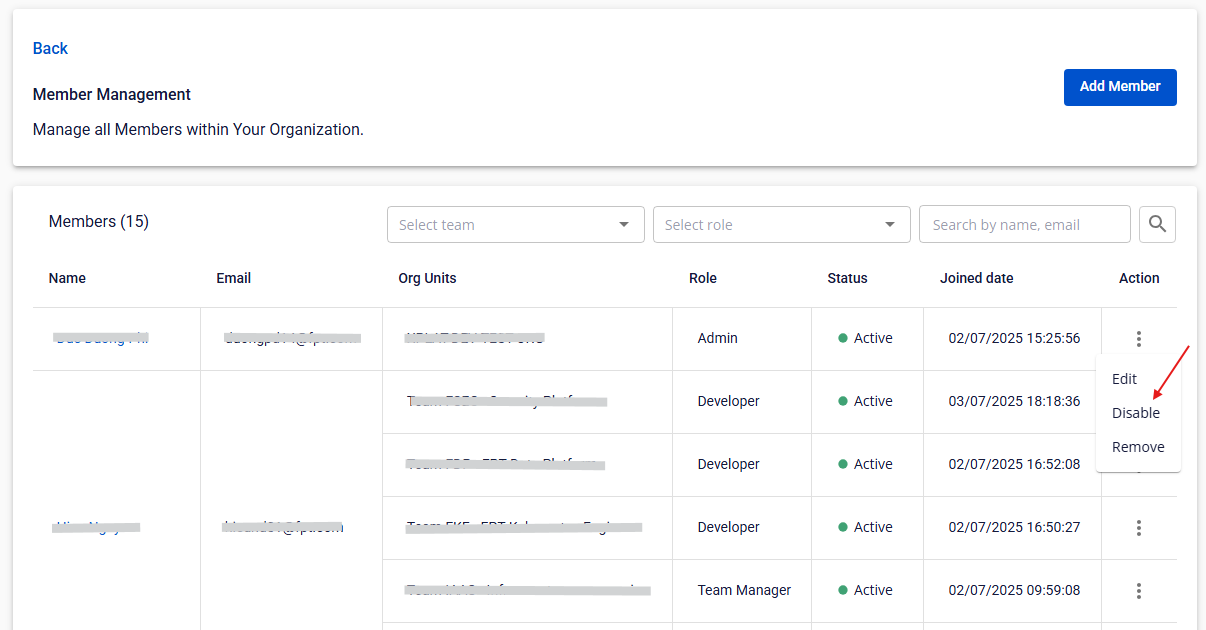
Step 1: Click Disable in the Action column for a member.
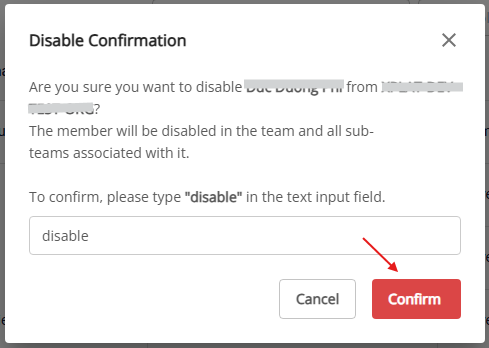
Step 2: Type disable, then click Confirm.
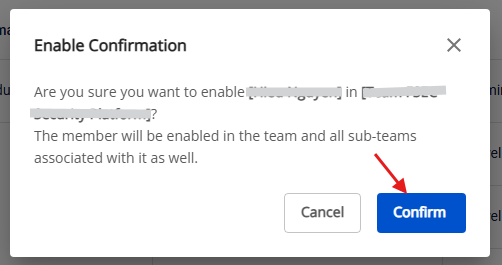
Enable a member
Only Org Admin has permission.
Step 1: Click Enable in the Action column for a member.
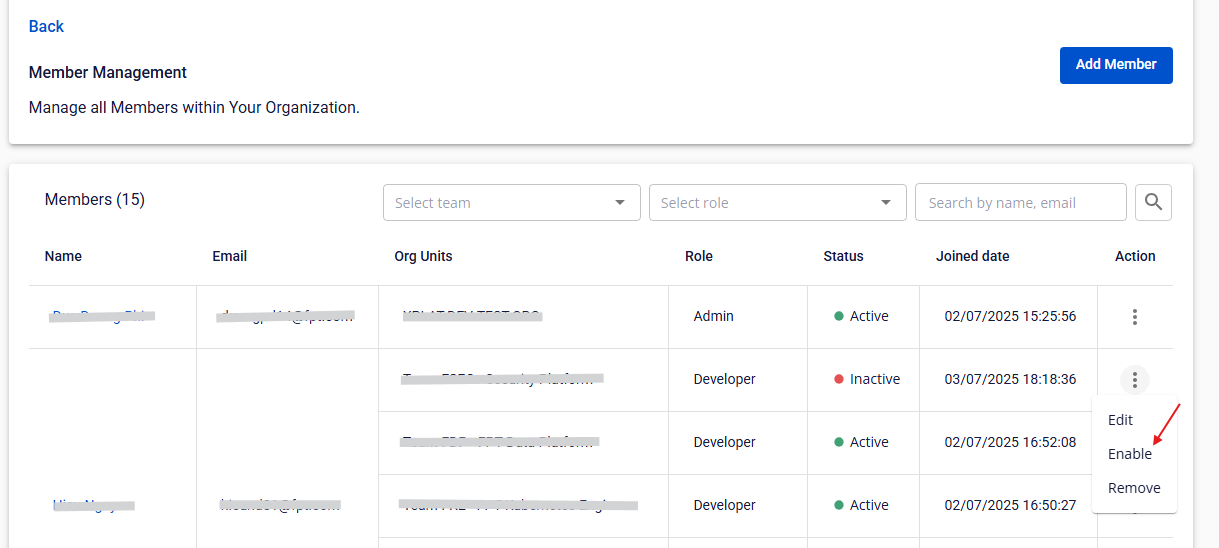
Step 2: Click Confirm.