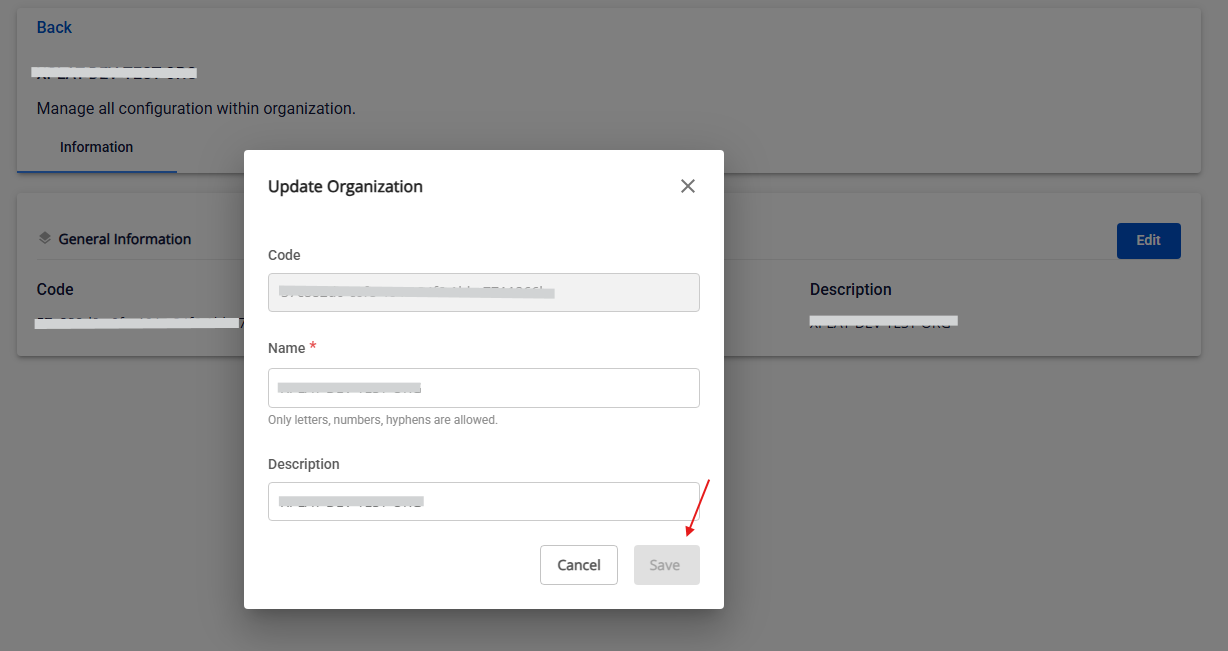
Edit organization information
Only Org Admin has permission to edit.
Step 1: Click the sub-tab, then select Organization.
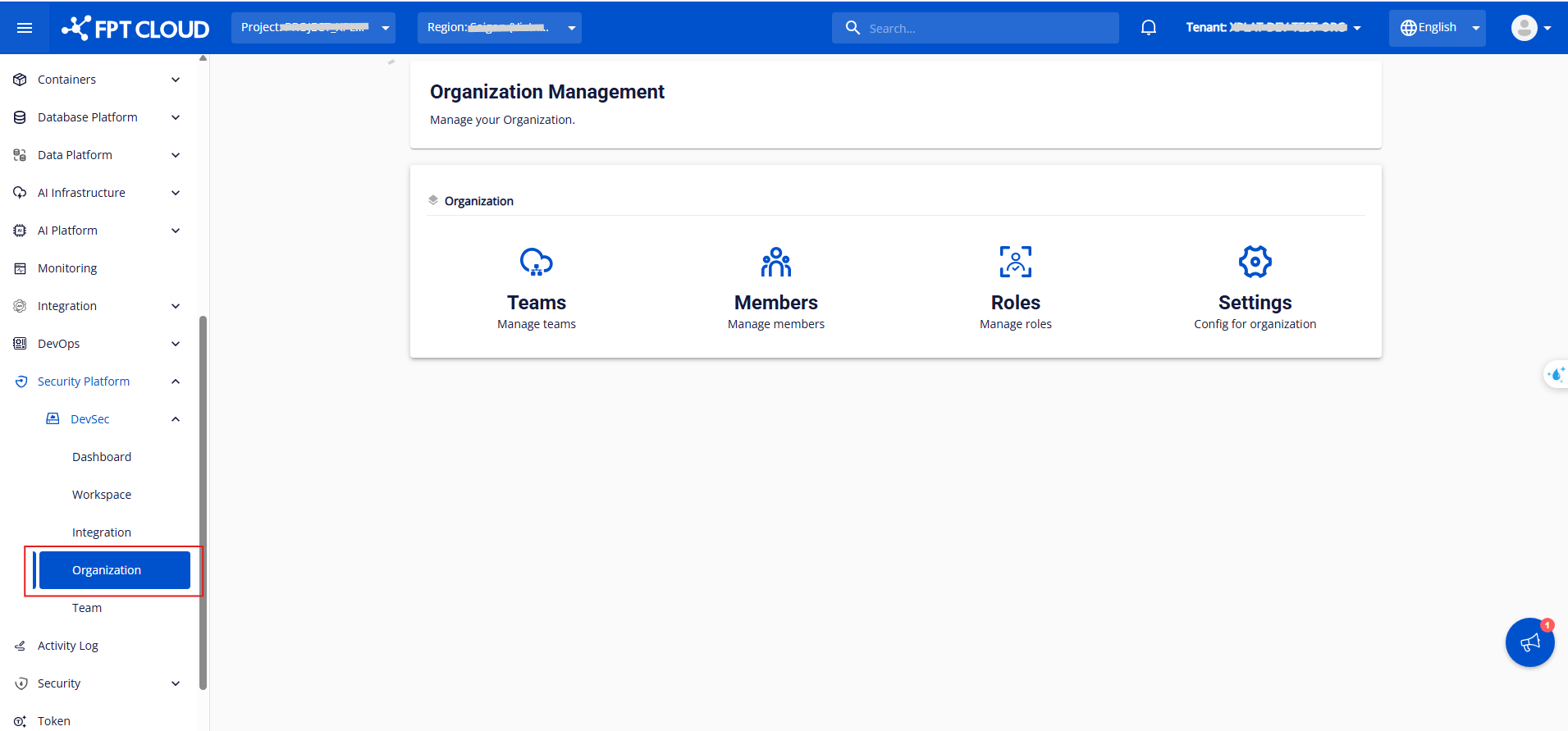
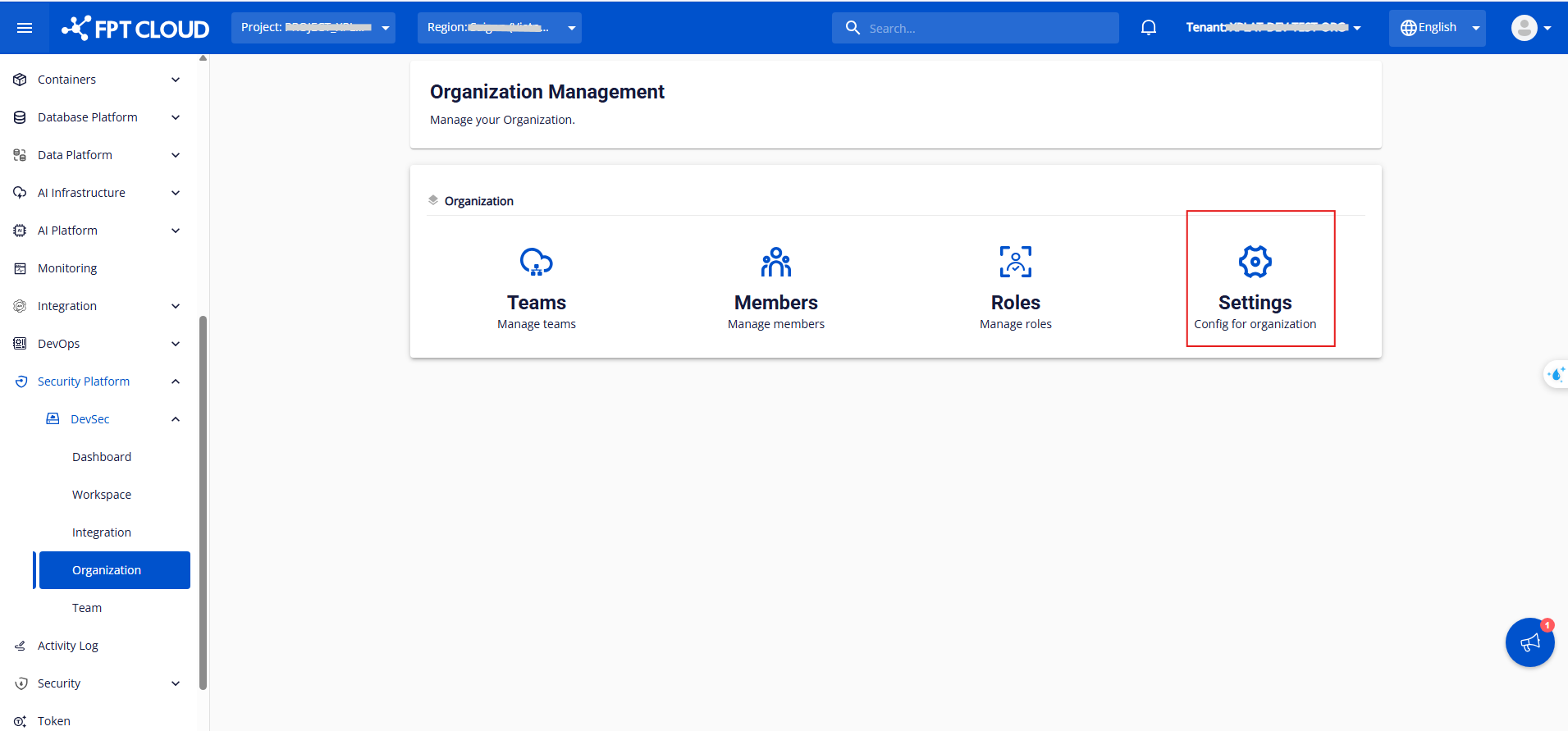
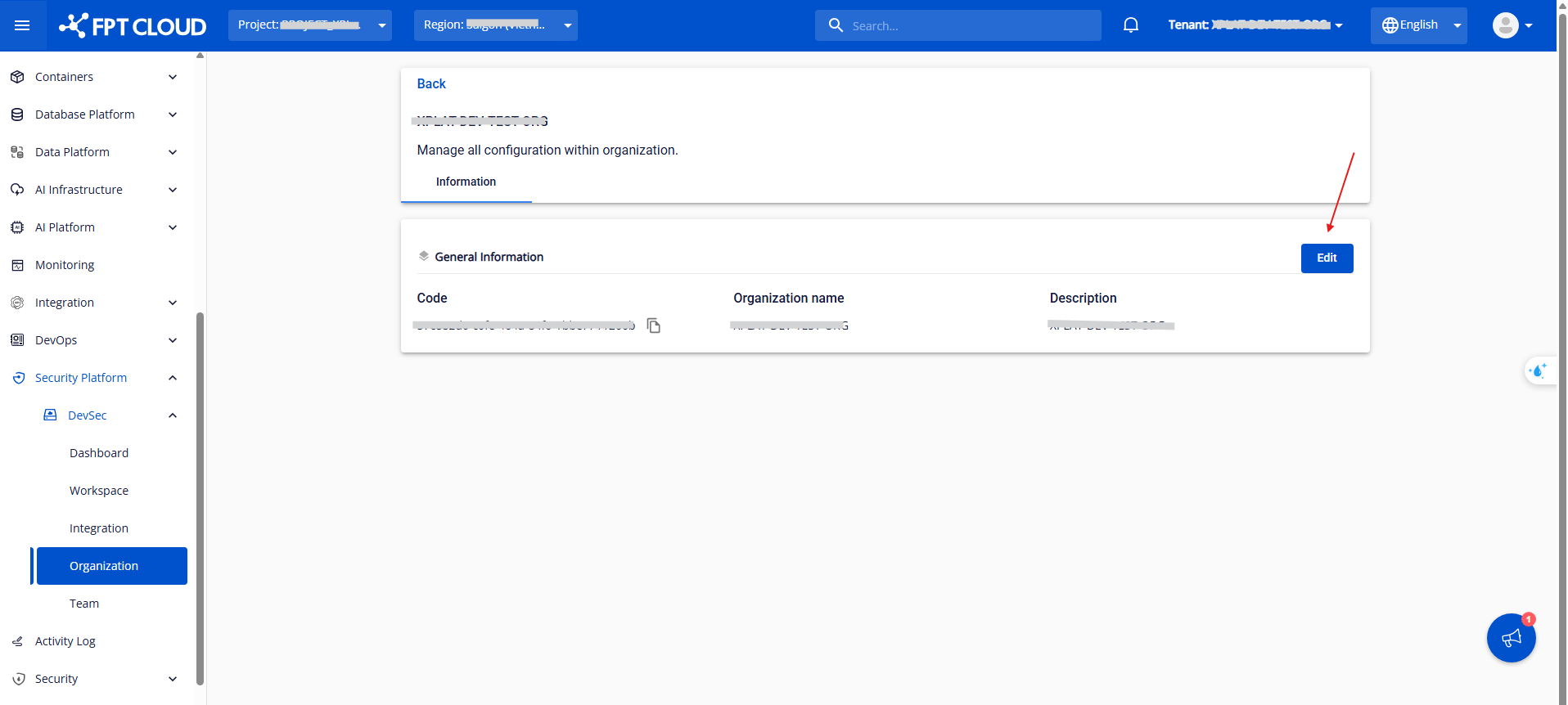
Step 2: Click Settings in the Organization section. You can then edit the organization's information.
Here you can view fields such as Code, Org Name, and Description.
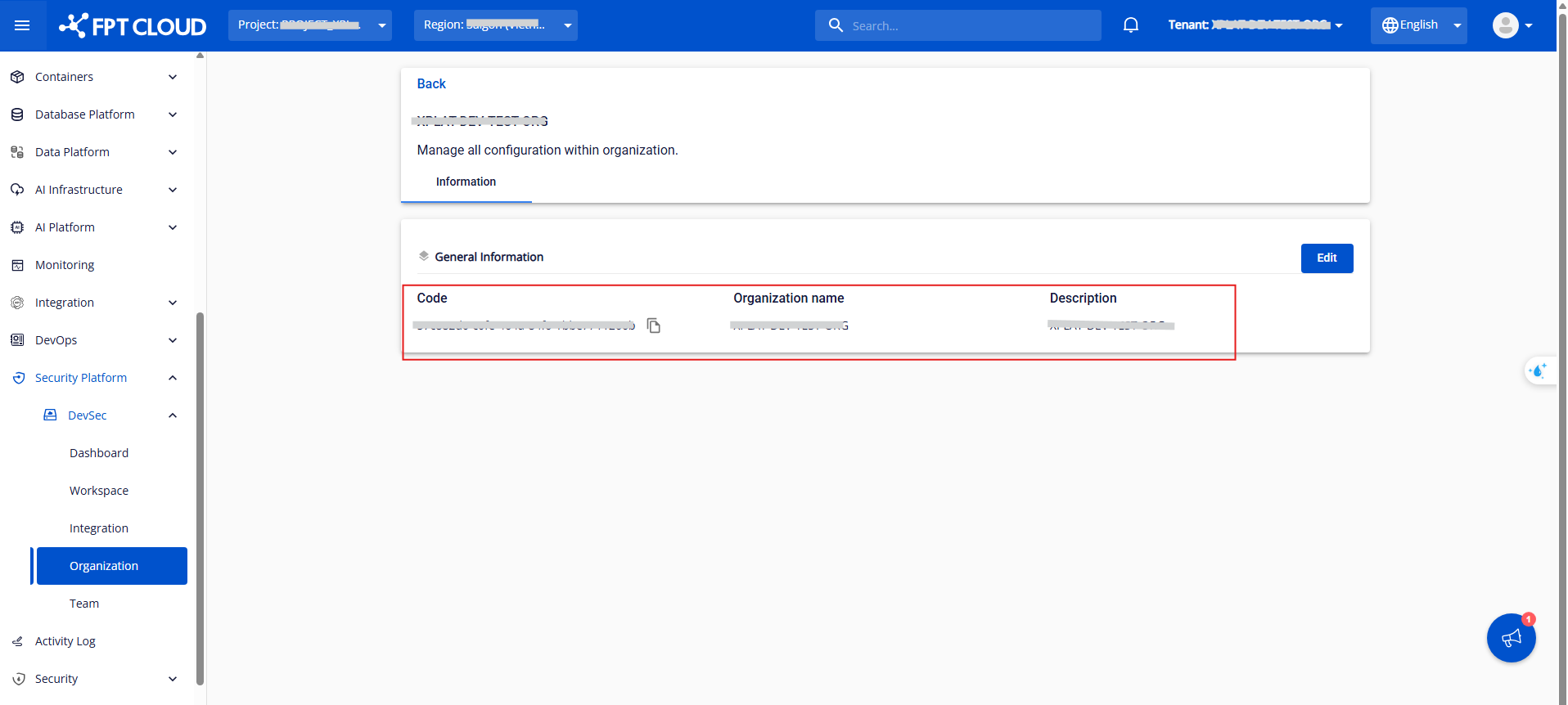
Step 3: Click Edit in the Information tab.
Step 4: Fill in the Org Name and Org Description fields.
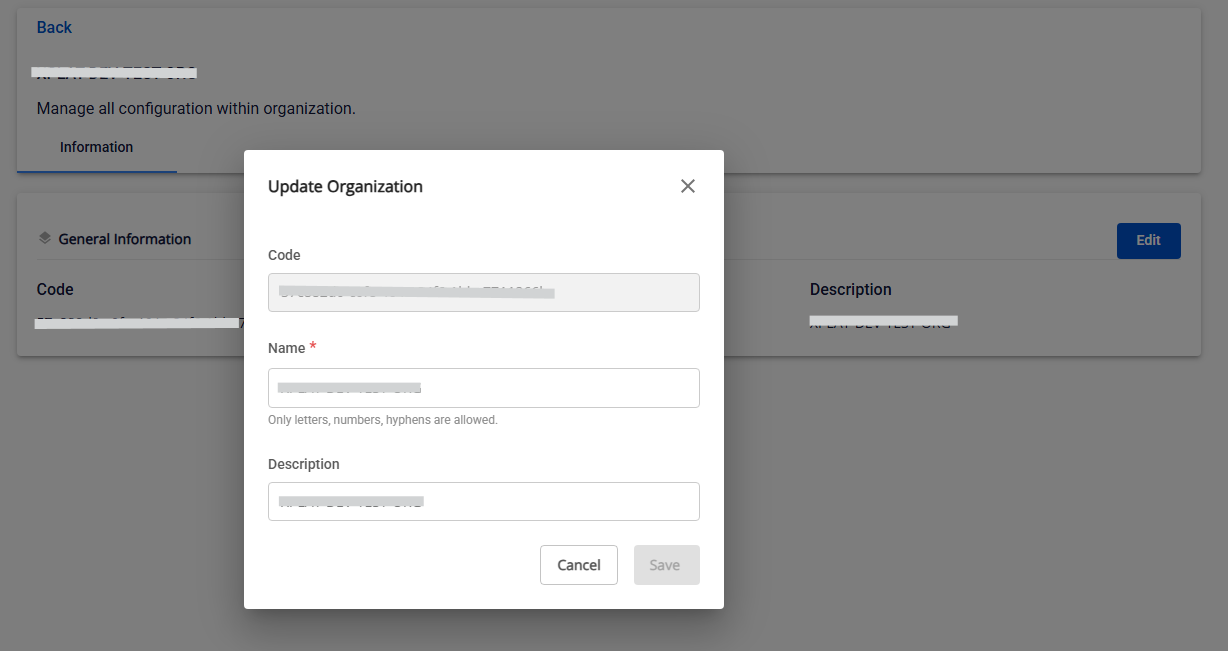
Step 5: Click Save.