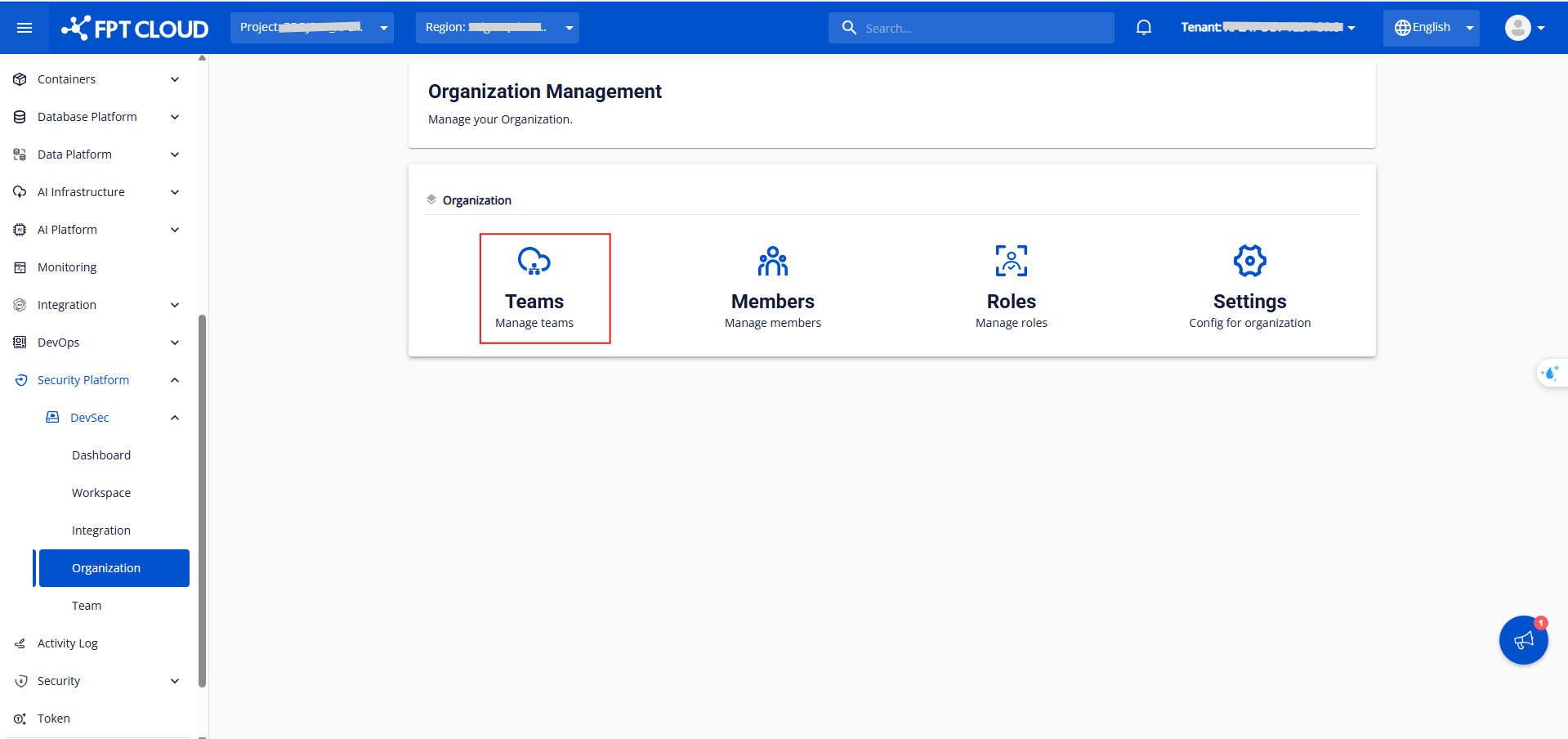
Manage teams
Click Team in the Organization section.
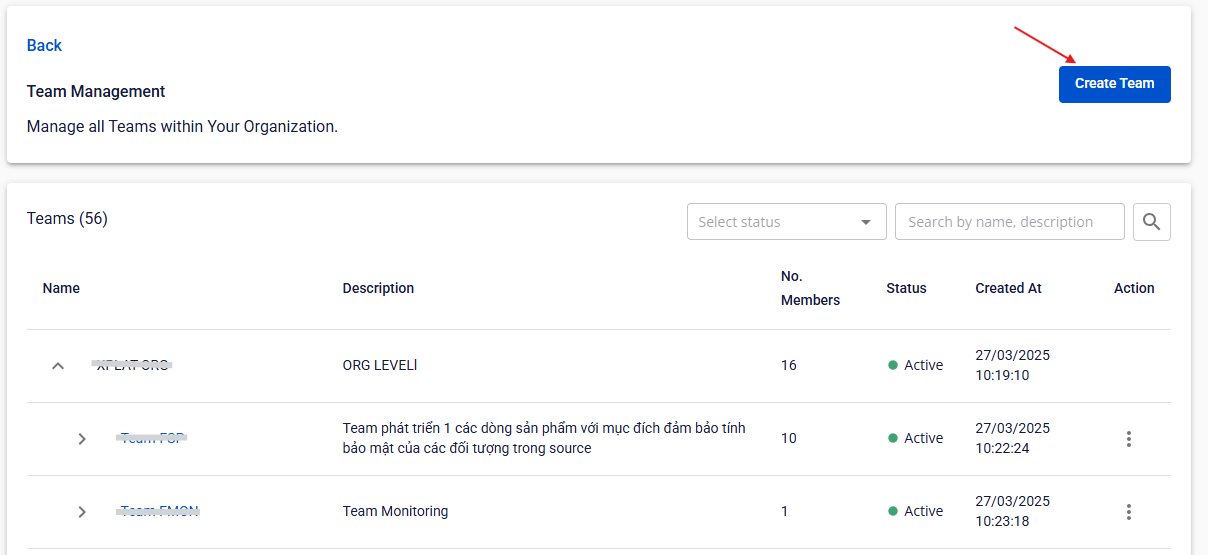
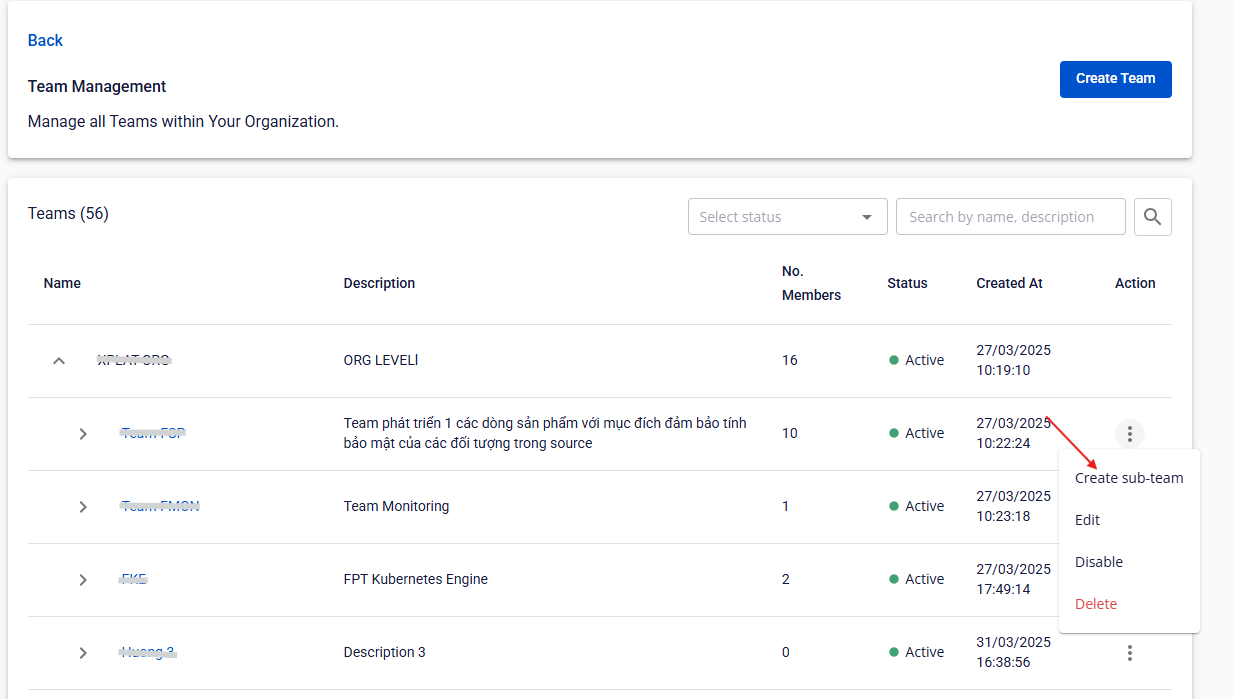
Here you can view each team's Name, Description, Number of Members, Status, and Created at, and perform actions such as Create Team, Create Sub-team, Edit, Disable/Enable, and Delete.
Create a team
Only Org Admin and Team Manager have permission.
Step 1: Click Create team in the Teams section.
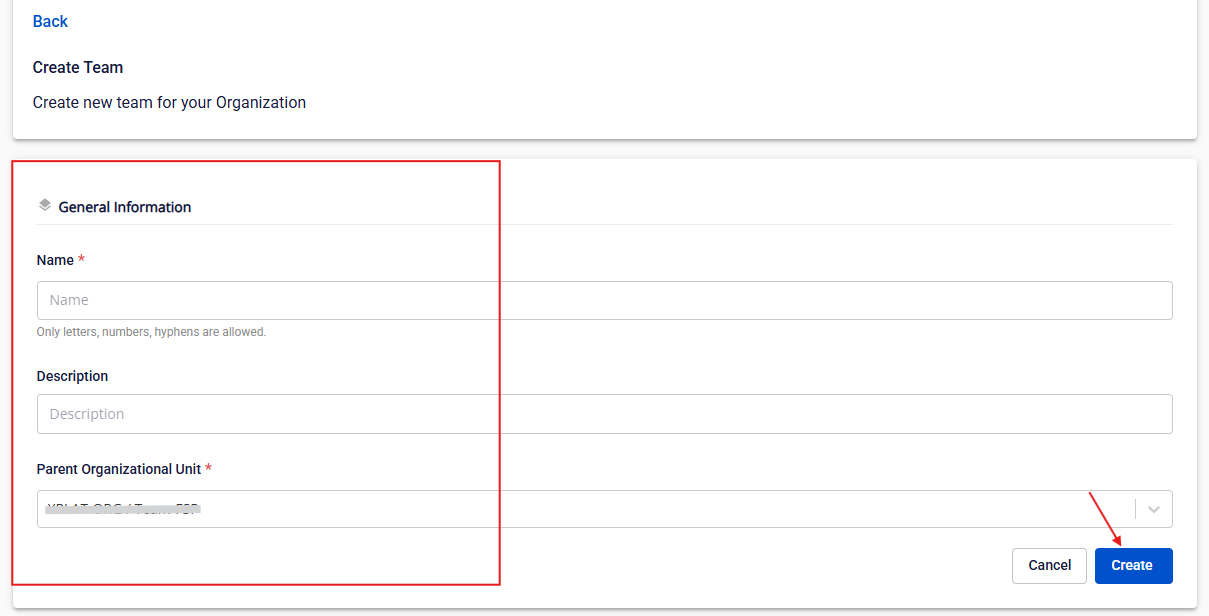
Step 2: Fill in Team Name, Description, and Parent Org Unit.
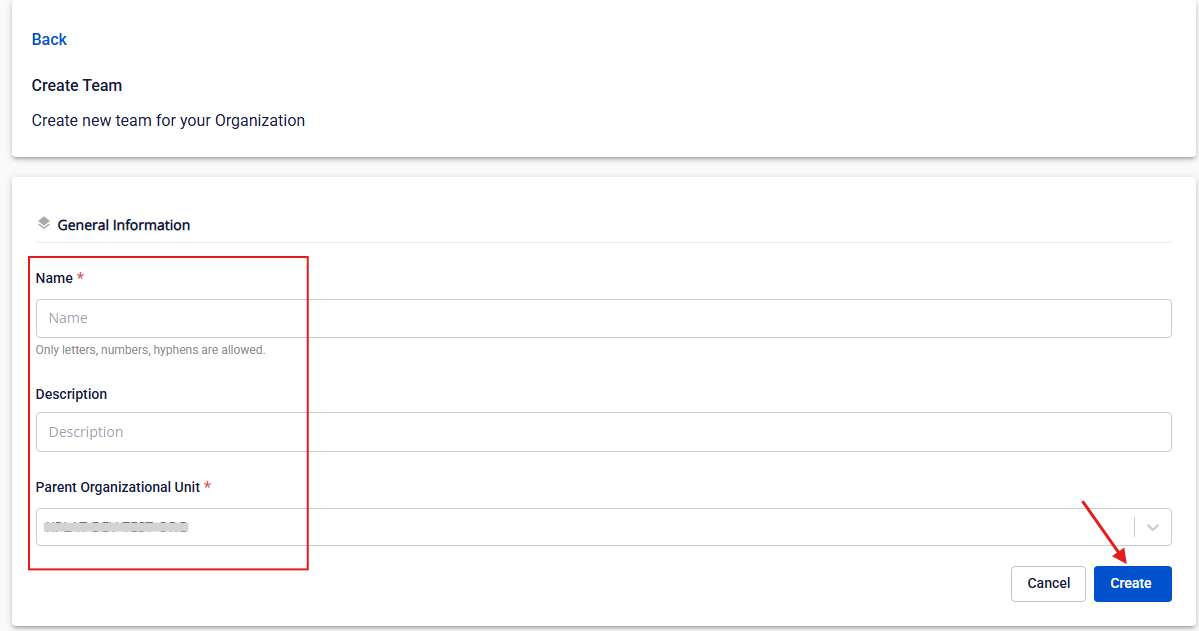
Step 3: Click Create.
Create a sub-team
Only Org Admin and Team Manager have permission.
Step 1: Click Create Sub-team in the Action column of a team.
Step 2: Fill in Org Name, Org Description, and Parent Org Unit, then click Create.
Edit a team
Only Org Admin and Team Manager have permission.
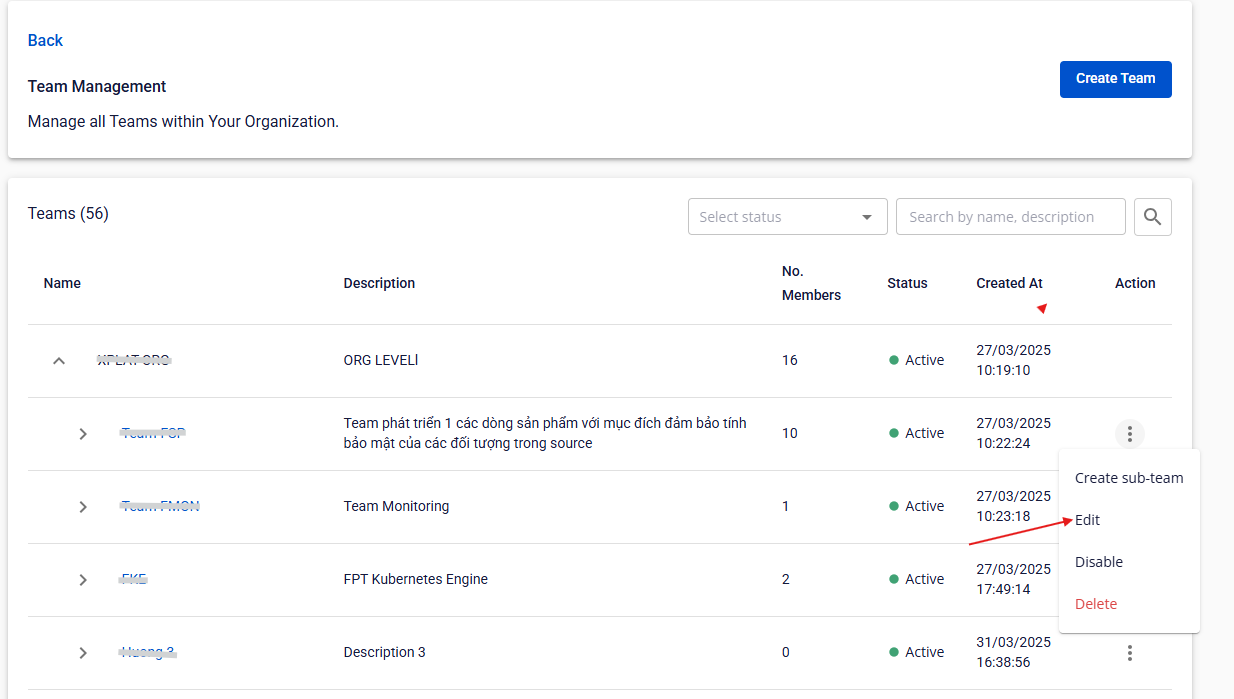
Step 1: Click Edit in the Action column of a team.
Step 2: Fill in Org Name, Org Description, and Parent Org Unit.
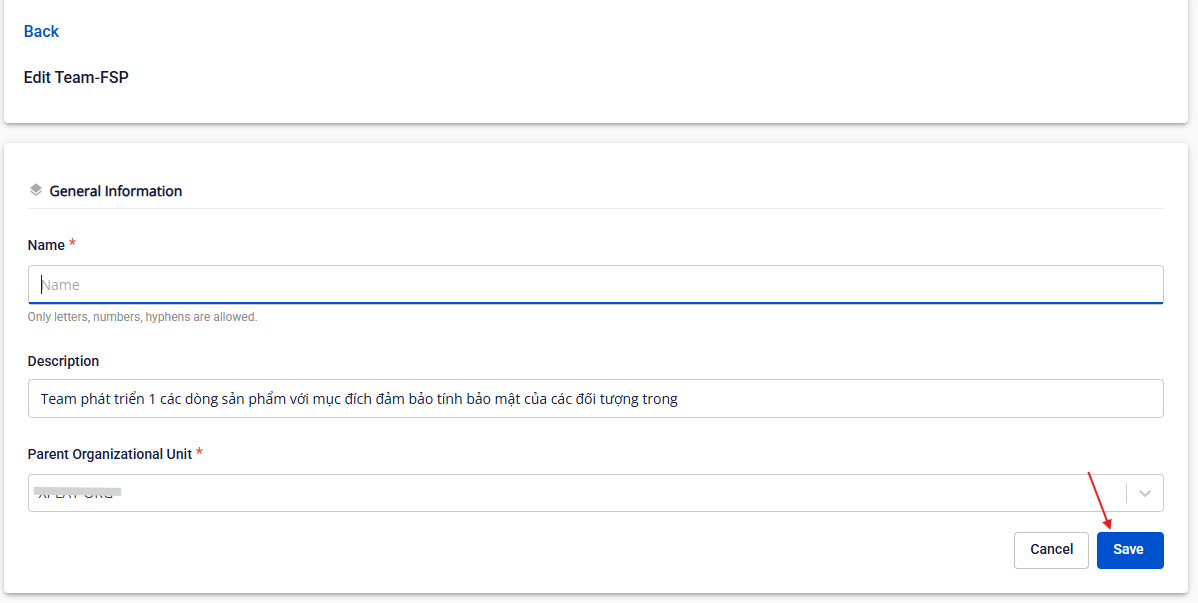
Step 3: Click Save.
Delete a team
Only Org Admin and Team Manager have permission.
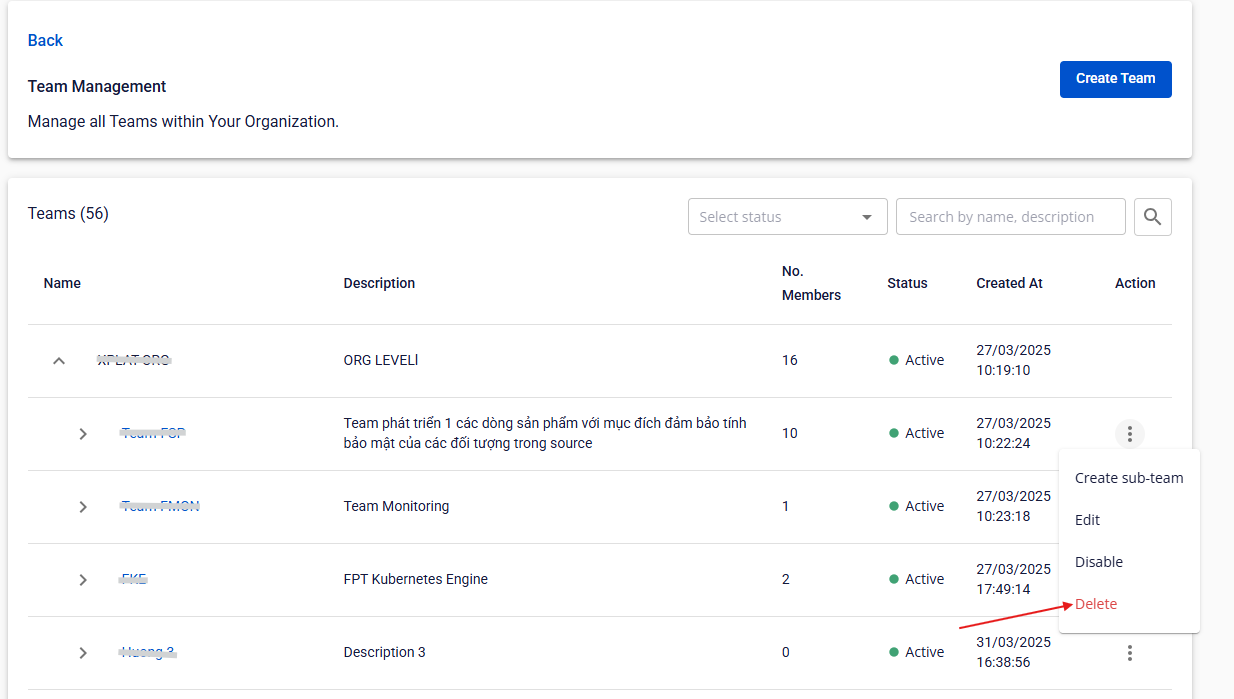
Step 1: Click Delete in the Action column of a team.
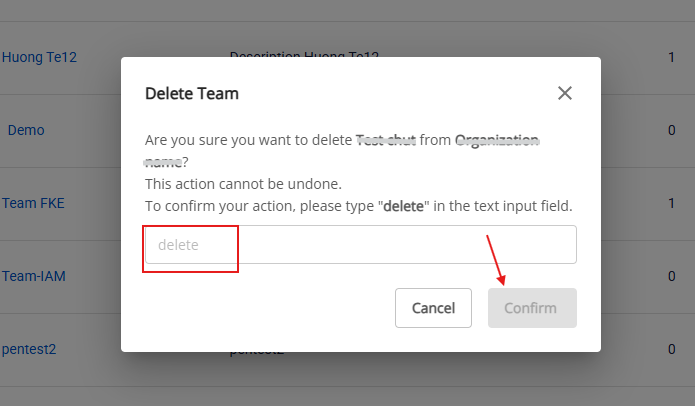
Step 2: Type delete, then click Confirm.
Disable a team
Only Org Admin has permission.
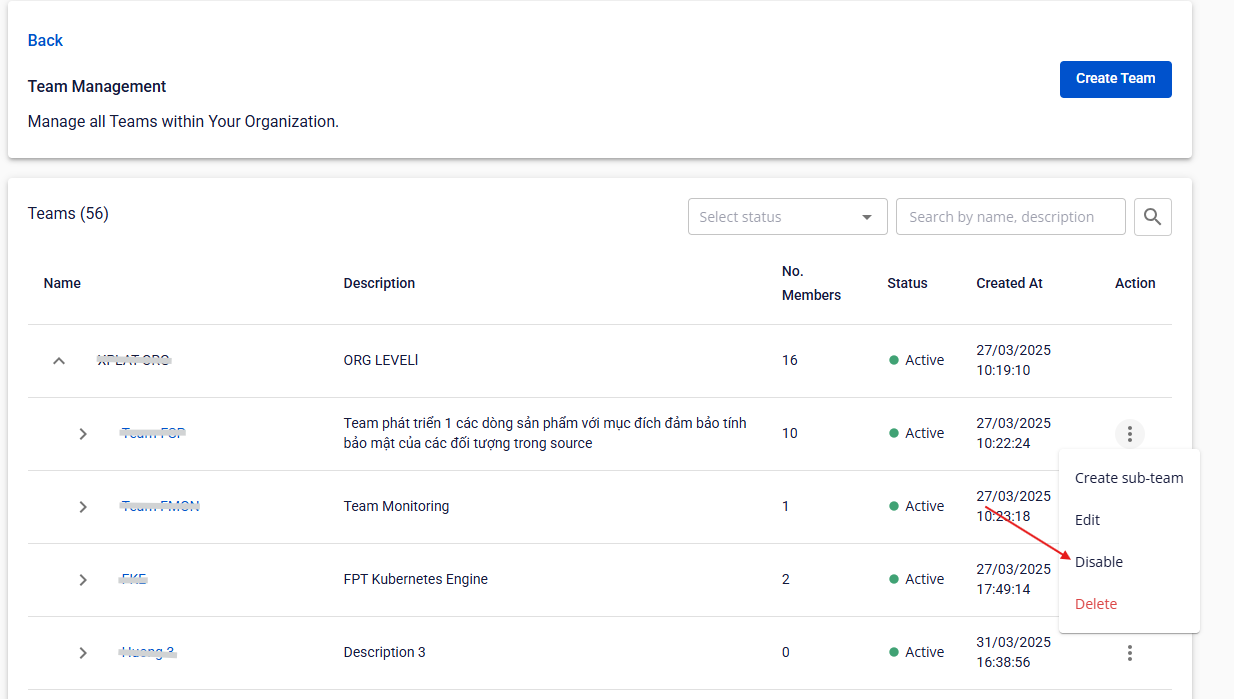
Step 1: Click Disable in the Action column of a team.
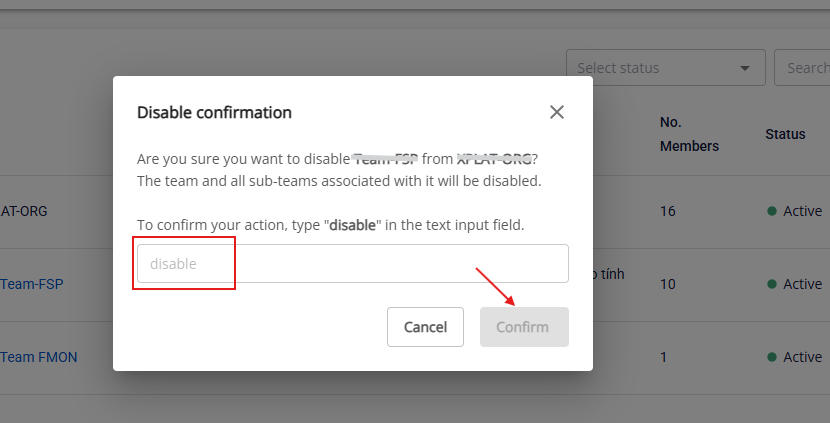
Step 2: Type disable, then click Confirm.
Enable a team
Only Org Admin has permission.
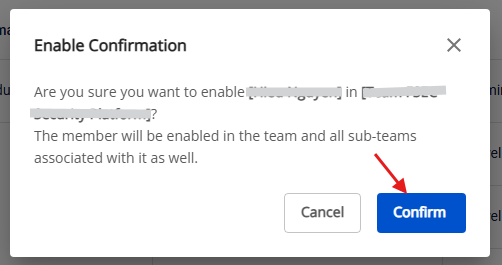
Step 1: Click Enable in the Action column of a team.
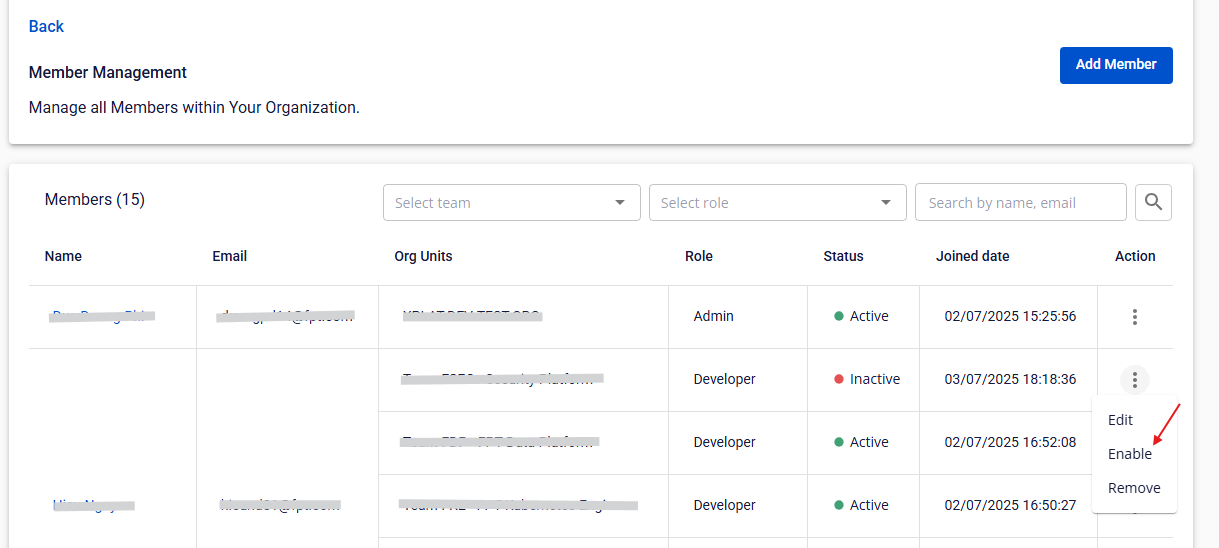
Step 2: Click Confirm.