Configure network interfaces
-
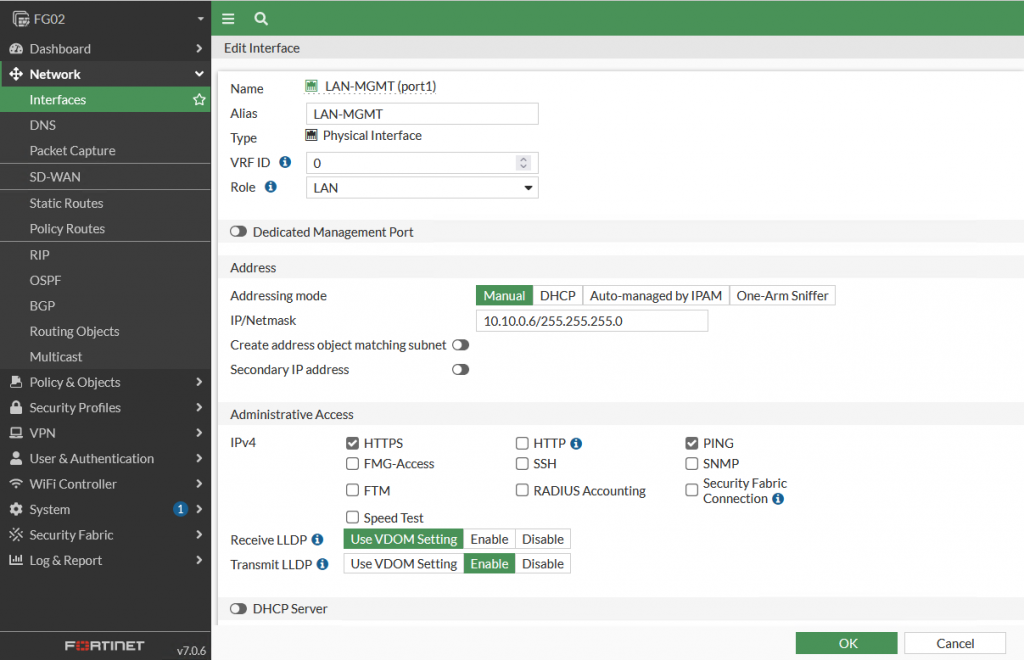
After configuring the management interface (Port 1) on the CLI and accessing the web interface successfully, configure a LAN interface as follows.
-
Configure the WAN interface (Port 2).
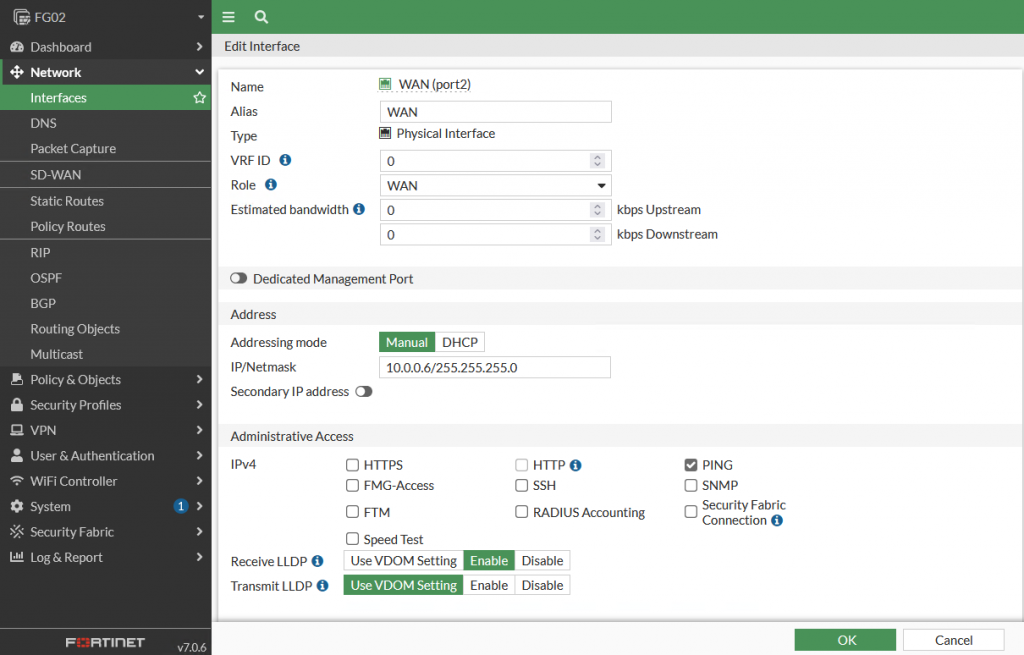
Administrative Access: Allows access to the interface through specific services.
note
On VMware/OpenStack, NAT has been configured to allow IP 10.0.0.6 to connect to the internet.