Manage system users and user profiles
-
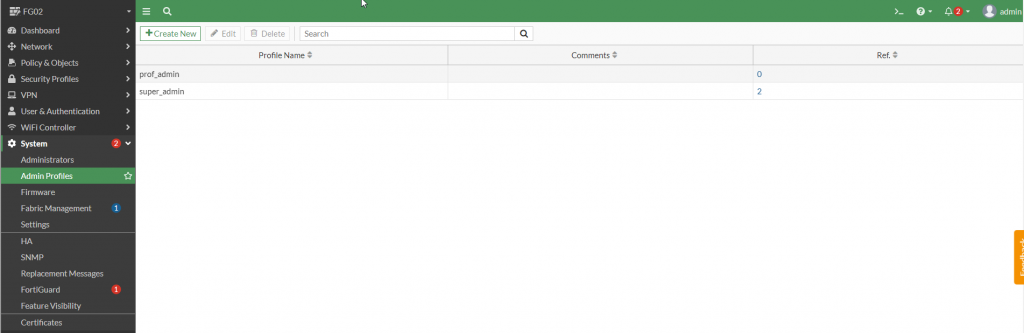
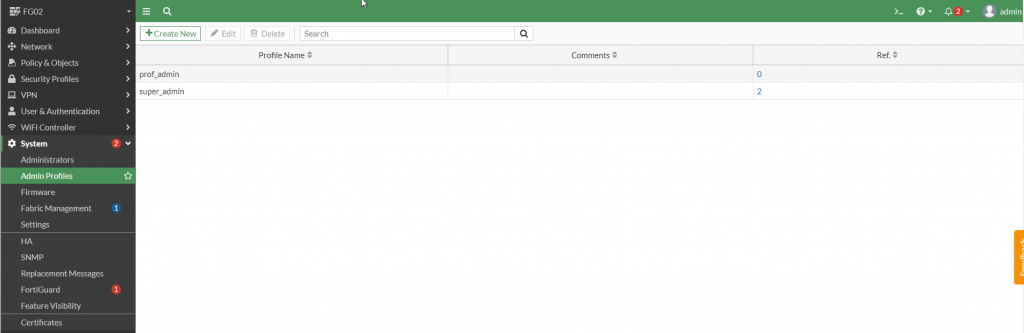
Go to System > Admin Profiles.
-
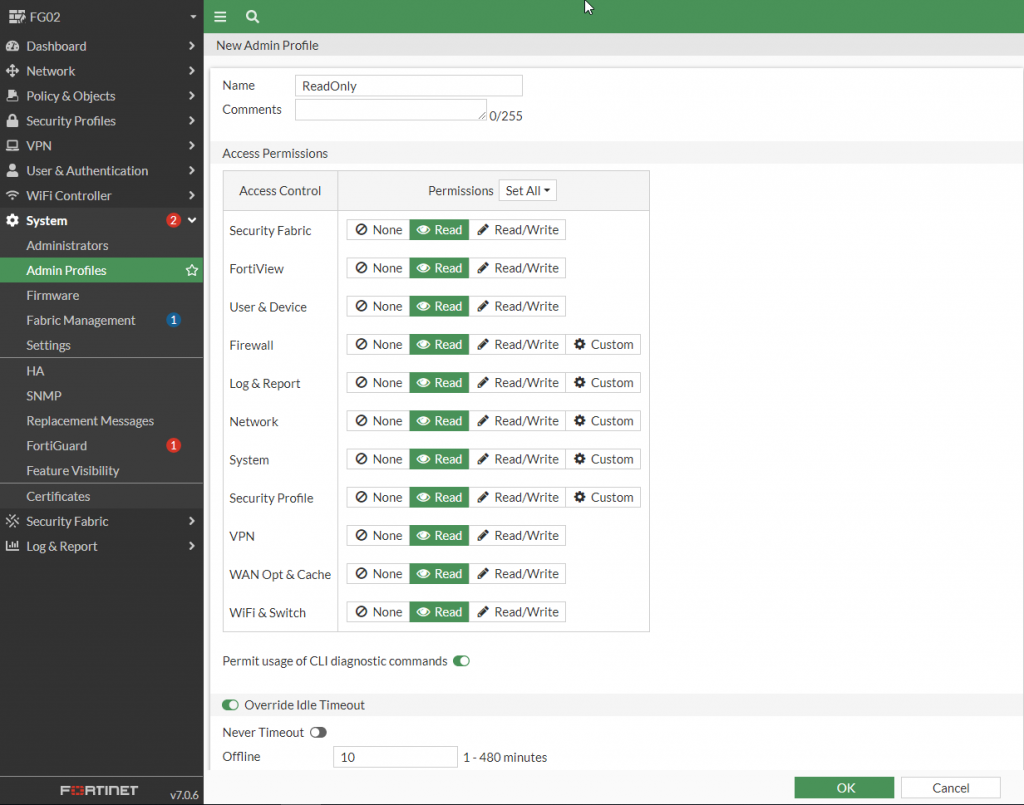
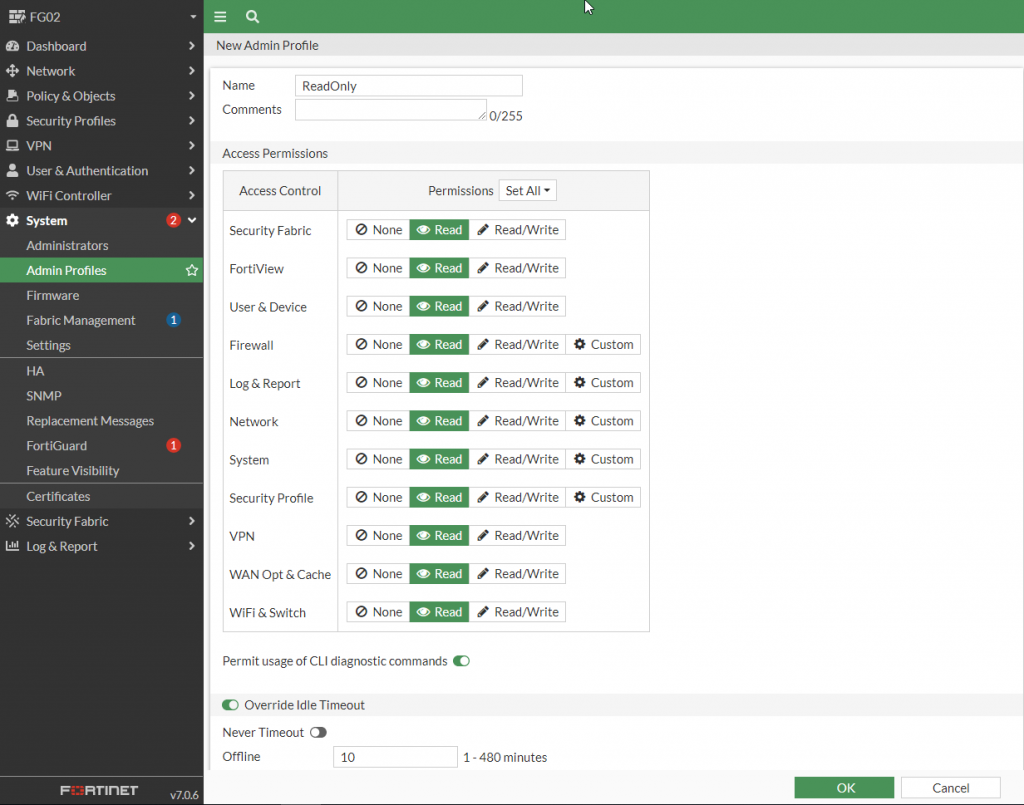
Create an Admin Profile with Read Only permissions:
Click Create New, select the permission level (Read or Read Only) for each object, then click OK to create the profile.
-
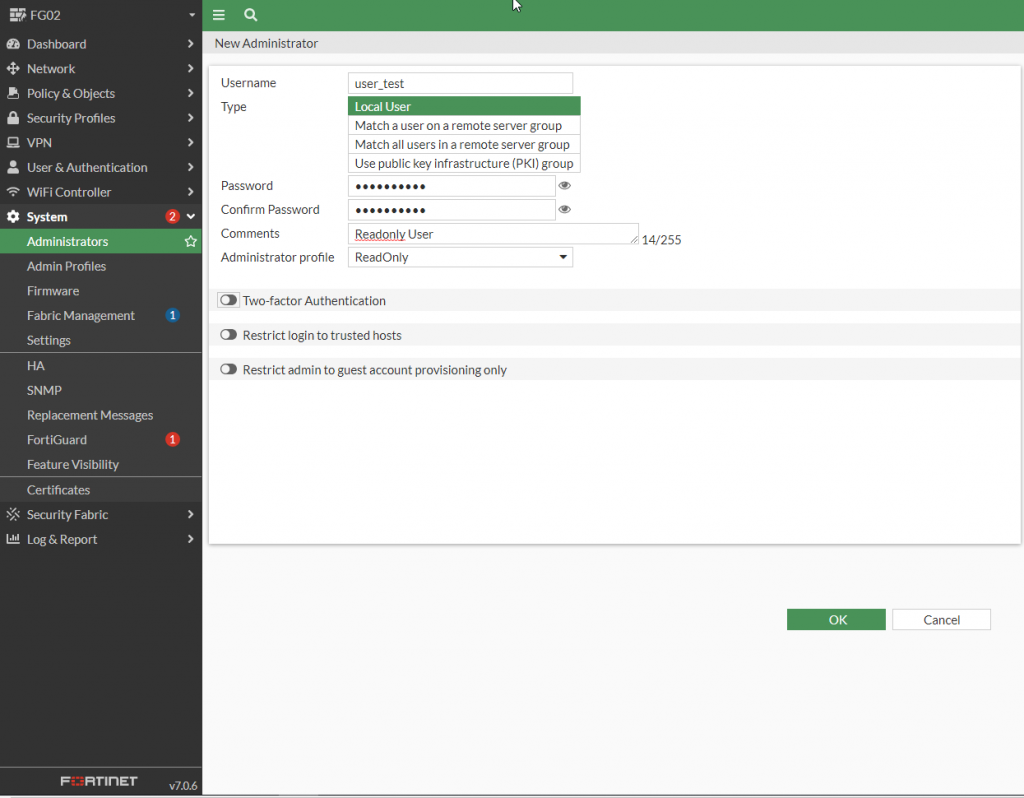
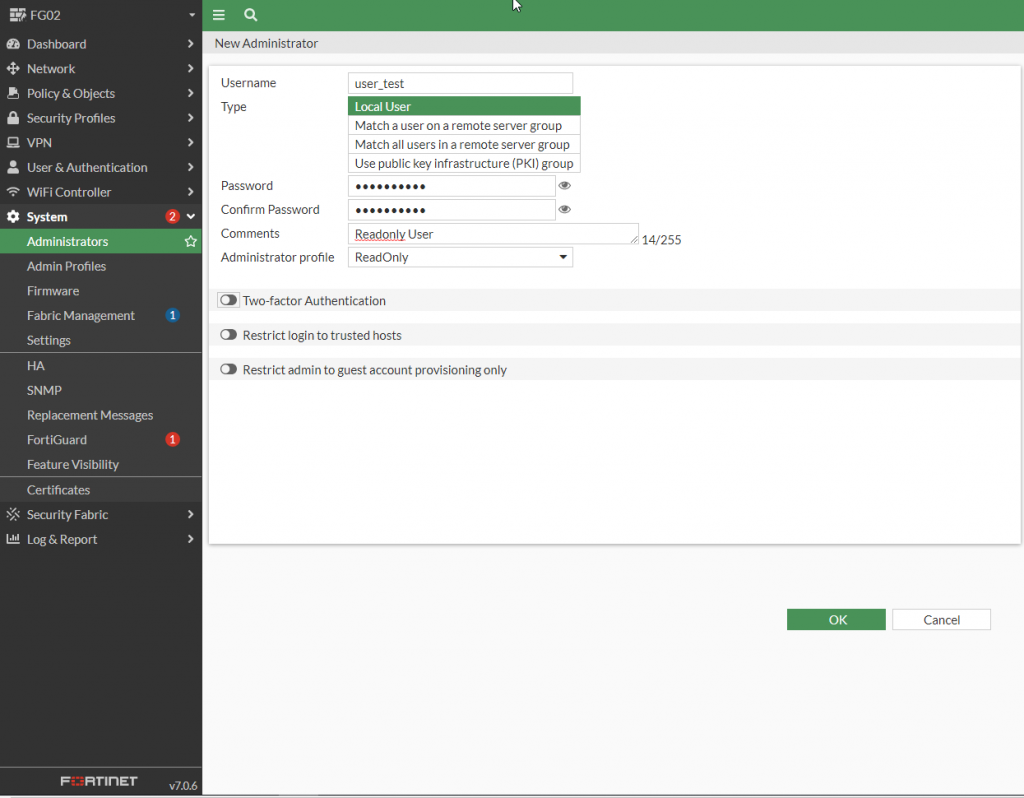
Create a user with the ReadOnly Admin Profile:
Go to System > Administrators > Create New. Set Type to Local User and create a password. Under Administrator profile, select ReadOnly (the profile created in step 2). Click OK to create the user.